
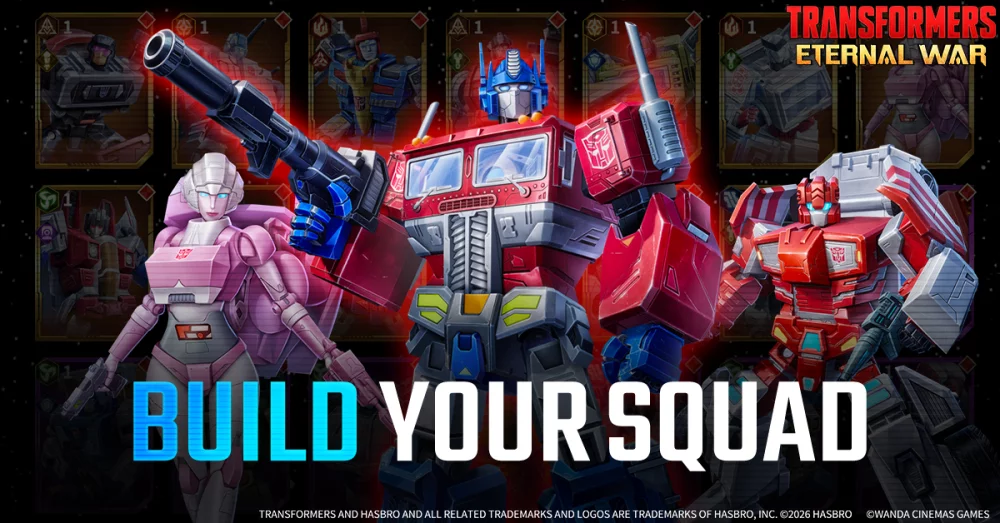
Pre-registering for Transformers: Eternal War on the Google Play Store is the definitive way to ensure you are ready for the Summer 2026 launch. By opting in early, you guarantee your eligibility for exclusive launch-day rewards, such as premium currency, rare hero shards, and limited-edition cosmetic skins that are often unavailable to players who join after the initial rollout. This guide explains the process for securing your account, optimizing your device for day-one performance, and leveraging these early-bird advantages to dominate the early meta.
The Strategic Importance of Pre-Registration
In Transformers: Eternal War, the early game is defined by resource scarcity and the race to build a balanced squad of Autobots and Decepticons. Pre-registering is not just about convenience; it is a tactical decision. Developers typically utilize pre-registration milestones—where the entire community works toward a common goal—to unlock tiered rewards.
By participating, you contribute to these global milestones. If the community hits specific sign-up targets, every pre-registered player receives bonus items. These items are specifically balanced to help you breeze through the early chapters of the campaign, allowing you to bypass the initial "grind" and focus on leveling up your primary roster.
How to Register via the Official Google Play Portal
To ensure your account is correctly flagged for rewards, follow these steps precisely. Avoid third-party "early access" sites or unofficial APK aggregators, as these are frequently used to distribute malware or phishing links.
- Access the Official Store: Navigate to the Google Play Store and search for Transformers: Eternal War. Ensure you are on the official developer-hosted page.
- Execute the Pre-registration: Click the green "Pre-register" button. Once selected, the button will change to "Unregister," confirming your status.
- Enable Automatic Installation: Toggle the "Install when available" option. This ensures that as soon as the servers go live in Summer 2026, the game files will begin downloading to your device automatically, saving you from manually checking the store on launch day.
- Verify Account Sync: Ensure you are logged into the Google account you intend to use for your primary gameplay session, as rewards are usually non-transferable between accounts once claimed.
Managing Device Compatibility and Storage
Transformers: Eternal War is a high-fidelity strategy RPG. To avoid performance issues during the high-traffic launch window, it is vital to prepare your hardware.
- Check Storage Space: Large-scale RPGs often launch with substantial day-one patches. Ensure you have at least 6–8GB of free storage on your device to accommodate the initial install and the inevitable update files.
- Hardware Requirements: While official specs will be finalized closer to release, ensure your mobile device supports modern graphics APIs. If you are using a device older than three years, consider checking your RAM capacity, as complex strategy games often suffer from "stuttering" during intensive tactical combat if the system memory is insufficient.
- Battery and Connectivity: If you utilize the "Auto-install" feature, ensure your device is connected to a stable Wi-Fi network and has sufficient battery life to prevent a corrupted download during the installation process.
Maximizing Your Launch-Day Advantage
Once the game is installed, your priority should be the efficient utilization of your pre-registration mail. Most rewards are delivered via the in-game mailbox system rather than being automatically applied to your inventory.
The "First Day" Checklist:
- Claim All Mail: Immediately navigate to your inbox to claim your pre-registration bonuses. Do not let these sit, as some rewards may have expiration timers.
- Prioritize Resource Investment: Use your early-game currency to upgrade your primary damage dealers rather than spreading your resources too thin across a wide, low-level roster.
- Focus on the Campaign: Your goal in the first 24 hours is to push as far into the story as possible. This unlocks additional gameplay features, such as daily missions, arena modes, and guild access, which provide a steady stream of secondary resources.
- Sync Your Progress: Ensure your game account is linked to a Google Play Games profile or the developer’s internal account system. This prevents progress loss if you decide to switch between a phone and a tablet later.
Common Mistakes to Avoid
Many players sabotage their own launch experience by making avoidable errors. Avoid these common pitfalls to stay ahead of the competition:
- Ignoring the "Auto-Download" Toggle: Relying on your memory to manually download the game on launch day often leads to delayed starts due to server congestion or simply forgetting. Always use the store's "Install when available" feature.
- Wasting Premium Currency: Beginners often spend rare currency on "common" pulls or generic upgrades. Save your pre-registration premium currency for specialized hero banners or high-value resource packs that offer a better return on investment.
- Ignoring the Community Hubs: Keep an eye on the official Transformers: Eternal War social channels. Developers often drop "Redeem Codes" during the launch week to celebrate the game's success—these codes are usually time-sensitive and provide a massive advantage to those who notice them early.
Why Pre-Registration Matters for the Meta
In the current landscape of mobile strategy RPGs, the "Day One" experience sets the trajectory for your entire account. Players who pre-register and start immediately benefit from the "Early Bird" advantage—meaning they reach the endgame progression tiers, join the top-ranked guilds, and secure their position in the competitive leaderboards long before the casual player base catches up.
Transformers: Eternal War is designed with a persistent, evolving story. By being present at the start of the "Chaos Legion" arc, you ensure that you don't miss out on limited-time event rewards that may never return. Use the pre-registration window to watch the trailers, understand the faction synergies between Autobots and Decepticons, and prepare your tactical mind for the war ahead.
Free Transformers: Eternal War Codes
Current active codes and how to redeem them.

Emily Johnson
Emily writes practical mobile strategy guides with a focus on resource planning, base progression, and the early decisions that shape a long-term account.
COMMUNITY
Player Comments
70 players commented on this guide.
I tried this today and it worked better than my old setup.
This helped me understand strategy much better.
Good guide for Transformers: Eternal War players. The strategy part was useful.
The explanation is clear, especially for beginners.