

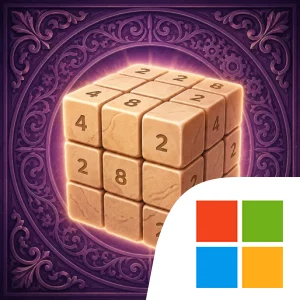
Twist & Merge: 3D Number Cube Official PC Client
Download the official Windows client, with setup steps, controls, system requirements, and play tips.

Download the Official Twist & Merge: 3D Number Cube PC Client
Official Windows client, distributed by LDPlayer.
About the Official Twist & Merge: 3D Number Cube PC Client
Developer: Maksim Paleyeu
The main gameplay loop is built around reading the cube from every angle, choosing a layer to rotate, and anticipating which numbers will meet after that movement. Because the puzzle uses all six faces, a promising merge on one side can create a problem elsewhere, while a carefully timed twist can line up several useful opportunities. The game specifically encourages you to rotate the view to inspect the entire cube rather than relying on a single face. When the cube is full, you are not necessarily finished; a clever twist may free space by creating a merge, or you can use a boost to change the situation. The available boosts serve distinct purposes: clear tiles to remove obstacles, multiply to increase values, swap to reposition an awkward arrangement, or reshuffle when the current layout has become difficult to read. Using those tools well is part of the strategy, particularly when preserving a high-value number matters more than making the quickest possible merge.
Progression comes from steadily building larger numbers and seeing how far a run can go, rather than from a separate character, equipment, or combat system. The eight handcrafted worlds give the same core puzzle a different atmosphere, with settings and materials including beach, Egypt, ice, wood, paper, metal, and ivory. Each world has its own music, sounds, and overall feel, while smooth rotations, satisfying merges, and gentle haptics support the game’s relaxing design. That makes the format flexible: quick sessions suit a short break, but the same number-chasing loop can fill a longer, unhurried evening. Cloud save lets you continue on any device, and the global leaderboard adds a competitive comparison for players who want to measure their highest climb against other runs.
A larger PC display is particularly useful here because the cube’s six faces and the relationships between them are easier to inspect at once. You can rotate the view, compare potential matches across the seams, and follow the consequences of a layer rotation without losing track of a valuable number on the opposite side. Keyboard-and-mouse input can also make repeated puzzle actions more deliberate: the mouse is well suited to selecting a specific layer, twisting it, rotating the view, and choosing a precise boost when the cube is crowded, while keyboard input can provide convenient control for repeated navigation or other assigned actions. That extra control is valuable when you are trying to free space with one exact twist rather than making a hurried move. Twist & Merge: 3D Number Cube is free to play, with optional in-app purchases and rewarded ads that can speed progress; a one-time No Ads purchase removes banner and interstitial ads.
Screenshots
How to Download and Install the Official Twist & Merge: 3D Number Cube PC Client
- Download and install the official Windows client distributed by LDPlayer.
- Open the app and sign in with your Google Play account.
- Search for Twist & Merge: 3D Number Cube in the app store.
- Install the game and finish the first-launch download.
- Use the same game login if account sync is available.
Why Play Twist & Merge: 3D Number Cube on PC?
Menus, maps, resources, and combat details are easier to read on a desktop display.
Keyboard and mouse input makes repeated actions and long sessions more comfortable.
Desktop play avoids phone battery drain during longer farming sessions.
Keep guides, codes, and notes open alongside the game on PC.
Controls and Performance
These three settings solve most common issues when playing on PC.
Map navigation, skill use, and repeated resource actions first.
Lower resolution or graphics quality if crowded scenes lose frames.
Link your account before switching devices so progress can be restored safely.
Twist & Merge: 3D Number Cube Official PC Client FAQ
Can I play Twist & Merge: 3D Number Cube on PC?
Yes. Download the official Windows PC client distributed by LDPlayer and play with a larger screen, keyboard, and mouse controls.
Is Twist & Merge: 3D Number Cube better on PC than mobile?
Playing on PC can make longer sessions, detailed menus, and resource management more comfortable, while mobile is still convenient for quick check-ins.
Will my Twist & Merge: 3D Number Cube progress sync on PC?
Progress depends on the sign-in options supported by the game. Use the same linked Google, Facebook, Apple, or game account on both devices.
Why does Twist & Merge: 3D Number Cube lag on PC?
Lag can be caused by limited RAM, demanding graphics settings, outdated client files, or background apps. Lower the graphics settings and keep the PC client up to date.
DOWNLOAD STARTED
Your download is starting
Check your browser Downloads if it does not appear.
Official PC client for Windows, distributed by LDPlayer.
Download again
COMMUNITY
Player Comments
546 players shared their experience playing on PC.
The performance was more stable after lowering emulator graphics settings.
The bigger screen helps a lot when checking menus and resources.
I play on PC when my phone battery is low. It works well enough.