

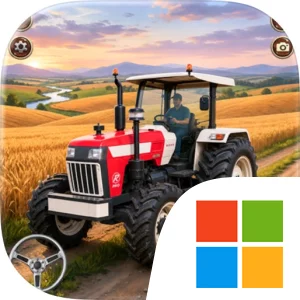
Play US Tractor Farming Driving 3D on Windows PC
Download the official US Tractor Farming Driving 3D Windows PC client and learn how to install and play the game on PC, with controls, system requirements, and practical tips.

Download US Tractor Farming Driving 3D Official Windows PC Client
Official Windows PC client provided by LDPlayer.
About the Official US Tractor Farming Driving 3D PC Client
Developer: InterApp Inc
The main gameplay loop is easy to understand but broad enough to support different kinds of play. You can concentrate on smooth tractor driving, take on farming tasks around the village, or focus on the management side of keeping your ranch active. Fields are the core of the work: crops need to be grown and harvested, and the resulting goods need to be moved rather than left behind. Transport therefore becomes an important part of the experience, linking the field work to the wider village setting and making each completed job feel like part of a larger operation. As you progress, expanding your land and working with modern farming equipment gives the game a sense of development. The goal is not simply to finish one trip in a tractor, but to become a more capable farmer by handling the connected responsibilities of driving, harvesting, hauling, and farm expansion.
The countryside setting also gives the game room for exploration between jobs. Village life challenges and farming assignments encourage you to learn the surrounding spaces, judge where your tractor needs to go next, and plan a practical route for carrying goods from one location to another. On PC, a larger display makes those situations easier to read: you can keep more of the countryside and the route ahead visible while positioning the tractor around fields, farm areas, and village paths. Keyboard-and-mouse input can also make repeated driving and task handling more comfortable, especially when you are making careful adjustments near a field or lining up a vehicle for transport. A mouse is useful for taking in menus or comparing the available farming equipment at a glance, while keyboard controls can provide consistent responses during longer tractor runs.
For players who enjoy farming games and tractor-focused simulation, the appeal of US Tractor Farming Driving 3D comes from the combination of vehicle operation and gradual farm development. Each system supports the next: tractors let you reach and work the fields, crops create goods to harvest, transporting those goods gives the work a practical objective, and completed farming activities contribute to the larger aim of expanding your ranch. The result is a focused virtual-farming game that emphasizes accessible tasks, countryside driving, and the satisfaction of building a more capable farm through steady progress.
Screenshots
How to Download and Install the Official US Tractor Farming Driving 3D PC Client
- Download and install the official Windows client distributed by LDPlayer.
- Open the app and sign in with your Google Play account.
- Search for US Tractor Farming Driving 3D in the app store.
- Install the game and finish the first-launch download.
- Use the same game login if account sync is available.
Why Play US Tractor Farming Driving 3D on PC?
Menus, maps, resources, and combat details are easier to read on a desktop display.
Keyboard and mouse input makes repeated actions and long sessions more comfortable.
Desktop play avoids phone battery drain during longer farming sessions.
Keep guides, codes, and notes open alongside the game on PC.
Controls and Performance
These three settings solve most common issues when playing on PC.
Map navigation, skill use, and repeated resource actions first.
Lower resolution or graphics quality if crowded scenes lose frames.
Link your account before switching devices so progress can be restored safely.
US Tractor Farming Driving 3D Official PC Client FAQ
Can I play US Tractor Farming Driving 3D on PC?
Yes. Download the official Windows PC client distributed by LDPlayer and play with a larger screen, keyboard, and mouse controls.
Is US Tractor Farming Driving 3D better on PC than mobile?
Playing on PC can make longer sessions, detailed menus, and resource management more comfortable, while mobile is still convenient for quick check-ins.
Will my US Tractor Farming Driving 3D progress sync on PC?
Progress depends on the sign-in options supported by the game. Use the same linked Google, Facebook, Apple, or game account on both devices.
Why does US Tractor Farming Driving 3D lag on PC?
Lag can be caused by limited RAM, demanding graphics settings, outdated client files, or background apps. Lower the graphics settings and keep the PC client up to date.
DOWNLOAD STARTED
Your download is starting
Check your browser Downloads if it does not appear.
Official PC client for Windows, distributed by LDPlayer.
Download again