

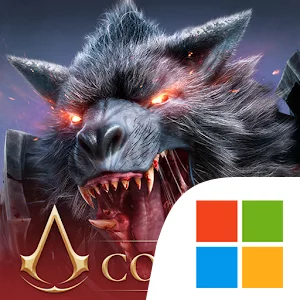
Play Watcher of Realms - US on Windows PC
Download the official Watcher of Realms - US Windows PC client and learn how to install and play the game on PC, with controls, system requirements, and practical tips.

Download Watcher of Realms - US Official Windows PC Client
Official Windows PC client provided by LDPlayer.
About the Official Watcher of Realms - US PC Client
Developer: Skystone Games Pte. Ltd.
The foundation of the experience is its roster of more than 250 heroes drawn from 10 different factions. Your collection can include death knights of the abyss, noble paladins, enigmatic mages, bloodthirsty orcs, and rare Lord Heroes who provide exclusive Lord Skills capable of buffing their entire faction. Building a strong team is not simply a matter of collecting the most characters; each stage presents different challenges, so you must choose suitable faction and hero combinations before entering battle. During encounters, precise timing matters as you activate ultimate skills, AOE and magic damage, and healing spells to defend your position and overcome escalating threats. On PC, a larger display makes it easier to read the battlefield, track enemy movement, compare heroes and equipment, and monitor the combat information needed to decide when a healing spell or damaging ultimate should be used. Keyboard-and-mouse input can also make repeated management tasks more comfortable, from navigating chapters and maps to reviewing a large roster, selecting a squad, and moving through menus while preparing for the next stage.
Progression extends beyond simply clearing levels. Dungeon levels provide rare resources, while gear, artifacts, and legendary skill dust let you strengthen heroes and improve their attributes. You can reinforce your camp, expand your capabilities, and continue exploring multiple game modes as you work toward more demanding content. Boss battles form a major part of that long-term pursuit, with encounters involving Epic Dragons, Mighty Golems, The Undying Bull, The Lord of Styx, and The Conquerer. These challenges appear in modes such as Guild Boss, Void Rift, and Immortal Codex, giving your collection and upgraded equipment clear objectives beyond the main stages. The game also supports a social and competitive side through massive multiplayer PvP battles, including an original tower defense PvP mode with multiple themes and player rankings to climb. The Assassin’s Creed event, faction-based team construction, dungeon resource runs, and boss modes all reinforce the same central loop: collect heroes, refine their builds, plan around each stage’s demands, execute abilities at the right moment, and use the rewards from one challenge to prepare for the next. Alongside that strategic progression, each hero has a unique backstory, supported by faction and hero lore, detailed 3D models, customized animations, and story-driven exploration across Tya.
Screenshots
How to Download and Install the Official Watcher of Realms - US PC Client
- Download and install the official Windows client distributed by LDPlayer.
- Open the app and sign in with your Google Play account.
- Search for Watcher of Realms - US in the app store.
- Install the game and finish the first-launch download.
- Use the same game login if account sync is available.
Why Play Watcher of Realms - US on PC?
Menus, maps, resources, and combat details are easier to read on a desktop display.
Keyboard and mouse input makes repeated actions and long sessions more comfortable.
Desktop play avoids phone battery drain during longer farming sessions.
Keep guides, codes, and notes open alongside the game on PC.
Controls and Performance
These three settings solve most common issues when playing on PC.
Map navigation, skill use, and repeated resource actions first.
Lower resolution or graphics quality if crowded scenes lose frames.
Link your account before switching devices so progress can be restored safely.
Watcher of Realms - US Official PC Client FAQ
Can I play Watcher of Realms - US on PC?
Yes. Download the official Windows PC client distributed by LDPlayer and play with a larger screen, keyboard, and mouse controls.
Is Watcher of Realms - US better on PC than mobile?
Playing on PC can make longer sessions, detailed menus, and resource management more comfortable, while mobile is still convenient for quick check-ins.
Will my Watcher of Realms - US progress sync on PC?
Progress depends on the sign-in options supported by the game. Use the same linked Google, Facebook, Apple, or game account on both devices.
Why does Watcher of Realms - US lag on PC?
Lag can be caused by limited RAM, demanding graphics settings, outdated client files, or background apps. Lower the graphics settings and keep the PC client up to date.
DOWNLOAD STARTED
Your download is starting
Check your browser Downloads if it does not appear.
Official PC client for Windows, distributed by LDPlayer.
Download again