

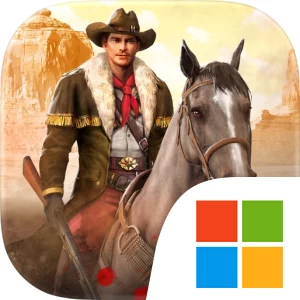

Download West Game Official Windows PC Client
Official Windows PC client provided by LDPlayer.
About the Official West Game PC Client
Developer: LEXIANGCO.,LIMITED
The core loop combines town management, military preparation, character development, and online competition. You build and customize your own Town, conduct Researches to improve the Development of your City, and gather the resources and materials needed to keep expanding your position. A larger settlement supports the broader campaign, while a massive army gives you the means to strongarm enemies and protect what you have built. Your Sheriff serves as the central commander, leading your men into battle and gaining greater impact when equipped with legendary Weapons. Recruitment adds another layer to army planning: famous Cowboys and Outlaws can be assembled into a force built around the commanders and fighters you choose to rely on. On PC, a larger display makes it easier to keep the town’s buildings, development options, army needs, and equipment decisions in view while you move between management screens. Keyboard-and-mouse input is also well suited to selecting specific buildings or commanders, comparing gear for your Sheriff, issuing commands, and handling the repeated actions involved in building, researching, and preparing troops.
West Game also extends beyond city development into direct conflict and cooperative strategy. Brutal bandits roam the frontier, and defeating them can provide rare equipment, materials, and resources without requiring a fight against another player. These encounters give you a practical way to strengthen your forces while pursuing the larger objective of writing your own history in the West. When your town and army are ready, you can battle players worldwide, join an Alliance, and take part in Rally Wars against powerful rivals alongside your allies. Alliance play adds a social and strategic layer rather than treating the campaign as a purely solo buildup: victories depend on coordinating attacks, choosing when to rally, and discussing plans with other players through real-time chat channels. Various events offer additional daily objectives and rewards, giving you reasons to return even when you are not engaged in a major war. Because the game requires a network connection and includes random-item purchases, its progression is built around an ongoing online environment, where town growth, research, recruitment, equipment, bandit hunts, alliances, and player-versus-player battles all feed into the continuing struggle to become a dominant power in the Wild West.
Screenshots
How to Download and Install the Official West Game PC Client
- Download and install the official Windows client distributed by LDPlayer.
- Open the app and sign in with your Google Play account.
- Search for West Game in the app store.
- Install the game and finish the first-launch download.
- Use the same game login if account sync is available.
Why Play West Game on PC?
Menus, maps, resources, and combat details are easier to read on a desktop display.
Keyboard and mouse input makes repeated actions and long sessions more comfortable.
Desktop play avoids phone battery drain during longer farming sessions.
Keep guides, codes, and notes open alongside the game on PC.
Controls and Performance
These three settings solve most common issues when playing on PC.
Map navigation, skill use, and repeated resource actions first.
Lower resolution or graphics quality if crowded scenes lose frames.
Link your account before switching devices so progress can be restored safely.
West Game Official PC Client FAQ
Can I play West Game on PC?
Yes. Download the official Windows PC client distributed by LDPlayer and play with a larger screen, keyboard, and mouse controls.
Is West Game better on PC than mobile?
Playing on PC can make longer sessions, detailed menus, and resource management more comfortable, while mobile is still convenient for quick check-ins.
Will my West Game progress sync on PC?
Progress depends on the sign-in options supported by the game. Use the same linked Google, Facebook, Apple, or game account on both devices.
Why does West Game lag on PC?
Lag can be caused by limited RAM, demanding graphics settings, outdated client files, or background apps. Lower the graphics settings and keep the PC client up to date.
DOWNLOAD STARTED
Your download is starting
Check your browser Downloads if it does not appear.
Official PC client for Windows, distributed by LDPlayer.
Download again