
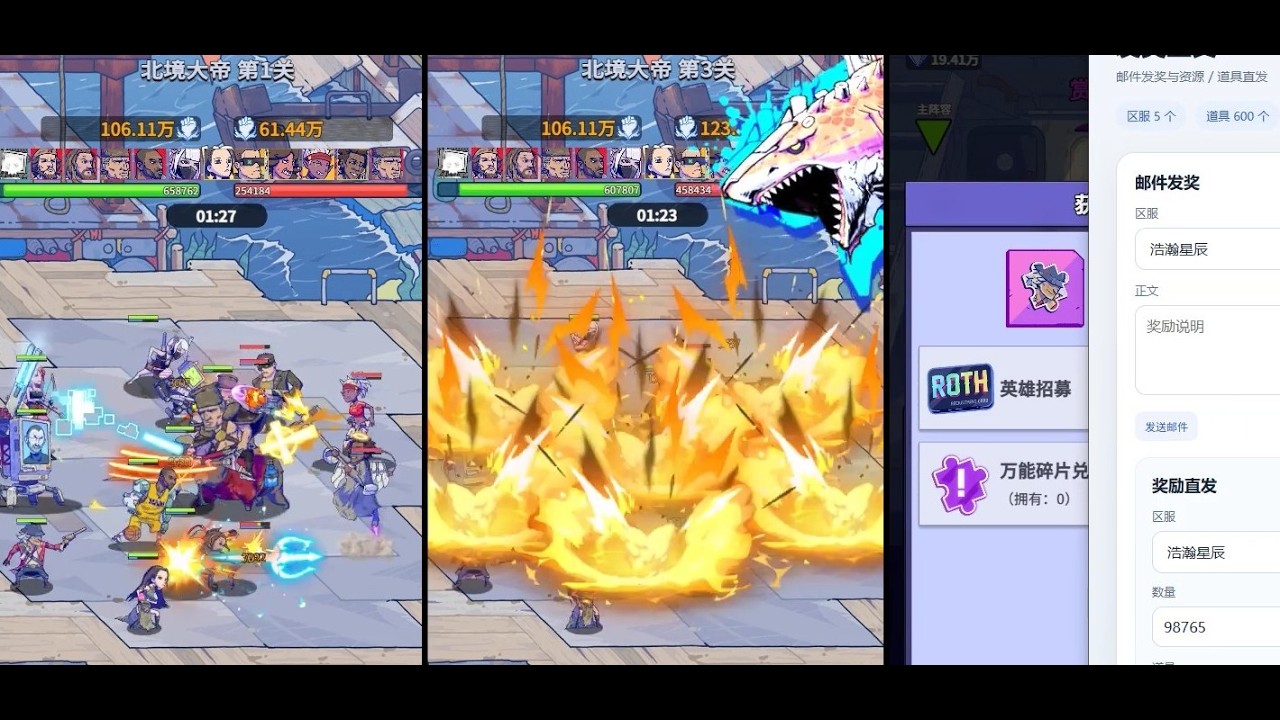
To run isolated mechanics tests for Wild Water World Season 5, launch the administrative backend console embedded within your local HTML5 or APK test build. Use this testing dashboard to modify currency reserves, instantly set hero level caps, and spawn high-tier gear so you can verify maximum stat scaling and build performance before spending resources on live servers.
Accessing the S5 GM Backend Console
The GM backend operates within a standalone or local server setup for HTML5 and APK builds. Linking the client to the S5 administrative terminal unlocks parameters that are restricted in standard gameplay, allowing direct manipulation of unit states and inventory items.
Because the GM console functions separately from live server databases, actions taken within the terminal do not affect your public account. Use the local dashboard specifically to bypass acquisition grinds and gather concrete numbers on hero performance.
Key Testing Workflows in the Console
The GM console lets you isolate specific growth mechanics by overriding account limits. Focus on three main workflows when verifying new Season 5 content:
| Workflow | Console Action | Primary Purpose |
|---|---|---|
| Currency Scaling | Inject gold and primary diamond reserves | Map out late-game upgrade costs and identify cost spikes. |
| Item Spawning | Generate specific high-tier equipment | Test equipment passive effects against standard training dummies. |
| Level Simulation | Set heroes from Level 1 to max cap or re-spec | Compare base stats with peak stat output and evaluate skill scaling. |
Testing Hero Growth and Skill Synergy
- Establish a Baseline: Record a hero's Level 1 base stats before applying any console modifications.
- Apply Level Caps: Use the console to instantly boost the hero to the maximum Season 5 level limit.
- Measure Stat Scaling: Calculate the growth percentage from baseline to max level to evaluate whether the character's stat ceiling justifies investment.
- Test Synergies: Pair maximum-level units with spawned equipment on training dummies to evaluate combat effectiveness without relying on random drop rates.
Critical Differences Between Test Builds and Live Play
While private server environments provide quick access to endgame data, they differ from production servers in key operational areas:
- Network and Authentication Differences: Local testing builds often bypass live server authentication and network latency, which can hide performance hiccups or timing issues present in live play.
- Distorted Resource Economy: Having infinite gold and diamonds can give a false impression of progression speed. High upgrade costs that seem negligible in "god-mode" testing can severely delay progression under live server constraints.
- Unverified Live Adjustments: Balance tweaks or code changes made prior to the official S5 live server deployment may cause live assets to perform differently than they did in the local build.
Applying Test Data to Live Season Deployment
After completing your testing sessions, record your results in a local log to guide your live server strategy:
- Identify High-ROI Units: Prioritize heroes that showed strong damage output or defensive scaling without requiring unsustainable gear setups.
- Target Efficient Upgrade Paths: Avoid upgrade bottlenecks by targeting gear and skill milestones that provided the highest performance gains during your console tests.
- Execute the Live Launch Plan: Once Season 5 launches on live servers, funnel your limited resources strictly into the verified hero combinations and upgrade paths established in your testing log.

Free Wild Water World Codes
Current active codes and how to redeem them.

Emily Johnson
Emily writes practical mobile strategy guides with a focus on resource planning, base progression, and the early decisions that shape a long-term account.
COMMUNITY
Player Comments
67 players commented on this guide.
This guide answered the exact question I had.
Nice guide. I am checking the other Wild Water World articles next.
The explanation is clear, especially for beginners.
This saved me time in the early game.