
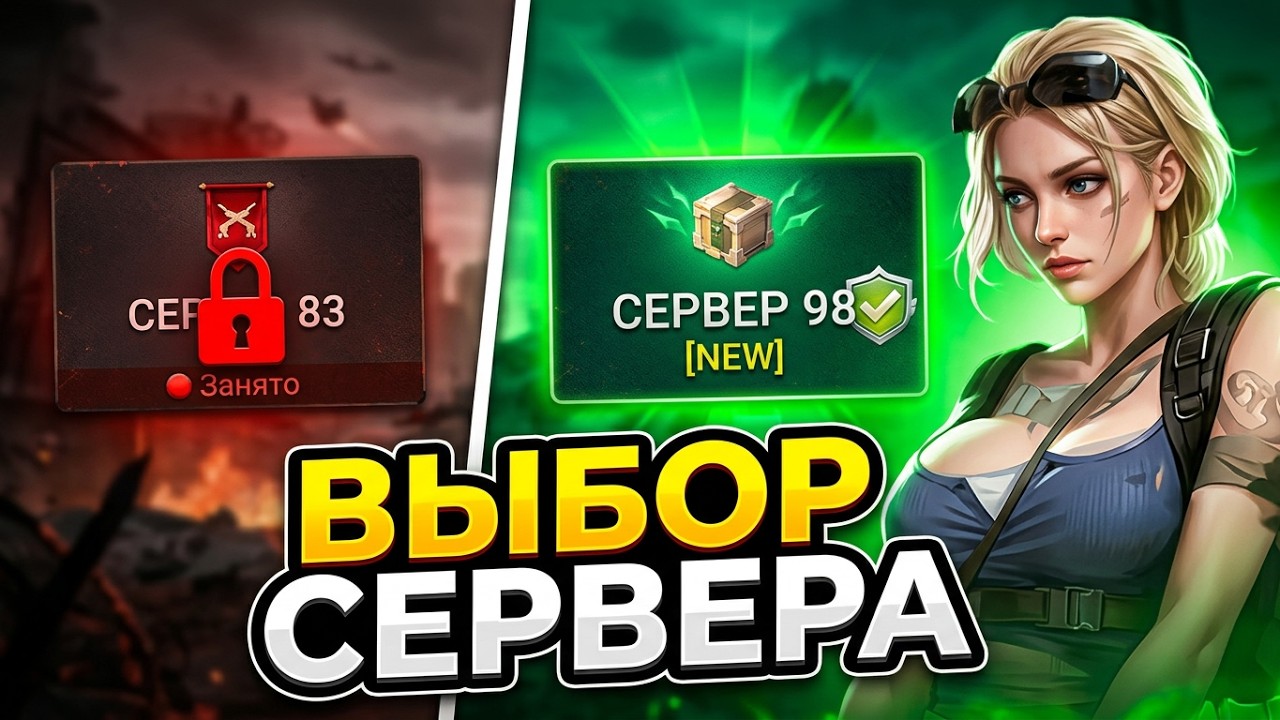
To change or select a server in Z Route: Redemption, open your commander profile settings and switch realms through the character management menu. Your progress does not transfer between servers, but existing bases remain saved under their original realms so you can switch back at any time.
Steps to Change Your Server
Before you can switch servers, you must complete the opening tutorial sequence. Once your base screen is accessible, follow these steps:
- Tap your Player Avatar in the top-left corner of the base screen.
- Select the Settings gear icon inside the profile menu.
- Tap Character Management (labeled as Server List in some interface versions).
- Browse the list to find your desired server number or region.
- Tap your target server to confirm the selection.
The game client will restart automatically. If you select a server where you have never played before, the game begins a new prologue sequence and generates a fresh Level 1 base.
Cross-Server Progress Behavior
Switching servers creates an independent profile rather than migrating your active base. All upgrades, purchases, and affiliations remain tied to the specific server where they occurred.
| Feature | Behavior Across Different Servers |
|---|---|
| Base Level and Buildings | Stays on the original server; resets to Level 1 on a new server |
| Recruited Heroes and Gear | Locked to the server where you acquired them |
| Alliance Membership | Stays on the original server; requires joining a new alliance |
| Saved Profile Progress | Preserved on original servers; accessible by switching back |
| Purchased Bundles and Currency | Applies only to the active character that received the purchase |
Because character slots are independent, testing a new realm carries no risk of overwriting or deleting your primary account data.
Choosing a New vs. Older Server
Your choice of server determines the competitive environment and available alliance structures:
- Newer Servers: Typically tagged as "New" or highlighted with green status indicators. Starting on a fresh server places you on an even progression curve with other players. Milestone events, territory unlocks, and leaderboard brackets open on a shared schedule, making this ideal for competitive or free-to-play progression.
- Older Servers: These realms feature established high-level alliances and veteran players. Joining an older server works best if you want to team up with existing friends or access established alliance support, though competing for top ranking spots and contested map resources will be significantly harder.
Troubleshooting Server Selection Issues
If you cannot switch or select a specific realm, check for these common restrictions:
- Locked Interface: The player avatar and settings menu remain disabled during the initial combat tutorial. Finish the opening chapter to restore full menu access.
- Server Status Full: Heavily populated servers may temporarily restrict new character creation. If your target server is greyed out or marked full, choose another server within the same regional group.
- Unlinked Guest Accounts: Link your profile to Google Play, Apple ID, or an available social platform before changing servers. Remote character storage tracks your data, but unlinked guest accounts risk data loss if local game cache clears during a reload.
Free Z Route: Redemption Codes
Current active codes and how to redeem them.

Emily Johnson
Emily writes practical mobile strategy guides with a focus on resource planning, base progression, and the early decisions that shape a long-term account.
COMMUNITY
Player Comments
145 players commented on this guide.
Good guide for Z Route: Redemption players. The heroes part was useful.
The tips are practical and easy to follow.
The explanation is clear, especially for beginners.
I wish I had read this before upgrading the wrong thing.