

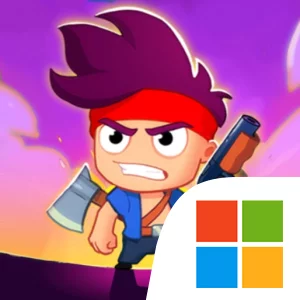
Play Zombusters on Windows PC
Download the official Zombusters Windows PC client and learn how to install and play the game on PC, with controls, system requirements, and practical tips.

Download Zombusters Official Windows PC Client
Official Windows PC client provided by LDPlayer.
About the Official Zombusters PC Client
Developer: Voila Games
The central appeal is the scale of the action. Zombusters can place thousands of enemies on screen, turning each run into a test of crowd control and timing. Area damage is essential when the horde surrounds you, so your weapon choice directly affects how you handle a packed wave. The arsenal includes more than 50 upgradable weapons and pieces of armour, with options such as pistols, miniguns, and laser katanas. These are not simply cosmetic additions: each item has unique perks, giving you meaningful equipment decisions as you build a stronger response to the expanding zombie threat. When a fight reaches its most dangerous point, Ultimate Skills provide a crucial escape or finishing tool. These screen-clearing abilities can save a run when you are cornered, making it important to recognize when ordinary attacks are no longer enough and when to spend your strongest advantage.
Every arena also changes the demands of survival. City ruins, frozen wastelands, and burning deserts provide distinct biomes, and the shifting environments force you to adjust your tactics rather than rely on one universal approach. The short stage format makes those decisions especially immediate: you have limited time to cut through enemies, protect your position, and make your equipment and Ultimate Skill work together. Between fights, progression keeps the loop moving forward. You can merge gear, unlock talents, and improve your collection of weapons and armour as you push farther into the outbreak. Those systems give the 60-second stages a longer-term purpose, turning repeated runs into opportunities to strengthen your loadout and prepare for tougher encounters. Since the game is playable offline, that progression and the core zombie-demolition loop remain available even when you have no signal.
Playing Zombusters on PC gives this compact action format a larger, clearer presentation and more room to read the battle as the screen fills with enemies. A larger display helps you track the edges of a crowd, identify where you are becoming surrounded, and judge when to trigger an Ultimate Skill for maximum screen-clearing impact. Keyboard-and-mouse input also makes repeated movement and combat actions easier to manage during a frantic 60-second stage, particularly when you need to steer away from a dense wave while continuing to use your weapon. Between stages, the extra screen space is useful for comparing the perks on pistols, miniguns, laser katanas, and armour, then deciding what to merge or which talents to unlock next. The portrait-oriented, one-hand design remains part of Zombusters’ identity, but on PC it becomes a convenient, focused format for quick runs, rapid equipment decisions, and repeated attempts to push deeper into a world overrun by zombies.
Screenshots
How to Download and Install the Official Zombusters PC Client
- Download and install the official Windows client distributed by LDPlayer.
- Open the app and sign in with your Google Play account.
- Search for Zombusters in the app store.
- Install the game and finish the first-launch download.
- Use the same game login if account sync is available.
Why Play Zombusters on PC?
Menus, maps, resources, and combat details are easier to read on a desktop display.
Keyboard and mouse input makes repeated actions and long sessions more comfortable.
Desktop play avoids phone battery drain during longer farming sessions.
Keep guides, codes, and notes open alongside the game on PC.
Controls and Performance
These three settings solve most common issues when playing on PC.
Map navigation, skill use, and repeated resource actions first.
Lower resolution or graphics quality if crowded scenes lose frames.
Link your account before switching devices so progress can be restored safely.
Zombusters Official PC Client FAQ
Can I play Zombusters on PC?
Yes. Download the official Windows PC client distributed by LDPlayer and play with a larger screen, keyboard, and mouse controls.
Is Zombusters better on PC than mobile?
Playing on PC can make longer sessions, detailed menus, and resource management more comfortable, while mobile is still convenient for quick check-ins.
Will my Zombusters progress sync on PC?
Progress depends on the sign-in options supported by the game. Use the same linked Google, Facebook, Apple, or game account on both devices.
Why does Zombusters lag on PC?
Lag can be caused by limited RAM, demanding graphics settings, outdated client files, or background apps. Lower the graphics settings and keep the PC client up to date.
DOWNLOAD STARTED
Your download is starting
Check your browser Downloads if it does not appear.
Official PC client for Windows, distributed by LDPlayer.
Download again