
Play Zomline Survival on Windows PC
Download the official Zomline Survival Windows PC client and learn how to install and play the game on PC, with controls, system requirements, and practical tips.

Download Zomline Survival Official Windows PC Client
Official Windows PC client provided by LDPlayer.
About the Official Zomline Survival PC Client
Developer: YOOZOO (SINGAPORE) PTE. LTD.
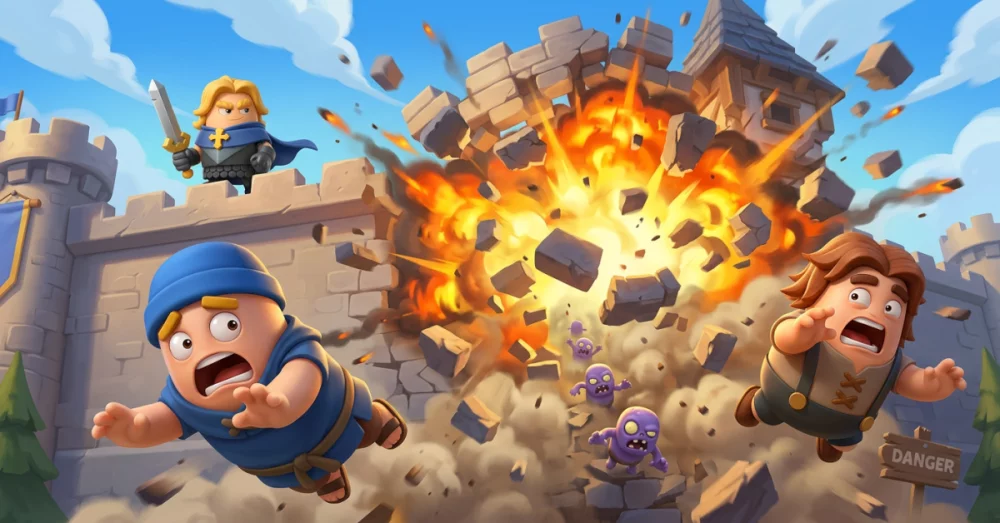
The defensive side of Zomline Survival is built around fast-paced wave battles. You place defenses to stop advancing zombies, then adapt your strategy as enemy waves grow stronger and each choice becomes more important. This gives the game a clear tactical loop: develop your base, improve its capabilities, prepare your defenses, and respond to the threats that reach your territory. The 4X foundation broadens that loop beyond a single tower defense encounter. Expansion, resource gathering, building upgrades, and newly unlocked functions all contribute to a larger effort to make your settlement stronger and more capable of surviving the wasteland. On PC, a larger display can make it easier to read the battlefield, judge where defenses should be placed, and keep track of the relationship between your base, available resources, and expanding territory. Keyboard-and-mouse controls are also well suited to repeated actions such as selecting buildings, checking upgrades, and moving through strategic menus while you prepare for another wave.
Heroes add another layer to the game’s planning and combat systems. You can recruit legendary heroes inspired by famous figures and world civilizations, with each character bringing distinctive skills, playful designs, and unexpected combat styles. Their differences give you more than a collection of colorful characters: they become part of the way you approach each battle and shape how you respond to zombie threats. Comparing heroes and considering which skills best support your current defense is more manageable on a larger PC screen, particularly when you are reviewing several options before committing to an upgrade or battle plan. The game’s bright visuals and stylized characters keep the apocalypse lighthearted in presentation, while the stronger emphasis on progression ensures that surviving is tied to steady improvement rather than a single successful defense.
Zomline Survival also extends its survival premise into online cooperation. You can connect with players worldwide, exchange strategies, build alliances, support teammates, and work together against the chaos of the zombie apocalypse. This social layer gives your base-building and defensive decisions a broader purpose: survival is not only about improving your own position, but also about coordinating with others and sharing useful approaches. A PC setup provides room to review information, compare your developing strategy with advice from other players, and manage alliance-related interactions without losing sight of your base or the battlefield. Between zombie wave defense, resource and building management, hero recruitment, territory expansion, and cooperative alliance play, Zomline Survival offers a sustained strategy experience for players who want the tension of survival combined with the planning demands of tower defense and 4X progression.
Screenshots
How to Download and Install the Official Zomline Survival PC Client
- Download and install the official Windows client distributed by LDPlayer.
- Open the app and sign in with your Google Play account.
- Search for Zomline Survival in the app store.
- Install the game and finish the first-launch download.
- Use the same game login if account sync is available.
Why Play Zomline Survival on PC?
Menus, maps, resources, and combat details are easier to read on a desktop display.
Keyboard and mouse input makes repeated actions and long sessions more comfortable.
Desktop play avoids phone battery drain during longer farming sessions.
Keep guides, codes, and notes open alongside the game on PC.
Controls and Performance
These three settings solve most common issues when playing on PC.
Map navigation, skill use, and repeated resource actions first.
Lower resolution or graphics quality if crowded scenes lose frames.
Link your account before switching devices so progress can be restored safely.
Zomline Survival Official PC Client FAQ
Can I play Zomline Survival on PC?
Yes. Download the official Windows PC client distributed by LDPlayer and play with a larger screen, keyboard, and mouse controls.
Is Zomline Survival better on PC than mobile?
Playing on PC can make longer sessions, detailed menus, and resource management more comfortable, while mobile is still convenient for quick check-ins.
Will my Zomline Survival progress sync on PC?
Progress depends on the sign-in options supported by the game. Use the same linked Google, Facebook, Apple, or game account on both devices.
Why does Zomline Survival lag on PC?
Lag can be caused by limited RAM, demanding graphics settings, outdated client files, or background apps. Lower the graphics settings and keep the PC client up to date.
DOWNLOAD STARTED
Your download is starting
Check your browser Downloads if it does not appear.
Official PC client for Windows, distributed by LDPlayer.
Download again