
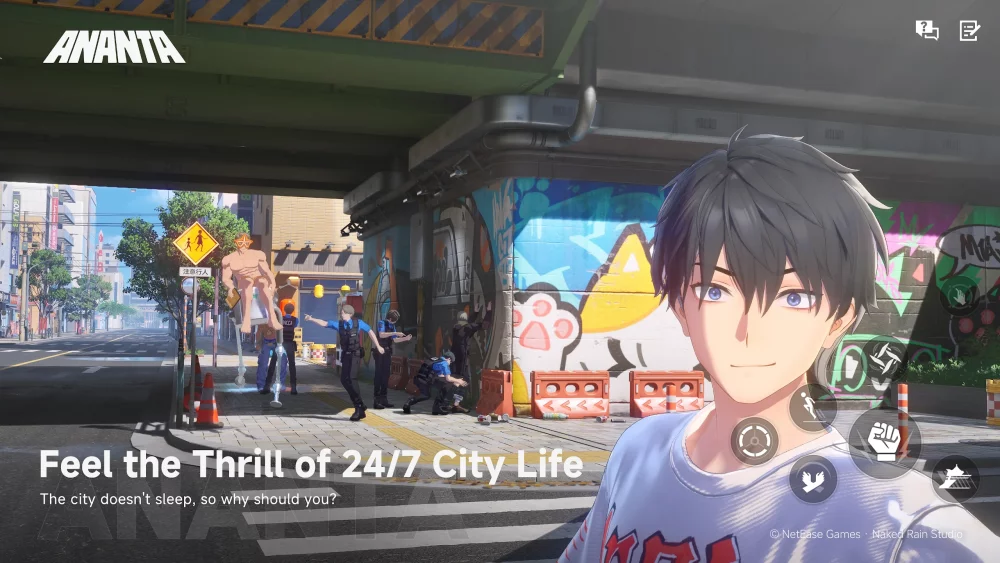
The highly anticipated launch of ANANTA, developed by Naked Rain and published by NetEase, is officially confirmed for January 15, 2027. With a simultaneous release across PC, PS5, iOS, and Android, the game offers a massive, interconnected ecosystem. To succeed in this competitive landscape, players must move beyond simple installation and adopt a strategic approach to cross-platform account management and device optimization.
Whether you are a competitive PC player or a mobile enthusiast, your ability to transition seamlessly between platforms will define your progression speed during the game’s critical opening weeks.
Selecting Your Primary ANANTA Platform
Choosing a "main" platform for ANANTA is your first major decision. While the game supports cross-play and cross-progression, each platform offers a distinct experience dictated by hardware capabilities.
- PC: The gold standard for precision and high-fidelity visuals. If your primary focus is competitive combat or complex mechanics, the PC version will likely offer the highest frame rates and the most granular control over graphical settings.
- PS5: Offers a "plug-and-play" high-fidelity experience. The PS5 is ideal for players who want to enjoy the game’s visual spectacle on a large display with optimized controller support without the technical overhead of PC hardware management.
- iOS and Android: These platforms offer unmatched mobility. Use these for daily tasks, resource gathering, or checking in on community events when away from your primary gaming station.
Expert Insight: We recommend designating a "Primary Desktop" (PC or PS5) for high-intensity content like raids or ranked modes, and using mobile devices strictly for auxiliary progression. This prevents "input friction" where your muscle memory struggles to keep up with different control schemes during high-stakes encounters.
Optimizing Account Synchronization
The backbone of ANANTA’s cross-platform success is the NetEase account system. To ensure your progress, inventory, and achievements move with you, you must establish a unified account structure before the servers go live on January 15.
- Centralize Early: Choose one primary email address or social login provider to bind your ANANTA account. Do not use different logins for mobile and PC, as this will result in fragmented data that may be impossible to merge post-launch.
- Verify Binding: Once the client is available for pre-download, log in and verify your account status in the settings menu. Ensure that your "Cloud Save" or "Cross-Platform Sync" feature is toggled to "On."
- Security Measures: Enable 2FA (Two-Factor Authentication) on your NetEase account. Because ANANTA will be a global title, your account is a high-value target for unauthorized access. Protecting your progress is as important as playing the game itself.
Managing Storage and Performance Requirements
ANANTA is a graphically demanding title. Failure to manage your storage will result in slow load times and potential crashes during high-density combat scenarios.
- PC and Console Storage: Ensure the game is installed on an NVMe SSD for PC or the internal high-speed storage of your PS5. Installing on an external HDD will significantly increase asset streaming times, leading to "pop-in" or stuttering during fast-paced movement.
- Mobile Cleanup: For iOS and Android users, clear at least 20–30% more storage space than the minimum requirement. Mobile operating systems require "headroom" to manage temporary cache files. If your storage is near capacity, the game will suffer from frame drops as the OS struggles to allocate memory for the game’s high-fidelity assets.
- Thermal Management: Mobile devices generate significant heat during sustained play. If you plan to play ANANTA on your phone, consider using a phone cooler or playing in a climate-controlled environment to prevent your device from triggering thermal throttling, which will slash your performance during longer sessions.
Mastering Multi-Platform Input Nuances
Transitioning from a mechanical keyboard or controller to a touch screen requires a fundamental shift in how you engage with ANANTA.
- Sensitivity Matching: Spend time in the settings menu on each device to normalize your sensitivity. If you use a high-DPI mouse on PC, you will need to find the equivalent "swipe speed" on your mobile device.
- Layout Customization: If the game allows for UI customization, keep your essential skill buttons in the same relative positions across all platforms. This creates "spatial muscle memory," allowing you to trigger abilities instinctively regardless of whether you are tapping a screen or pressing a button.
- Controller Usage: If you play on mobile, consider using a Bluetooth controller. This bridges the gap between your mobile and console experience, ensuring that your tactical approach to combat remains consistent regardless of the hardware you are holding.
Launch Day Strategy: Avoiding the Bottleneck
January 15, 2027, will see a global surge in traffic. To avoid the frustration of download queues and server instability, follow these steps:
- Pre-load: If NetEase provides a pre-download window, utilize it. Do not wait until the server launch time to begin your download, as global bandwidth will be saturated.
- Firmware Updates: Ensure your PC OS, PS5 system software, and mobile OS are updated to the latest stable versions. Many launch-day errors are actually compatibility issues caused by outdated system drivers rather than game-side bugs.
- Stable Networking: If possible, use a wired Ethernet connection for your PC or PS5. If you are on Wi-Fi, ensure you are on a 5GHz band to minimize latency spikes.
- Monitor Official Channels: Keep the official ANANTA social media or news portal open on a secondary device. In the event of a "Day 1" maintenance or emergency patch, you will want to know immediately so you don't waste time troubleshooting a known server-side issue.
By treating your ANANTA setup as a professional workstation, you ensure that you spend your time exploring the game’s world rather than debugging your hardware. Prepare your accounts, clear your storage, and standardize your controls now to hit the ground running the moment the servers open.

Free ANANTA Codes
Current active codes and how to redeem them.

Sarah Williams
Sarah specializes in RPG and collection games, explaining team building, character growth, and beginner-friendly ways to avoid expensive early mistakes.
COMMUNITY
Player Comments
132 players commented on this guide.
The tips are practical and easy to follow.
This guide answered the exact question I had.
I tried this today and it worked better than my old setup.
Good guide for ANANTA players. The strategy part was useful.