
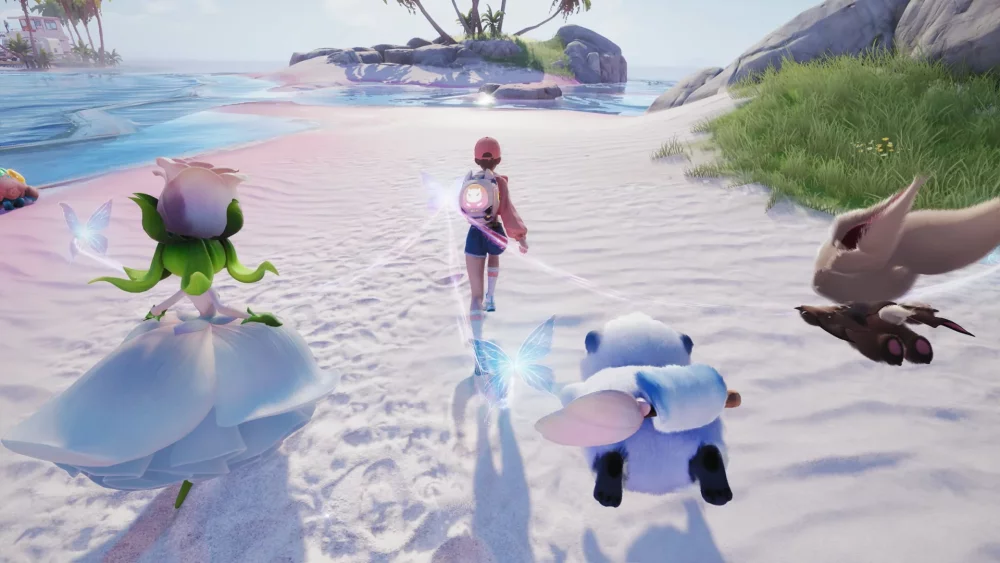
Navigating the first day of the Aniimo beta requires a focus on familiarizing yourself with the core interface and initial world traversal. Early access players should prioritize exploring the starting zone to understand creature interaction prompts and movement responsiveness. By focusing on these fundamental mechanics immediately, you can bypass common confusion regarding navigation and interaction zones, setting a stronger foundation for your collection and progression goals during the limited testing period.
Early Beta Interface Familiarization
The most important step for new players on Day 1 is mastering the UI layout to avoid unnecessary menu fatigue. The Aniimo interface is designed with specific tabs for creature management and inventory, which are essential for tracking your progress. Spend your first hour identifying where your captured creatures are stored and how the quick-access menu functions for environmental interactions, as this will save significant time during later exploration phases.
Efficient Initial World Traversal
You should focus your initial movement on testing environmental interaction boundaries rather than rushing through quest lines. The beta environment contains specific objects that react to your character's input, and identifying these early helps in understanding the game's physics.
- Boundary Testing: Move along the edges of the starting zone to identify invisible walls or climbable terrain.
- Interaction Prompts: Pay close attention to the visual cues that appear when approaching interactable items or creatures.
- Camera Control: Adjust your camera settings early to ensure optimal visibility during traversal, as default sensitivity may vary.
Managing Creature Encounters
Successfully managing your first few encounters in the Aniimo beta relies on recognizing the visual cues associated with creature behaviors. During the initial hours, prioritize observing these patterns before attempting complex captures. This observational approach minimizes resource waste and allows you to learn the timing required for successful interactions without depleting your early-game inventory on missed attempts.
| Feature Type | Priority Level | Goal |
|---|---|---|
| Interface UI | High | Learn navigation hotkeys |
| World Traversal | Medium | Identify climbable surfaces |
| Creature Interaction | High | Observe behavioral triggers |
| Inventory Management | Low | Keep track of early resources |
Prioritizing System Stability and Feedback
Since this is a beta test, tracking performance quirks is just as important as the actual progression. If you encounter stuttering during terrain shifts or UI overlays that fail to close, document these instances. Reporting these issues through the official channels provided in the game client helps developers refine the experience, ensuring that your early-game efforts contribute to a more stable environment for your continued journey in the world of Aniimo.

Free Aniimo Codes
Current active codes and how to redeem them.

James Brown
James focuses on Android gaming on PC, emulator setup, controls, performance tuning, and practical troubleshooting for longer play sessions.
COMMUNITY
Player Comments
60 players commented on this guide.
I tried this today and it worked better than my old setup.
The explanation is clear, especially for beginners.
I wish I had read this before upgrading the wrong thing.
The tips are practical and easy to follow.