
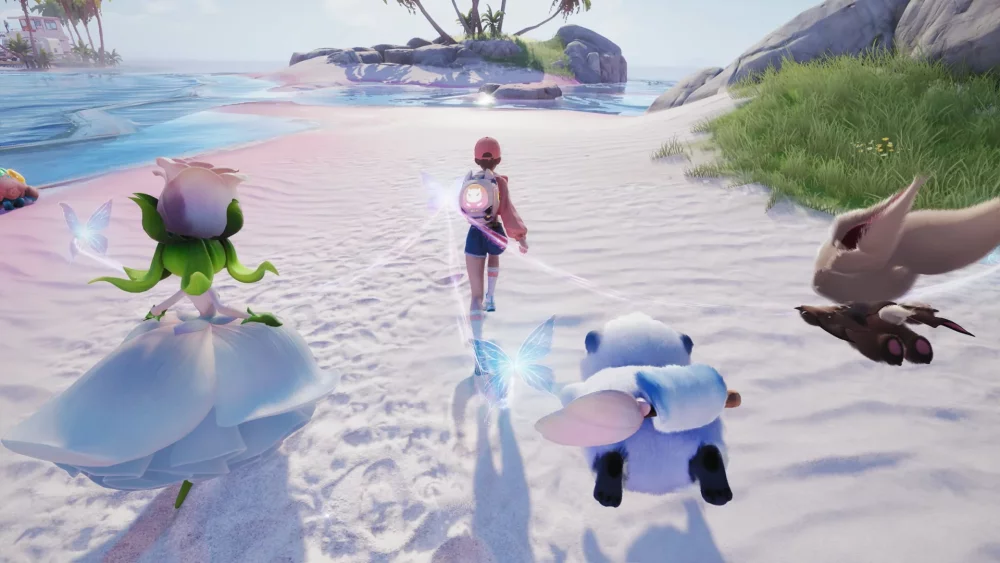
You can elevate your social presence in Aniimo by mastering the nuances of character expression and animation timing. By utilizing the built-in emote and movement systems, you can trigger specific character reactions that bring your avatar to life during social interactions. Whether you are aiming to capture high-quality content or simply coordinate rhythmic movements with other players, understanding how to chain these expressive loops effectively is key to navigating the social landscape of the game.
Understanding Character Expression Triggers
The most effective way to communicate with other players in Aniimo is by utilizing the emote wheel and quick-access animation triggers. These inputs allow your character to perform a variety of expressive actions, ranging from simple gestures to complex, looped animations. To get the best results:
- Access the Emote Menu: Familiarize yourself with the primary radial menu for instant access to emotes.
- Observe Animation Loops: Many animations in Aniimo are designed to cycle continuously; wait for the full loop to complete before triggering a follow-up action to maintain aesthetic consistency.
- Coordinate with Poses: Use static poses in between active animations to create a more dynamic and personalized social presence.
Social Animation and Rhythmic Coordination
Social interaction in Aniimo often relies on synchronized movement and timing. When engaging with other players or streaming your experience, coordinating these animations can significantly enhance the visual quality of your interactions.
Best Practices for Social Timing
- Syncing Loops: Watch the timing of your partner's animation loop to ensure your emotes align for group captures or social dance sequences.
- Contextual Expressions: Use specific expressions that match the environment, such as celebratory emotes after completing a collective objective or resting animations during downtime.
- Camera Positioning: Always adjust your camera angle to frame your character’s most expressive moments, ensuring the full animation cycle is visible to those interacting with you.
Maximizing Visual Engagement
If you are creating content or streaming Aniimo, your character’s animation state is a vital tool for audience engagement. High-level players often use a combination of expressions to tell a story or respond to in-game events in real-time.
| Interaction Type | Recommended Emote/Action | Purpose |
|---|---|---|
| Greeting | Wave/Friendly Gesture | Establishing initial contact |
| Celebration | Dance/Looping Action | Marking success or milestone |
| Social Downtime | Resting/Idle Pose | Casual interaction and chatting |
| Expressive Response | Emote-Specific Reaction | Providing non-verbal feedback |
By consistently practicing these sequences, you will find that your character’s presence in the world feels more intentional and reactive, making your social navigation in Aniimo both more rewarding and visually distinct.

Free Aniimo Codes
Current active codes and how to redeem them.

Michael Smith
Michael covers live-service games, events, reward systems, and efficient daily routines, turning frequent updates into clear actions for players.
COMMUNITY
Player Comments
132 players commented on this guide.
Can you add more details about heroes in a future update?
The explanation is clear, especially for beginners.
This saved me time in the early game.
Good guide for Aniimo players. The heroes part was useful.