
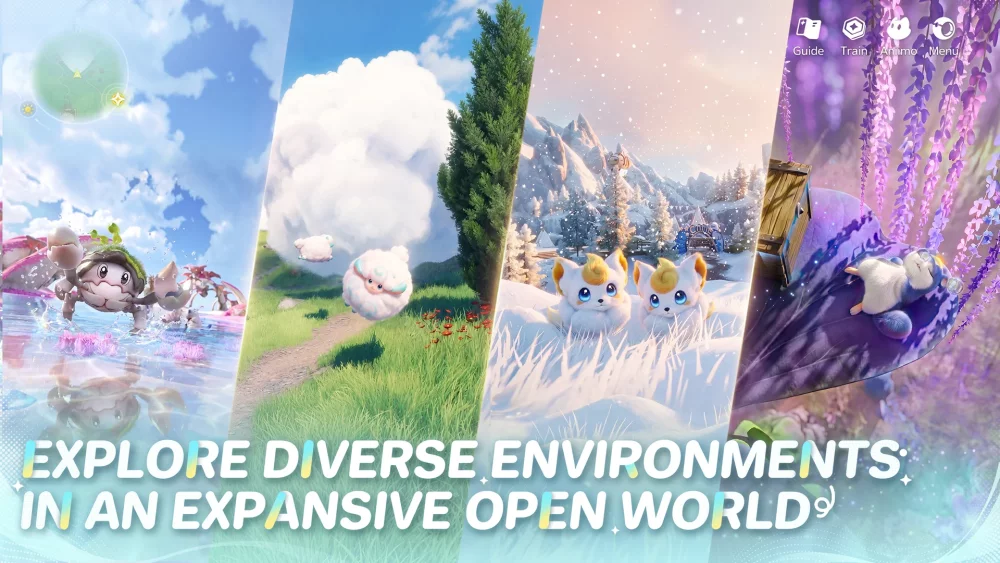
During the Aniimo Global Closed Beta, players often encounter significant technical friction that can hinder the overall experience. While the world-building and creature collection mechanics offer deep potential, navigating performance limitations and clunky user interface elements is currently essential for maintaining progress. This guide focuses on how to mitigate these specific technical hurdles to ensure a smoother transition through the early stages of your adventure while waiting for future stability updates.
Identifying Key Performance Bottlenecks
The most immediate challenge in Aniimo involves fluctuating frame rates and performance inconsistencies, particularly when traversing the open world or engaging in high-intensity combat. These technical limitations are common during the current beta phase, as the engine struggles to maintain a consistent output when rendering complex environments or multiple creature models simultaneously.
To manage these fluctuations, you should prioritize adjusting your graphical presets. If you experience noticeable stuttering in densely populated areas, drop your shadow quality and particle effects settings first. These specific adjustments often provide the most significant gain in stability without compromising the core aesthetic of the creature designs. Monitor your hardware usage closely, as the game’s optimization state currently requires more overhead than typical titles of this genre.
Mastering UI Navigation and Input Latency
Beyond raw frame rates, the Aniimo user interface presents a distinct set of challenges regarding responsiveness. Players frequently report instances of input lag when navigating menus or attempting to select specific creature abilities during battle. This latency can feel sluggish, often making it difficult to execute precise maneuvers or timely collection actions.
When dealing with these UI constraints, adopt a deliberate, rhythmic approach to your inputs. Avoid "button mashing" through menus, as the interface may queue commands that result in accidental selections or unintended navigation errors. Instead, wait for the visual confirmation of a menu transition before issuing your next command. For combat, rely on predictable ability rotations rather than reactive clicking, allowing the game’s logic to catch up with your mechanical inputs.
Managing Creature Interaction Challenges
Interaction with the world and your collected creatures is the heart of Aniimo, yet this system is currently susceptible to clipping and pathing issues. In some instances, creatures may get stuck on environmental geometry or fail to register your proximity for interaction prompts. This can lead to frustration when trying to initiate bonding mechanics or specific creature-based traversal abilities.
If you find yourself unable to interact with a creature, back away from the area to reset the proximity trigger. If the creature remains unresponsive or stuck, cycling the interaction menu or re-entering the immediate zone often forces the AI to recalculate its position. Patience is vital here; until the developers refine the collision detection and AI pathfinding, treating these interactions as a delicate task rather than a rapid-fire mechanic will save you time and unnecessary backtracking.
Strategic Resource Allocation During Instability
Because the game environment can be unpredictable during the beta, your resource management strategy should focus on stability and redundancy. Avoid pushing deep into high-level zones if you are experiencing severe performance dips, as losing progress due to a crash or a failed interaction in a critical area is a significant setback.
Prioritize completing objectives in stable, low-density regions first. Use your limited resources to upgrade your most reliable creatures—those that do not rely on complex environmental interactions—to ensure you have a dependable roster for combat. By focusing on progression that does not require peak performance from the engine, you minimize the impact of current technical limitations on your long-term account growth.
Preparing for Future Patch Expectations
The current state of Aniimo suggests that the developers are actively gathering feedback on these performance and UI hurdles. As a player, your role during this beta is to document and report these specific points of friction rather than attempting to force your way through them. When the game inevitably receives stability patches, your early-game base of creatures and resources will allow you to quickly pivot to the more advanced content that is currently locked behind these technical barriers.
Keep a close watch on official update logs regarding engine optimizations. When a patch is released, re-evaluate your graphical settings. Oftentimes, settings that were previously necessary to keep the game playable can be increased once the developers address memory leaks or asset-loading bottlenecks. Staying adaptive to these changes is the best way to ensure you are ready for the full release version of Aniimo.

Free Aniimo Codes
Current active codes and how to redeem them.

Sarah Williams
Sarah specializes in RPG and collection games, explaining team building, character growth, and beginner-friendly ways to avoid expensive early mistakes.
COMMUNITY
Player Comments
33 players commented on this guide.
I tried this today and it worked better than my old setup.
The tips are practical and easy to follow.
This helped me understand strategy much better.
This saved me time in the early game.