
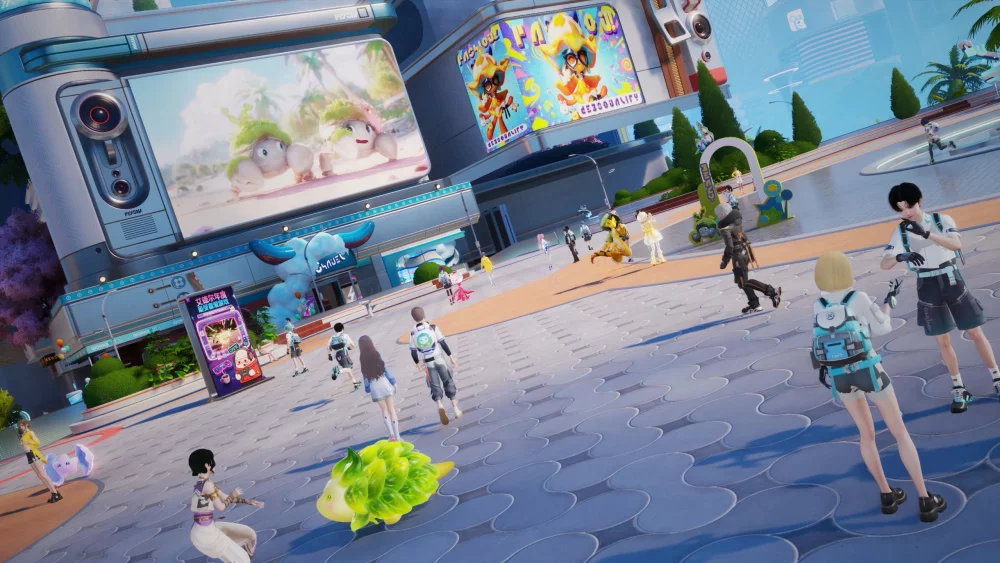
If you find yourself struggling to secure creatures in Aniimo, you are likely encountering common mechanical hurdles related to positioning, timing, or unexpected environmental behavior. While capturing creatures is a core loop, players often encounter moments where their efforts are thwarted by missed inputs or creature movement patterns. This guide focuses on diagnosing why your capture attempts may be failing and how to adjust your approach to ensure you don't lose your target during high-stakes encounters.
Common Reasons for Failed Capture Attempts
Success in Aniimo depends on more than just initiating the capture sequence. Most failures occur because of a lack of preparation or failing to account for the specific behavior of the creature you are pursuing.
- Proximity Management: Getting too close or staying too far can break the lock-on or trigger a flight response from the creature. Maintain a consistent distance that keeps your character in the "active" zone for the capture tool.
- Movement Syncing: If you are moving too quickly or erraticly while attempting to target a creature, the game may struggle to register the capture input. Try to synchronize your movement speed with the creature’s pace before initiating.
- Environment Obstacles: Creatures often lead you through dense terrain. If the line of sight between you and the creature is blocked by trees, rocks, or other environmental assets, the capture attempt will fail immediately.
Improving Your Pursuit Efficiency
To avoid the frustration of a "near miss," consider these tactical adjustments when tracking and engaging elusive creatures in the wild:
| Strategy | Benefit |
|---|---|
| Patience-First Approach | Wait for the creature to enter an idle animation before initiating the capture. |
| Pathing Prediction | Observe the creature’s walking loop to cut them off rather than chasing directly behind them. |
| Camera Lock | Use your camera controls to keep the creature centered, ensuring the game’s target detection remains active. |
Diagnosing "Clown Moments" During Capture
Sometimes, player error turns a simple capture into a humorous failure. If you feel like you are struggling, record your attempts and review your positioning. Often, the issue is not the game mechanics, but simply that the creature has reached a boundary or a transition point in the world map where capture is temporarily disabled. Always ensure you are in an open, stable area before committing resources to a high-value capture attempt.

Free Aniimo Codes
Current active codes and how to redeem them.

James Brown
James focuses on Android gaming on PC, emulator setup, controls, performance tuning, and practical troubleshooting for longer play sessions.
COMMUNITY
Player Comments
84 players commented on this guide.
I wish I had read this before upgrading the wrong thing.
Can you add more details about strategy in a future update?
Good guide for Aniimo players. The strategy part was useful.
The tips are practical and easy to follow.