
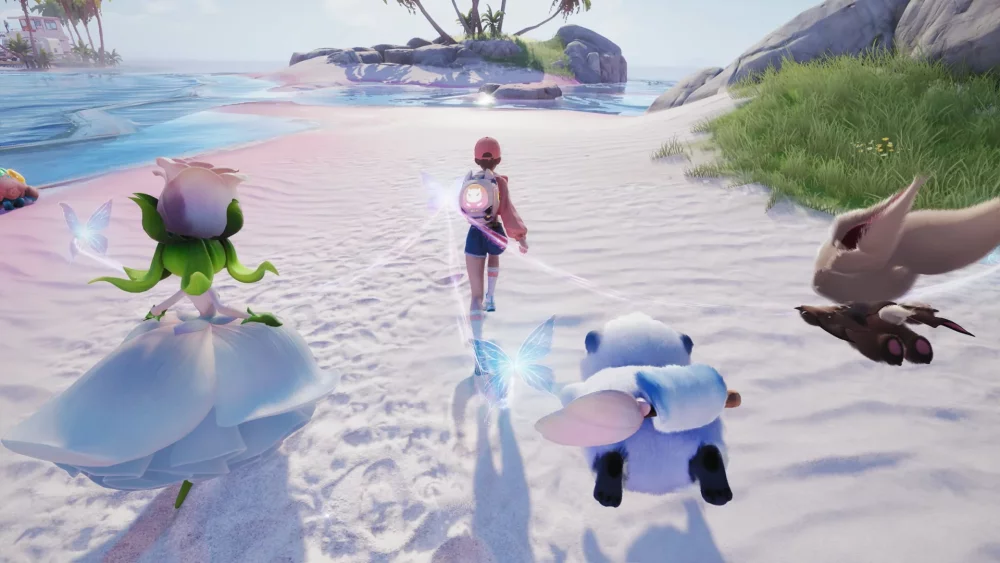
To use Twining in Aniimo, first clear your immediate surroundings of hostiles, then initiate synchronization with a creature from your roster to shift the camera to that creature's perspective. This perspective shift changes how distance, height, and visual elements appear, allowing you to reveal environmental markers, locate hidden resources, and plan safe movement across complex terrain.
How the Perspective Shift Works
Twining acts as a functional utility tool rather than a cosmetic filter. When you enter a synchronized state, the world shifts to reflect your creature's unique visual baseline, stripping away standard environmental clutter.
| Feature | Standard View | Twined Perspective |
|---|---|---|
| Camera Focus | Main character third-person | Creature viewpoint and height |
| Hidden Markers | Obscured by background terrain | Highlights glowing trails and reactive foliage |
| Route Planning | Direct blind movement | Pre-scouts footholds, ledges, and hazards |
| Character Risk | Normal real-time interaction | Main character stands immobile and vulnerable |
Different creatures provide distinct focal points when scanning an area. To maximize your discovery rate when exploring new biomes:
- Rotate through your roster: Swapping between creatures of different types or elements can alter which hidden indicators appear in your field of view.
- Sync near elemental clusters: If you notice ambient elemental energy, initiate a sync with a matching elemental creature to gain a clearer visual of nearby secrets.
- Observe creature alerts: Watch for changes in your creature's behavior or visual indicators while synced, as these signal that a hidden cache or wonder is nearby.
Traversal and Route Scouting
Twining allows you to bridge the gap between your character's default movement limits and the specialized mobility of your creatures. When approaching dense forests, steep cliffs, or wide gaps, use the synced perspective to assess your options before moving your character.
- Scan high-altitude or vertical terrain: Syncing with high-sensory or mobile creatures gives you a clearer view of distant footholds, avoiding wasted stamina or accidental falls.
- Verify safe landing zones: Check the path ahead for hidden ledges or hazards before jumping off a high cliffside.
- Mark progression points: Identify environmental beacons or shortcuts while in the creature view, then return to your main character to execute the movement.
Managing Vulnerability and Energy Constraints
Twining requires careful timing due to explicit gameplay trade-offs:
- Physical Vulnerability: Your main character remains exposed in the physical world while your perspective is shifted to the creature. Always clear nearby enemies and environmental hazards before initiating a sync.
- Stamina and Resource Limits: Maintaining a Twine consumes resources or creature stamina over time. Use synchronization as a tactical scouting phase to locate markers quickly rather than as a permanent travel mode.

Free Aniimo Codes
Current active codes and how to redeem them.

Michael Smith
Michael covers live-service games, events, reward systems, and efficient daily routines, turning frequent updates into clear actions for players.
COMMUNITY
Player Comments
80 players commented on this guide.
This helped me understand heroes much better.
This saved me time in the early game.
The tips are practical and easy to follow.
Can you add more details about heroes in a future update?