

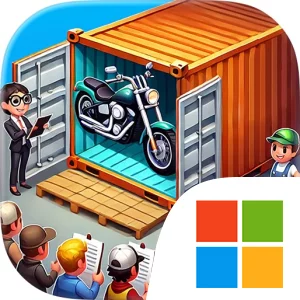
Play Bid Master : Auction Game on Windows PC
Download the official Bid Master : Auction Game Windows PC client and learn how to install and play the game on PC, with controls, system requirements, and practical tips.

Download Bid Master : Auction Game Official Windows PC Client
Official Windows PC client provided by LDPlayer.
About the Official Bid Master : Auction Game PC Client
Developer: SHENZHEN BRAINPOWER TECHNOLOGY CO.LTD
The core loop is straightforward but gives each decision a clear consequence. You enter a series of warehouse auctions, compete against other players, and decide whether to invest in the warehouse currently on offer. Winning the auction is only the beginning; the real payoff comes when you uncover the hidden items inside and sell them to advance your financial goals. A successful purchase can reveal valuable artwork, a rare collectible, or a historical relic, while a less fortunate choice tests whether your bidding judgment was sound. Because the game is designed to be easy to approach while still presenting meaningful competition, new auctioneers can learn the basic rhythm of bidding without losing the tension created by rival players. More experienced players can focus on developing a sharper sense of when a warehouse has enough potential to justify a bold investment and when it is wiser to hold back.
Progression gives the auction cycle a longer-term purpose. As you accumulate wealth, you can level up your auctioneer status and unlock additional features and rewards, creating a path from starting with very little to reaching abundant wealth. The result is a progression system tied directly to the main activity rather than a separate set of chores: better auction outcomes support your rise, while poor decisions slow your climb. Each newly uncovered treasure contributes to the satisfaction of building a successful collection of finds and turning uncertain warehouse purchases into financial progress. The game’s focus remains on the sequence of evaluating possibilities, competing for a purchase, uncovering what was hidden, and selling items to fund the next stage of your auction journey.
A PC setup is well suited to this decision-heavy format. A larger display gives the auction presentation and discovered-item information more room, making it easier to read what is available, compare the apparent potential of different warehouse opportunities, and keep track of the choices that lead toward wealth and auctioneer-status progression. Keyboard-and-mouse input can also make the repeated actions of moving through auction choices, selecting a warehouse, placing or confirming a bid, and handling the transition from discovery to sale feel more direct and controlled. Those advantages matter when you are weighing a seemingly ordinary warehouse against one that appears to hold greater potential, especially while competing with other players. With its combination of warehouse auctions, hidden treasures, rival bidding, and wealth-based progression, Bid Master : Auction Game on PC turns the search for valuable items into a focused cycle of risk, discovery, and strategic investment.
Screenshots
How to Download and Install the Official Bid Master : Auction Game PC Client
- Download and install the official Windows client distributed by LDPlayer.
- Open the app and sign in with your Google Play account.
- Search for Bid Master : Auction Game in the app store.
- Install the game and finish the first-launch download.
- Use the same game login if account sync is available.
Why Play Bid Master : Auction Game on PC?
Menus, maps, resources, and combat details are easier to read on a desktop display.
Keyboard and mouse input makes repeated actions and long sessions more comfortable.
Desktop play avoids phone battery drain during longer farming sessions.
Keep guides, codes, and notes open alongside the game on PC.
Controls and Performance
These three settings solve most common issues when playing on PC.
Map navigation, skill use, and repeated resource actions first.
Lower resolution or graphics quality if crowded scenes lose frames.
Link your account before switching devices so progress can be restored safely.
Bid Master : Auction Game Official PC Client FAQ
Can I play Bid Master : Auction Game on PC?
Yes. Download the official Windows PC client distributed by LDPlayer and play with a larger screen, keyboard, and mouse controls.
Is Bid Master : Auction Game better on PC than mobile?
Playing on PC can make longer sessions, detailed menus, and resource management more comfortable, while mobile is still convenient for quick check-ins.
Will my Bid Master : Auction Game progress sync on PC?
Progress depends on the sign-in options supported by the game. Use the same linked Google, Facebook, Apple, or game account on both devices.
Why does Bid Master : Auction Game lag on PC?
Lag can be caused by limited RAM, demanding graphics settings, outdated client files, or background apps. Lower the graphics settings and keep the PC client up to date.
DOWNLOAD STARTED
Your download is starting
Check your browser Downloads if it does not appear.
Official PC client for Windows, distributed by LDPlayer.
Download again