

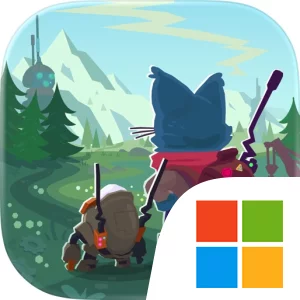
Play Botworld Adventure on Windows PC
Download the official Botworld Adventure Windows PC client and learn how to install and play the game on PC, with controls, system requirements, and practical tips.

Download Botworld Adventure Official Windows PC Client
Official Windows PC client provided by LDPlayer.
About the Official Botworld Adventure PC Client
Developer: Featherweight Games Pty Limited
The central gameplay loop combines scouting, collecting, crafting, upgrading, and combat preparation. As you explore, you search for rare scrap and recipes that let you build powerful bots, then improve your favorites as they level up and become stronger. Each bot has its own abilities and a powerful ultimate, so building an effective team means considering how those tools work together rather than relying on a single strongest unit. Battles use a strategic system in which your bots act with advanced AI, leaping, charging, stunning, or blasting around the arena while you choose the abilities that best fit the situation. Timing the right attack, using a stun to disrupt an enemy, or combining bot abilities with your own player abilities can make the difference between controlling an encounter and being overwhelmed. On PC, a larger display makes it easier to read the battlefield, follow the movement of multiple bots, and assess ability choices without losing sight of the action. Keyboard-and-mouse controls also suit the repeated decisions involved in selecting abilities, checking your team, and moving through the world, while the extra screen space helps when comparing bots, upgrades, recipes, and collected scrap.
Progression in Botworld Adventure is therefore tied to both discovery and preparation. Exploring a new environment may reveal a recipe or rare resource, but it can also lead to an unexpected confrontation, making team composition an important part of every expedition. You are encouraged to collect a broad roster, build and upgrade the bots that match your preferred approach, and customize their powers and abilities as they develop. The open-world format gives the journey a sense of choice: you can search for hidden treasures, meet the world’s varied characters, or focus on gathering materials for your next upgrade. A larger PC screen is especially useful for navigating these longer excursions and keeping track of what you are seeking while watching for the dangers that may be around the corner.
Botworld also adds a social layer through guilds. You can create or join a guild, collaborate with other Botmasters on quests, and use guild text chat to share strategies and discoveries. Once your crew is large enough, guild-exclusive events provide additional objectives, with unique scrap and outfits available as rewards for completing them. That cooperative progression complements the individual loop of exploring, collecting, crafting, and battling, giving you reasons to keep improving your bots even after you have established a reliable team. With its combination of open-world discovery, bot collection, ability-focused combat, character customization, and guild activities, the PC version provides a clear space for planning expeditions, refining a roster, and making more informed tactical choices throughout Botworld.
Screenshots
How to Download and Install the Official Botworld Adventure PC Client
- Download and install the official Windows client distributed by LDPlayer.
- Open the app and sign in with your Google Play account.
- Search for Botworld Adventure in the app store.
- Install the game and finish the first-launch download.
- Use the same game login if account sync is available.
Why Play Botworld Adventure on PC?
Menus, maps, resources, and combat details are easier to read on a desktop display.
Keyboard and mouse input makes repeated actions and long sessions more comfortable.
Desktop play avoids phone battery drain during longer farming sessions.
Keep guides, codes, and notes open alongside the game on PC.
Controls and Performance
These three settings solve most common issues when playing on PC.
Map navigation, skill use, and repeated resource actions first.
Lower resolution or graphics quality if crowded scenes lose frames.
Link your account before switching devices so progress can be restored safely.
Botworld Adventure Official PC Client FAQ
Can I play Botworld Adventure on PC?
Yes. Download the official Windows PC client distributed by LDPlayer and play with a larger screen, keyboard, and mouse controls.
Is Botworld Adventure better on PC than mobile?
Playing on PC can make longer sessions, detailed menus, and resource management more comfortable, while mobile is still convenient for quick check-ins.
Will my Botworld Adventure progress sync on PC?
Progress depends on the sign-in options supported by the game. Use the same linked Google, Facebook, Apple, or game account on both devices.
Why does Botworld Adventure lag on PC?
Lag can be caused by limited RAM, demanding graphics settings, outdated client files, or background apps. Lower the graphics settings and keep the PC client up to date.
DOWNLOAD STARTED
Your download is starting
Check your browser Downloads if it does not appear.
Official PC client for Windows, distributed by LDPlayer.
Download again