
Play Candy Crush Saga on Windows PC
Download the official Candy Crush Saga Windows PC client and learn how to install and play the game on PC, with controls, system requirements, and practical tips.

Download Candy Crush Saga Official Windows PC Client
Official Windows PC client provided by LDPlayer.
About the Official Candy Crush Saga PC Client
Developer: King
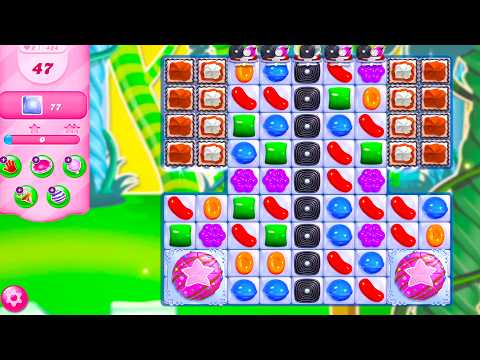
The variety comes from the game’s level designs and special modes, including Gummy Dragons and Bubblegum Pop, which give the familiar matching formula different goals and obstacles to solve. Progression is tied to moving through the large collection of levels, while daily rewards provide free boosters and extra lives to support continued play. When a board becomes especially sticky, tools such as Bonbon Blitz, Lollipop Hammer, and Jelly Fish can help clear obstacles, create opportunities, or provide the extra push needed to finish a puzzle; extra moves are also available when you are close to success. Beyond the regular levels, time-limited events add themed challenges and exclusive prizes, while tournaments and leaderboards let you compare your results with friends and compete to rise higher. Sharing lives, comparing scores, and connecting the game to Facebook can help sync progress, compete with friends, and unlock exclusive rewards. Candy Crush Saga also supports offline play, so you can continue matching without an internet connection, while optional in-game purchases remain available for players who want additional items. On a larger PC display, the board is easier to examine at a glance, which helps when identifying possible chains, checking how jelly, toffees, or jam are affecting your next move, and planning a match around a booster. Keyboard-and-mouse input also provides direct, precise control when selecting a specific candy combination, activating a Lollipop Hammer or Jelly Fish, and moving through repeated level attempts, daily rewards, events, and leaderboard screens. The result is a focused way to play through Candy Crush Saga’s long progression, whether you are solving a few puzzles offline or chasing higher scores and event prizes online.
Screenshots
How to Download and Install the Official Candy Crush Saga PC Client
- Download and install the official Windows client distributed by LDPlayer.
- Open the app and sign in with your Google Play account.
- Search for Candy Crush Saga in the app store.
- Install the game and finish the first-launch download.
- Use the same game login if account sync is available.
Why Play Candy Crush Saga on PC?
Menus, maps, resources, and combat details are easier to read on a desktop display.
Keyboard and mouse input makes repeated actions and long sessions more comfortable.
Desktop play avoids phone battery drain during longer farming sessions.
Keep guides, codes, and notes open alongside the game on PC.
Controls and Performance
These three settings solve most common issues when playing on PC.
Map navigation, skill use, and repeated resource actions first.
Lower resolution or graphics quality if crowded scenes lose frames.
Link your account before switching devices so progress can be restored safely.
Candy Crush Saga Official PC Client FAQ
Can I play Candy Crush Saga on PC?
Yes. Download the official Windows PC client distributed by LDPlayer and play with a larger screen, keyboard, and mouse controls.
Is Candy Crush Saga better on PC than mobile?
Playing on PC can make longer sessions, detailed menus, and resource management more comfortable, while mobile is still convenient for quick check-ins.
Will my Candy Crush Saga progress sync on PC?
Progress depends on the sign-in options supported by the game. Use the same linked Google, Facebook, Apple, or game account on both devices.
Why does Candy Crush Saga lag on PC?
Lag can be caused by limited RAM, demanding graphics settings, outdated client files, or background apps. Lower the graphics settings and keep the PC client up to date.
DOWNLOAD STARTED
Your download is starting
Check your browser Downloads if it does not appear.
Official PC client for Windows, distributed by LDPlayer.
Download again