

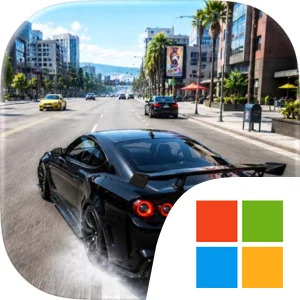
Play Car Drift Racing Master Game on Windows PC
Download the official Car Drift Racing Master Game Windows PC client and learn how to install and play the game on PC, with controls, system requirements, and practical tips.

Download Car Drift Racing Master Game Official Windows PC Client
Official Windows PC client provided by LDPlayer.
About the Official Car Drift Racing Master Game PC Client
Developer: Game Boy Studio
The central loop begins with choosing a car, heading out into the open world, and testing your control through missions or free driving. Missions are designed to challenge your timing and driving ability, giving structure to exploration while you work through new objectives. Drifting adds a more technical layer: you must learn how each car handles, take corners with control, and work toward smoother, longer slides rather than simply driving quickly. Stunts provide a more experimental alternative, encouraging you to search for opportunities to jump, turn, and try daring maneuvers away from a single prescribed route. Progress comes through developing your garage, buying or unlocking additional cars, and using upgrades to prepare vehicles for more demanding challenges. Customization and modification let you change a vehicle’s look and improve its performance, so your collection is not only about owning more cars but also about shaping favorites for cruising, drifting, missions, or stunt driving. On PC, a larger display makes it easier to read the road ahead while exploring, spot places that may support a jump or stunt, and keep track of the surrounding environment during free driving. Keyboard-and-mouse input can also make repeated steering and correction easier to manage when you are trying to hold a clean drift, recover from a turn, or maintain control during a mission. The same setup is useful when switching between cars, navigating garage options, and selecting upgrades or modifications as your collection expands. With accessible driving controls, an open world to investigate, and a progression system centered on cars and garage development, the PC version gives each drive a practical purpose: complete objectives, improve your technique, discover new ways to use your vehicles, and keep building a more capable and personalized garage.
Screenshots
How to Download and Install the Official Car Drift Racing Master Game PC Client
- Download and install the official Windows client distributed by LDPlayer.
- Open the app and sign in with your Google Play account.
- Search for Car Drift Racing Master Game in the app store.
- Install the game and finish the first-launch download.
- Use the same game login if account sync is available.
Why Play Car Drift Racing Master Game on PC?
Menus, maps, resources, and combat details are easier to read on a desktop display.
Keyboard and mouse input makes repeated actions and long sessions more comfortable.
Desktop play avoids phone battery drain during longer farming sessions.
Keep guides, codes, and notes open alongside the game on PC.
Controls and Performance
These three settings solve most common issues when playing on PC.
Map navigation, skill use, and repeated resource actions first.
Lower resolution or graphics quality if crowded scenes lose frames.
Link your account before switching devices so progress can be restored safely.
Car Drift Racing Master Game Official PC Client FAQ
Can I play Car Drift Racing Master Game on PC?
Yes. Download the official Windows PC client distributed by LDPlayer and play with a larger screen, keyboard, and mouse controls.
Is Car Drift Racing Master Game better on PC than mobile?
Playing on PC can make longer sessions, detailed menus, and resource management more comfortable, while mobile is still convenient for quick check-ins.
Will my Car Drift Racing Master Game progress sync on PC?
Progress depends on the sign-in options supported by the game. Use the same linked Google, Facebook, Apple, or game account on both devices.
Why does Car Drift Racing Master Game lag on PC?
Lag can be caused by limited RAM, demanding graphics settings, outdated client files, or background apps. Lower the graphics settings and keep the PC client up to date.
DOWNLOAD STARTED
Your download is starting
Check your browser Downloads if it does not appear.
Official PC client for Windows, distributed by LDPlayer.
Download again