

Play Desert Oasis: Idle Farm Sim on Windows PC
Download the official Desert Oasis: Idle Farm Sim Windows PC client and learn how to install and play the game on PC, with controls, system requirements, and practical tips.

Download Desert Oasis: Idle Farm Sim Official Windows PC Client
Official Windows PC client provided by LDPlayer.
About the Official Desert Oasis: Idle Farm Sim PC Client
Developer: NEXTAGE TECHNOLOGIES PVT. LIMITED
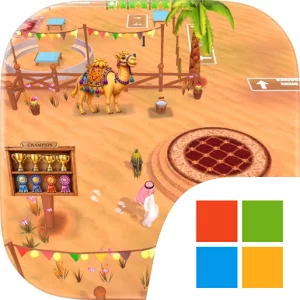
The core loop is straightforward but expands as your operation becomes more ambitious. You can grow corn, wheat, and dates, then use specialized facilities to turn farm output into more valuable goods. A factory lets you press fresh olive oil, while rare camel milk and a lamb meat shop add different products and business goals to pursue. Crops, animals, buildings, factories, and shops all contribute to the sense that your oasis is becoming a connected production network rather than a single field. The progression system is tied to leveling up: new farms, factories, and shops unlock over time, with each addition bringing a new challenge and larger rewards. That structure gives your idle income a clear purpose. You are not simply collecting coins for its own sake; you are working toward the next useful expansion and deciding how far to develop the desert settlement. The game’s one-tap design keeps each action accessible, while the combination of offline earnings, harvesting, selling, and upgrading creates a satisfying rhythm for both short visits and longer sessions.
Playing Desert Oasis: Idle Farm Sim on PC gives this repeated management loop more room to breathe. A larger display makes it easier to read the growing layout of your oasis at a glance, especially once date palms, wheat, corn, olive groves, animal activity, and production buildings begin sharing the same expanding space. Using a mouse to select individual crops, buildings, shops, and collection points can also make frequent planting, harvesting, and reward-collection actions feel more precise and comfortable than working through a small touchscreen. The keyboard-and-mouse setup is particularly useful during longer sessions when you are checking several parts of the operation in sequence: collect a harvest, review the next factory or shop task, return to the farm area, and spend the proceeds on an upgrade. A full-sized screen also helps when comparing the visual state of different production areas and planning where your growing collection of farms and facilities fits within the oasis.
The appeal is in watching a barren starting point become a lively desert economy through small, repeatable decisions. You can focus on the immediate satisfaction of harvesting dates, wheat, or corn, or use the longer idle cycle to return with enough resources for a new farm, factory, or shop. The hand-crafted desert landscapes provide a changing backdrop as the settlement develops, from open dunes to greener oasis gardens, while the progression system supplies the next objective without imposing a demanding schedule. If you want a free-to-play farming game centered on offline rewards, simple interactions, resource production, and gradual expansion, Desert Oasis: Idle Farm Sim on PC offers a calm way to build from a tiny oasis toward the larger desert empire promised by its unlocks.
Screenshots
How to Download and Install the Official Desert Oasis: Idle Farm Sim PC Client
- Download and install the official Windows client distributed by LDPlayer.
- Open the app and sign in with your Google Play account.
- Search for Desert Oasis: Idle Farm Sim in the app store.
- Install the game and finish the first-launch download.
- Use the same game login if account sync is available.
Why Play Desert Oasis: Idle Farm Sim on PC?
Menus, maps, resources, and combat details are easier to read on a desktop display.
Keyboard and mouse input makes repeated actions and long sessions more comfortable.
Desktop play avoids phone battery drain during longer farming sessions.
Keep guides, codes, and notes open alongside the game on PC.
Controls and Performance
These three settings solve most common issues when playing on PC.
Map navigation, skill use, and repeated resource actions first.
Lower resolution or graphics quality if crowded scenes lose frames.
Link your account before switching devices so progress can be restored safely.
Desert Oasis: Idle Farm Sim Official PC Client FAQ
Can I play Desert Oasis: Idle Farm Sim on PC?
Yes. Download the official Windows PC client distributed by LDPlayer and play with a larger screen, keyboard, and mouse controls.
Is Desert Oasis: Idle Farm Sim better on PC than mobile?
Playing on PC can make longer sessions, detailed menus, and resource management more comfortable, while mobile is still convenient for quick check-ins.
Will my Desert Oasis: Idle Farm Sim progress sync on PC?
Progress depends on the sign-in options supported by the game. Use the same linked Google, Facebook, Apple, or game account on both devices.
Why does Desert Oasis: Idle Farm Sim lag on PC?
Lag can be caused by limited RAM, demanding graphics settings, outdated client files, or background apps. Lower the graphics settings and keep the PC client up to date.
DOWNLOAD STARTED
Your download is starting
Check your browser Downloads if it does not appear.
Official PC client for Windows, distributed by LDPlayer.
Download again