

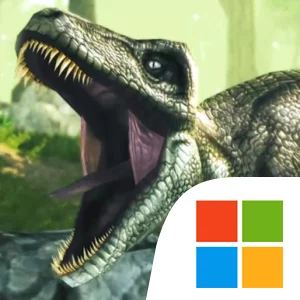
Play Dino Tamers: Jurassic MMORPG on Windows PC
Download the official Dino Tamers: Jurassic MMORPG Windows PC client and learn how to install and play the game on PC, with controls, system requirements, and practical tips.

Download Dino Tamers: Jurassic MMORPG Official Windows PC Client
Official Windows PC client provided by LDPlayer.
About the Official Dino Tamers: Jurassic MMORPG PC Client
Developer: AppForge Inc.
The central gameplay loop is built around finding dinosaurs, approaching them carefully, taming them, and then using them to explore and battle through the island. Dino Tamers’ sneak mechanic gives the approach itself a meaningful role. Trees, long grass, and other vegetation can help you get close to a dinosaur without being spotted, which is particularly important when a wild carnivore is blocking your route. This makes exploration more than a straightforward ride from one destination to another: you need to consider the terrain, your visibility, and the behavior of the creature you are trying to reach. After taming a dinosaur, you can saddle it and return to the wilderness, taking on challenging missions and hunting your way through the Jurassic setting. Battles are tied to RPG-style development, with opportunities to improve your dinosaur’s skills as you advance. The game also includes crafting as part of its interactive story, so progress is shaped by more than combat alone.
Evolution adds another layer to the collection system. By studying a mysterious ember, you can alter a dinosaur’s DNA and push it to its next stage of evolution, unlocking features such as wings. That system gives familiar dinosaurs an additional long-term purpose: a creature you initially tame can continue developing into something with new capabilities, including the possibility of riding a flying Spino. Alongside these individual goals, the online multiplayer design makes Arcadia a shared sanctuary where you can explore with other players and ride prehistoric beasts together. The social focus is cooperative and adventure-oriented, centered on seeing the world and taming dinosaurs alongside friends rather than treating the island as a solitary backdrop. On PC, a larger display can make practical exploration details easier to read at a glance, from spotting trees and long grass that provide cover to identifying a carnivore’s position before you move into danger. Keyboard-and-mouse input can also make repeated movement, camera adjustments, and careful positioning more manageable when you are sneaking toward a dinosaur, navigating around vegetation, or controlling a mounted creature through an active mission. With more screen space for the surrounding wilderness and more precise input for approaching, riding, battling, and selecting actions, the PC version gives the game’s connected systems—taming, riding, evolution, missions, crafting, and online exploration—room to work together. New content is also planned for the game, including the Mosasaurus, described as the shark of the Jurassic waters, expanding the range of creatures that can define your collection and future adventures in Arcadia.
Screenshots
How to Download and Install the Official Dino Tamers: Jurassic MMORPG PC Client
- Download and install the official Windows client distributed by LDPlayer.
- Open the app and sign in with your Google Play account.
- Search for Dino Tamers: Jurassic MMORPG in the app store.
- Install the game and finish the first-launch download.
- Use the same game login if account sync is available.
Why Play Dino Tamers: Jurassic MMORPG on PC?
Menus, maps, resources, and combat details are easier to read on a desktop display.
Keyboard and mouse input makes repeated actions and long sessions more comfortable.
Desktop play avoids phone battery drain during longer farming sessions.
Keep guides, codes, and notes open alongside the game on PC.
Controls and Performance
These three settings solve most common issues when playing on PC.
Map navigation, skill use, and repeated resource actions first.
Lower resolution or graphics quality if crowded scenes lose frames.
Link your account before switching devices so progress can be restored safely.
Dino Tamers: Jurassic MMORPG Official PC Client FAQ
Can I play Dino Tamers: Jurassic MMORPG on PC?
Yes. Download the official Windows PC client distributed by LDPlayer and play with a larger screen, keyboard, and mouse controls.
Is Dino Tamers: Jurassic MMORPG better on PC than mobile?
Playing on PC can make longer sessions, detailed menus, and resource management more comfortable, while mobile is still convenient for quick check-ins.
Will my Dino Tamers: Jurassic MMORPG progress sync on PC?
Progress depends on the sign-in options supported by the game. Use the same linked Google, Facebook, Apple, or game account on both devices.
Why does Dino Tamers: Jurassic MMORPG lag on PC?
Lag can be caused by limited RAM, demanding graphics settings, outdated client files, or background apps. Lower the graphics settings and keep the PC client up to date.
DOWNLOAD STARTED
Your download is starting
Check your browser Downloads if it does not appear.
Official PC client for Windows, distributed by LDPlayer.
Download again