

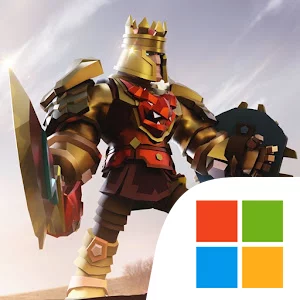
Play Duels - PVP game of Knighthood on Windows PC
Download the official Duels - PVP game of Knighthood Windows PC client and learn how to install and play the game on PC, with controls, system requirements, and practical tips.

Download Duels - PVP game of Knighthood Official Windows PC Client
Official Windows PC client provided by LDPlayer.
About the Official Duels - PVP game of Knighthood PC Client
Developer: Gameplay Galaxy
Preparation is especially important because Duels gives you a large collection of tools to shape your warrior. More than 1,000 customizable items include weapons, swords, axes, shields, and body armor, while chests provide access to special gear that can change how you approach future battles. The goal is not simply to equip the newest item, but to choose wisely and assemble a loadout that supports your preferred approach. You can also expand your skill set with more than 45 special skills, including Meteor, Ice wall, and poison punches. These abilities add distinct options to the auto-battle format and give you ways to make your fighter more elusive or dangerous. Outside player-versus-player competition, Dungeons and Campaigns modes send you against hordes of dangerous monsters and giant enemies, letting you test Fire, Ice, Iron, and Poison attacks in a different context. These modes broaden the game’s loop from league advancement to PvE challenges, chest unlocking, character upgrades, and repeated battles for stronger loot. The social side comes through Clans, which let you create or join a group and participate in multiplayer clan arena battles while working toward recognition as a clan Hero. On PC, the larger display makes it easier to inspect your warrior’s equipment, compare the many available weapons and armor pieces, and read combat information without crowding the battlefield view. Keyboard-and-mouse input also provides a comfortable way to move through menus, select skills, review loot, and handle the repeated preparation steps between auto-battles. That clarity is useful when deciding whether a new chest reward improves your current setup, planning a fighter for a competitive league, or switching your approach for monster-filled Dungeons. With its combination of automated fighting, gear collection, skill upgrades, PvP leagues, clan play, and fantasy PvE modes, Duels centers on the decisions surrounding each battle as much as the clash itself.
Screenshots
How to Download and Install the Official Duels - PVP game of Knighthood PC Client
- Download and install the official Windows client distributed by LDPlayer.
- Open the app and sign in with your Google Play account.
- Search for Duels - PVP game of Knighthood in the app store.
- Install the game and finish the first-launch download.
- Use the same game login if account sync is available.
Why Play Duels - PVP game of Knighthood on PC?
Menus, maps, resources, and combat details are easier to read on a desktop display.
Keyboard and mouse input makes repeated actions and long sessions more comfortable.
Desktop play avoids phone battery drain during longer farming sessions.
Keep guides, codes, and notes open alongside the game on PC.
Controls and Performance
These three settings solve most common issues when playing on PC.
Map navigation, skill use, and repeated resource actions first.
Lower resolution or graphics quality if crowded scenes lose frames.
Link your account before switching devices so progress can be restored safely.
Duels - PVP game of Knighthood Official PC Client FAQ
Can I play Duels - PVP game of Knighthood on PC?
Yes. Download the official Windows PC client distributed by LDPlayer and play with a larger screen, keyboard, and mouse controls.
Is Duels - PVP game of Knighthood better on PC than mobile?
Playing on PC can make longer sessions, detailed menus, and resource management more comfortable, while mobile is still convenient for quick check-ins.
Will my Duels - PVP game of Knighthood progress sync on PC?
Progress depends on the sign-in options supported by the game. Use the same linked Google, Facebook, Apple, or game account on both devices.
Why does Duels - PVP game of Knighthood lag on PC?
Lag can be caused by limited RAM, demanding graphics settings, outdated client files, or background apps. Lower the graphics settings and keep the PC client up to date.
DOWNLOAD STARTED
Your download is starting
Check your browser Downloads if it does not appear.
Official PC client for Windows, distributed by LDPlayer.
Download again