

Play Elpis: Fallen Star on Windows PC
Download the official Elpis: Fallen Star Windows PC client and learn how to install and play the game on PC, with controls, system requirements, and practical tips.

Download Elpis: Fallen Star Official Windows PC Client
Official Windows PC client provided by LDPlayer.
About the Official Elpis: Fallen Star PC Client
Developer: GENMUGAME CO., LTD.
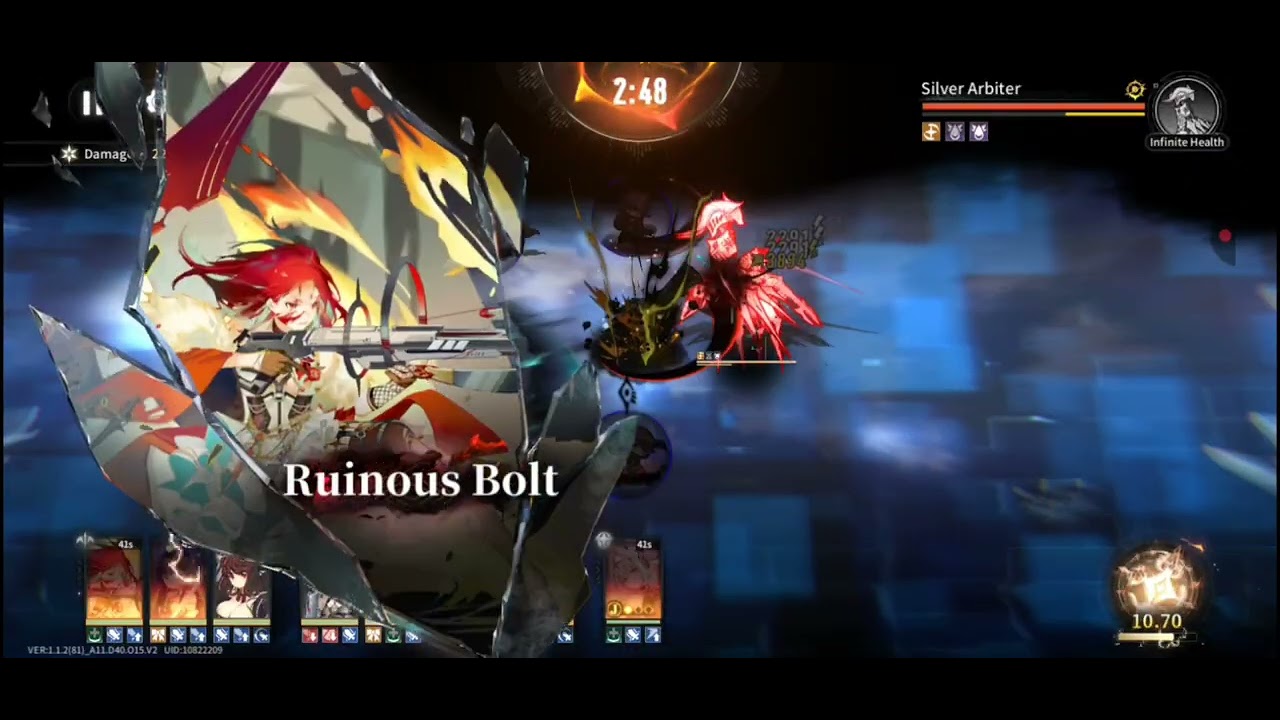
Combat is built around semi-real-time strategy rather than a plan that ends once a fight starts. Before battle, you need to consider your squad’s composition and prepare for the opposition; once the encounter is underway, issuing orders and using your Leader Skill can change how the fight develops. You can command up to eight members, while “Total Assault” brings together the combined might of four classes for a concentrated attack. Those systems make character choice more than a roster-building exercise: pulling and investing in characters, then combining their strengths, is part of building a force capable of handling the Abyss. A larger PC display can make it easier to take in the battlefield and keep track of multiple squad members as you decide when to give orders or activate a skill. Keyboard-and-mouse input also suits the repeated tactical decisions of directing the team, letting you move between combat commands and character choices without treating the action as a single-button routine.
The adventure also puts survival and companionship alongside combat. Monica, the squad’s master chef, prepares four meals a day, helping keep Sanity full in a setting where the Abyss threatens not just physical safety but the team’s ability to carry on. The description frames food, supplies such as fresh water and Repellent Powder, and Sanity as concerns in the expedition, so the journey is about more than advancing from one enemy to the next. You can deepen bonds with your companions as the squad moves forward, and setbacks may call for a pause before the team tries again. On PC, the extra screen space can help when comparing characters and weighing how to invest in the roster, while a mouse makes selecting members and navigating between planning tasks more direct. That is useful whether you are deciding how to combine four classes for “Total Assault” or considering which characters to bring into a mission.
Elpis: Fallen Star ties its RPG progression to a larger mystery: the Abyss is spreading rapidly, and the Demon King may be connected to the catastrophe. The squad’s choices, relationships, and tactical readiness all feed into that journey, giving the story a practical survival focus as well as a looming final enemy. Its central loop is to recruit and strengthen characters, prepare the exploration squad, enter dangerous encounters, issue orders as the battle unfolds, and continue the expedition with the team’s Sanity and bonds in mind. For players who enjoy party development and hands-on tactical command, the defining challenge is balancing those responsibilities: build a capable group, recognize when to unleash its combined strength, and lead it through a hostile world toward the truth behind the rifts.
Screenshots
How to Download and Install the Official Elpis: Fallen Star PC Client
- Download and install the official Windows client distributed by LDPlayer.
- Open the app and sign in with your Google Play account.
- Search for Elpis: Fallen Star in the app store.
- Install the game and finish the first-launch download.
- Use the same game login if account sync is available.
Why Play Elpis: Fallen Star on PC?
Menus, maps, resources, and combat details are easier to read on a desktop display.
Keyboard and mouse input makes repeated actions and long sessions more comfortable.
Desktop play avoids phone battery drain during longer farming sessions.
Keep guides, codes, and notes open alongside the game on PC.
Controls and Performance
These three settings solve most common issues when playing on PC.
Map navigation, skill use, and repeated resource actions first.
Lower resolution or graphics quality if crowded scenes lose frames.
Link your account before switching devices so progress can be restored safely.
Elpis: Fallen Star Official PC Client FAQ
Can I play Elpis: Fallen Star on PC?
Yes. Download the official Windows PC client distributed by LDPlayer and play with a larger screen, keyboard, and mouse controls.
Is Elpis: Fallen Star better on PC than mobile?
Playing on PC can make longer sessions, detailed menus, and resource management more comfortable, while mobile is still convenient for quick check-ins.
Will my Elpis: Fallen Star progress sync on PC?
Progress depends on the sign-in options supported by the game. Use the same linked Google, Facebook, Apple, or game account on both devices.
Why does Elpis: Fallen Star lag on PC?
Lag can be caused by limited RAM, demanding graphics settings, outdated client files, or background apps. Lower the graphics settings and keep the PC client up to date.
DOWNLOAD STARTED
Your download is starting
Check your browser Downloads if it does not appear.
Official PC client for Windows, distributed by LDPlayer.
Download again