

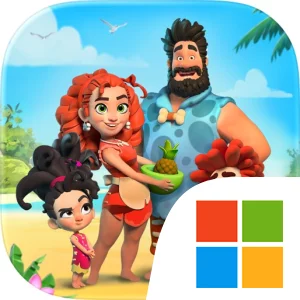
Play Family Island — Farming game on Windows PC
Download the official Family Island — Farming game Windows PC client and learn how to install and play the game on PC, with controls, system requirements, and practical tips.

Download Family Island — Farming game Official Windows PC Client
Official Windows PC client provided by LDPlayer.
About the Official Family Island — Farming game PC Client
Developer: Melsoft
The central loop begins with turning the deserted island into a productive family farm. You grow crops, use ancient technologies, and craft useful goods from the resources available around you. Those finished goods can be traded with other characters, making farming and production part of a larger cycle: develop the home, create supplies, exchange what the family makes, and use the results to support further progress through the island adventure. The game is not built around modern machinery or a conventional combat system. Instead, its challenges come from making the most of a remote environment, choosing what to cultivate and craft, and guiding the family through the unexpected situations that arise during its rebuilding effort.
Exploration expands the experience beyond the starting farm. Family Island sends you on adventures to new islands, where the family can encounter fresh surroundings, quests, and story developments. These journeys give the farming activity a broader objective, since the home is not an isolated project: the family is also trying to understand what happened to its community and find a path back to its tribe. Quests and family life stories provide the narrative structure, while Bruce, Eva, and their children give those objectives a personal dimension. Getting to know the family better is part of the progression, so the game’s sense of advancement comes through both the growth of the settlement and the unfolding of the family’s situation.
Customization adds another layer to the town-building side of the game. Once the farm and home begin to take shape, you can use decorations to give the settlement its own appearance rather than treating it as only a production site. On PC, a larger display makes it easier to read the whole farm layout, see where crops, crafted goods, buildings, and decorations fit together, and plan changes without losing sight of the surrounding space. Keyboard-and-mouse input is also useful when the island becomes busy with repeated actions: a mouse can make it more precise to select individual crops, goods, characters, or quest objectives, while a keyboard provides a convenient way to move through the game and manage frequent inputs. The extra screen space is particularly helpful when comparing the farm’s needs with the wider island area before setting out on an adventure. With its combination of farming, crafting, trading, exploration, customization, and family-centered quests, Family Island — Farming game on PC offers a structured island rebuilding experience grounded in the everyday decisions of a Stone Age family.
Screenshots
How to Download and Install the Official Family Island — Farming game PC Client
- Download and install the official Windows client distributed by LDPlayer.
- Open the app and sign in with your Google Play account.
- Search for Family Island — Farming game in the app store.
- Install the game and finish the first-launch download.
- Use the same game login if account sync is available.
Why Play Family Island — Farming game on PC?
Menus, maps, resources, and combat details are easier to read on a desktop display.
Keyboard and mouse input makes repeated actions and long sessions more comfortable.
Desktop play avoids phone battery drain during longer farming sessions.
Keep guides, codes, and notes open alongside the game on PC.
Controls and Performance
These three settings solve most common issues when playing on PC.
Map navigation, skill use, and repeated resource actions first.
Lower resolution or graphics quality if crowded scenes lose frames.
Link your account before switching devices so progress can be restored safely.
Family Island — Farming game Official PC Client FAQ
Can I play Family Island — Farming game on PC?
Yes. Download the official Windows PC client distributed by LDPlayer and play with a larger screen, keyboard, and mouse controls.
Is Family Island — Farming game better on PC than mobile?
Playing on PC can make longer sessions, detailed menus, and resource management more comfortable, while mobile is still convenient for quick check-ins.
Will my Family Island — Farming game progress sync on PC?
Progress depends on the sign-in options supported by the game. Use the same linked Google, Facebook, Apple, or game account on both devices.
Why does Family Island — Farming game lag on PC?
Lag can be caused by limited RAM, demanding graphics settings, outdated client files, or background apps. Lower the graphics settings and keep the PC client up to date.
DOWNLOAD STARTED
Your download is starting
Check your browser Downloads if it does not appear.
Official PC client for Windows, distributed by LDPlayer.
Download again