
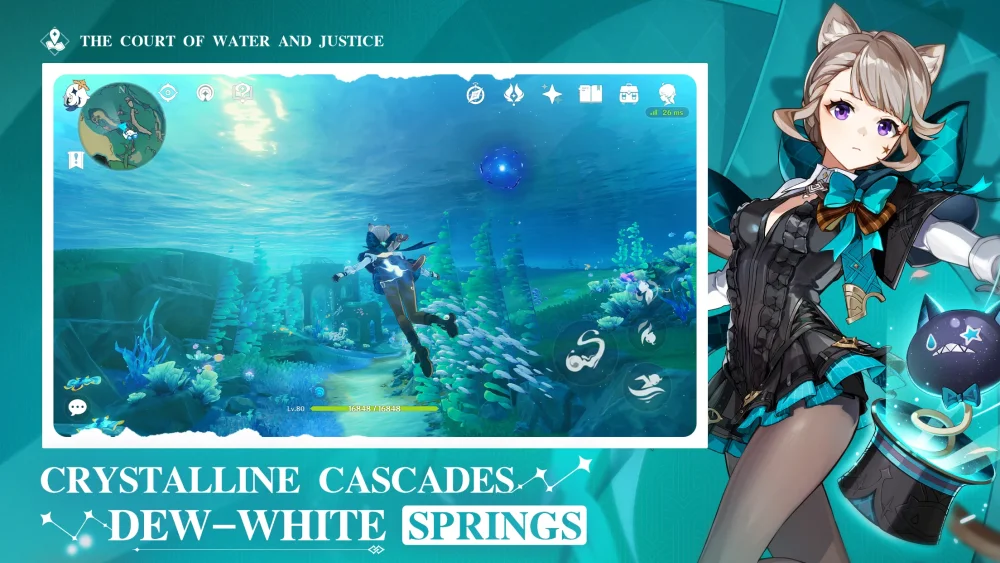
To create a high-quality character showcase clip in Genshin Impact, select an environment that highlights your character's element, set the in-game clock to favorable lighting, and time elemental burst camera transitions to match your audio tracks. Prioritize smooth frame rates over maximum render resolution to prevent stuttering during burst animations.
Sequence Cadence and Burst Timing
Visual character showcases rely on structured pacing to keep combat animations clear and readable. High-contrast camera transitions during elemental bursts serve as natural focal points for your recording.
Plan your gameplay clip using a four-step rotation sequence:
- Establishment: Begin with an idle animation or an elemental skill movement to introduce the character model.
- Build-up: Execute standard light or heavy attack combos to display basic animations and fluid combat movement.
- Climax: Trigger the elemental burst on a primary beat or intensity spike in your chosen background audio track.
- Resolution: Allow the character's weapon-sheathing or landing animation to play out fully for a clean exit frame.
Abilities with long screen coverage, such as Raiden Shogun's Musou no Hitotachi or Zhongli's Planet Befall, act as reliable anchors for dramatic camera cuts.
Environmental Setup and Lighting Selection
The recording location determines visual contrast and character texture visibility. Match your hero's elemental affinity with complementary terrain to enhance spell effects.
| Element Affinity | Recommended Setting | Lighting Window |
|---|---|---|
| Pyro (e.g., Hu Tao, Yoimiya) | Natlan volcanic peaks or Dragonspine ruins | Golden Hour (Just before sunset) |
| Cryo | Dragonspine peaks or Snezhnaya-style snowy regions | Golden Hour or Clear Daylight |
Set the in-game time to the pre-sunset Golden Hour for warm directional lighting that enhances character models and weapon reflections. Avoid recording during active rain, snowstorms, or sandstorms, as ambient weather particles obscure character detail and clutter the visual frame. Utilize zoomed-in camera angles or Photo Mode blur features to keep background elements from distracting from the character.
Technical Performance and Combat Trade-offs
Structuring a combat rotation around cinematic timing creates practical gameplay trade-offs. Holding an elemental burst to align with a visual or audio beat can leave your party without shields or open to high-damage enemy attacks in endgame modes like the Spiral Abyss. Secure survival and essential defensive shields before holding skills for visual framing.
Recording high-effect elemental animations taxes hardware and can induce frame drops on mobile devices or lower-tier PCs. Lower your graphics resolution and particle settings in the system menu if your recording stutters. A video captured at a steady frame rate with lower graphical detail presents a cleaner showcase than a high-resolution clip with dropped frames.

Free Genshin Impact Codes
Current active codes and how to redeem them.

James Brown
James focuses on Android gaming on PC, emulator setup, controls, performance tuning, and practical troubleshooting for longer play sessions.
COMMUNITY
Player Comments
75 players commented on this guide.
I wish I had read this before upgrading the wrong thing.
Nice guide. I am checking the other Genshin Impact articles next.
Can you add more details about heroes in a future update?
This guide answered the exact question I had.