

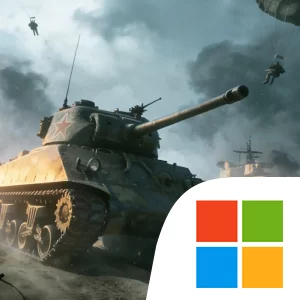
Play Grand War 5: WW2 Strategy Game on Windows PC
Download the official Grand War 5: WW2 Strategy Game Windows PC client and learn how to install and play the game on PC, with controls, system requirements, and practical tips.

Download Grand War 5: WW2 Strategy Game Official Windows PC Client
Official Windows PC client provided by LDPlayer.
About the Official Grand War 5: WW2 Strategy Game PC Client
Developer: Shanghai Danghong Network Technology Partnership Enterprise (Limited Partnership )
The army-building systems give the campaign much of its strategic identity. Units drawn from more than 200 countries and over 60 types of special forces can be combined into customizable legions, while more than 100 legendary generals add another layer of planning. Generals can be assigned exclusive skill-tree upgrades, allowing you to shape skill combinations around the enemies and situations you expect to face. Technology upgrades improve the combat effectiveness of all units and can unlock powerful free troops, supporting progression without requiring paid advantages. The realistic morale system also makes positioning important: surrounding enemy forces lowers their combat effectiveness, rewarding encirclement and careful maneuvering instead of simple frontal attacks. Battles can extend beyond land warfare as well, with naval engagements that let fleets bring their firepower into the campaign.
Grand War 5: WW2 Strategy Game on PC also includes Expedition Mode, where you dispatch generals on missions to earn rewards, and Challenge Mode, which introduces special tasks in extreme conditions such as heavy rain and snow. These scenarios give weather a direct strategic role, with both your forces and the enemy receiving unique buffs and debuffs that can change the value of a particular deployment or attack. The setting ranges from the dense jungles of Western Europe to the deserts of North Africa and the freezing wastelands of the Eastern Front, making terrain effects and supply planning central to exploration across the game’s battlefields. A larger display is especially useful when reading these maps, tracing logistics lines, identifying resource points, and comparing the positions of several formations before committing to a turn. Keyboard-and-mouse input likewise suits the game’s methodical command structure: selecting individual units, organizing a legion, choosing generals, and issuing repeated movement or deployment decisions are easier to manage precisely when the battlefield and available commands remain visible together. Whether you are building an elite army, coordinating a campaign advance, or adapting to a snowbound challenge, the core loop is consistent: study the situation, deploy the right forces, preserve your supplies, and use superior strategy to turn each decision into progress.
Screenshots
How to Download and Install the Official Grand War 5: WW2 Strategy Game PC Client
- Download and install the official Windows client distributed by LDPlayer.
- Open the app and sign in with your Google Play account.
- Search for Grand War 5: WW2 Strategy Game in the app store.
- Install the game and finish the first-launch download.
- Use the same game login if account sync is available.
Why Play Grand War 5: WW2 Strategy Game on PC?
Menus, maps, resources, and combat details are easier to read on a desktop display.
Keyboard and mouse input makes repeated actions and long sessions more comfortable.
Desktop play avoids phone battery drain during longer farming sessions.
Keep guides, codes, and notes open alongside the game on PC.
Controls and Performance
These three settings solve most common issues when playing on PC.
Map navigation, skill use, and repeated resource actions first.
Lower resolution or graphics quality if crowded scenes lose frames.
Link your account before switching devices so progress can be restored safely.
Grand War 5: WW2 Strategy Game Official PC Client FAQ
Can I play Grand War 5: WW2 Strategy Game on PC?
Yes. Download the official Windows PC client distributed by LDPlayer and play with a larger screen, keyboard, and mouse controls.
Is Grand War 5: WW2 Strategy Game better on PC than mobile?
Playing on PC can make longer sessions, detailed menus, and resource management more comfortable, while mobile is still convenient for quick check-ins.
Will my Grand War 5: WW2 Strategy Game progress sync on PC?
Progress depends on the sign-in options supported by the game. Use the same linked Google, Facebook, Apple, or game account on both devices.
Why does Grand War 5: WW2 Strategy Game lag on PC?
Lag can be caused by limited RAM, demanding graphics settings, outdated client files, or background apps. Lower the graphics settings and keep the PC client up to date.
DOWNLOAD STARTED
Your download is starting
Check your browser Downloads if it does not appear.
Official PC client for Windows, distributed by LDPlayer.
Download again