

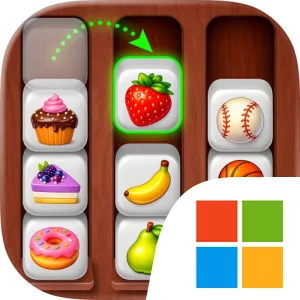
Play Items Sort - Smart Stacking on Windows PC
Download the official Items Sort - Smart Stacking Windows PC client and learn how to install and play the game on PC, with controls, system requirements, and practical tips.

Download Items Sort - Smart Stacking Official Windows PC Client
Official Windows PC client provided by LDPlayer.
About the Official Items Sort - Smart Stacking PC Client
Developer: Saiman Idress
Progression in Items Sort - Smart Stacking comes through its sequence of levels and the repeated refinement of your sorting technique. Every new challenge gives you another opportunity to apply the same essential ideas—recognize what needs organizing, plan a placement, and use smart moves to create a cleaner stack. The game’s defining form of strategy is therefore spatial rather than combative: success depends on managing the available space, keeping related goods organized, and avoiding unnecessary disorder as you work toward completion. There is no need to look for character builds, equipment systems, multiplayer features, or exploration mechanics that are not part of the stated design. Instead, the lasting interest is in the small decisions that make each arrangement more effective and the relaxing feedback of seeing a cluttered level become orderly. On a larger PC display, the individual goods and the overall layout are easier to inspect at the same time, which can help when you are comparing several possible placements or checking whether a stack has enough room for the next item. Keyboard-and-mouse input can also make repeated actions feel more deliberate: the mouse is well suited to selecting and positioning goods precisely, while keyboard commands, where supported, can help with routine actions or moving through levels without interrupting your concentration. That extra screen space and input precision are especially useful when you are reviewing the whole level before committing to a smart move, rather than reacting only to the item immediately in front of you. With its emphasis on sorting, stacking, level-by-level decluttering, and calming ASMR feedback, the game offers a focused puzzle experience for players who enjoy turning simple organization tasks into satisfying challenges.
Screenshots
How to Download and Install the Official Items Sort - Smart Stacking PC Client
- Download and install the official Windows client distributed by LDPlayer.
- Open the app and sign in with your Google Play account.
- Search for Items Sort - Smart Stacking in the app store.
- Install the game and finish the first-launch download.
- Use the same game login if account sync is available.
Why Play Items Sort - Smart Stacking on PC?
Menus, maps, resources, and combat details are easier to read on a desktop display.
Keyboard and mouse input makes repeated actions and long sessions more comfortable.
Desktop play avoids phone battery drain during longer farming sessions.
Keep guides, codes, and notes open alongside the game on PC.
Controls and Performance
These three settings solve most common issues when playing on PC.
Map navigation, skill use, and repeated resource actions first.
Lower resolution or graphics quality if crowded scenes lose frames.
Link your account before switching devices so progress can be restored safely.
Items Sort - Smart Stacking Official PC Client FAQ
Can I play Items Sort - Smart Stacking on PC?
Yes. Download the official Windows PC client distributed by LDPlayer and play with a larger screen, keyboard, and mouse controls.
Is Items Sort - Smart Stacking better on PC than mobile?
Playing on PC can make longer sessions, detailed menus, and resource management more comfortable, while mobile is still convenient for quick check-ins.
Will my Items Sort - Smart Stacking progress sync on PC?
Progress depends on the sign-in options supported by the game. Use the same linked Google, Facebook, Apple, or game account on both devices.
Why does Items Sort - Smart Stacking lag on PC?
Lag can be caused by limited RAM, demanding graphics settings, outdated client files, or background apps. Lower the graphics settings and keep the PC client up to date.
DOWNLOAD STARTED
Your download is starting
Check your browser Downloads if it does not appear.
Official PC client for Windows, distributed by LDPlayer.
Download again