

Play Just A Zombie! on Windows PC
Download the official Just A Zombie! Windows PC client and learn how to install and play the game on PC, with controls, system requirements, and practical tips.

Download Just A Zombie! Official Windows PC Client
Official Windows PC client provided by LDPlayer.
About the Official Just A Zombie! PC Client
Developer: Signature Games
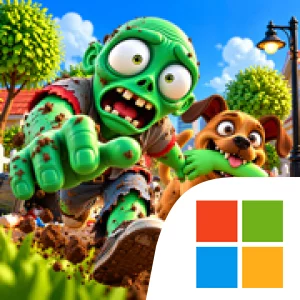
Beyond simple wandering, the title leans heavily into slapstick humor driven by bodily mishaps and social trickery. One of the game's defining systems is its detachable zombie body parts mechanic: taking a beating or tumbling through the neighborhood can cause limbs to pop off unexpectedly, setting up emergent objectives like having to chase a dog that stole your arm so you can recover the missing extremity and put yourself back together. When you are not tracking down your lost appendages or lobbing garden supplies across fences, surviving in public requires learning how to blend in with the humans. Players can seek out disguises, wave at strangers, and attempt to act like upstanding citizens to convince the townspeople that they are completely ordinary. However, physics-driven interactions mean that grabbing, throwing, and knocking into items frequently trigger ragdoll comedy and escalating disturbances. When locals inevitably catch on to your antics, you must quickly escape the consequences—sprinting away and finding clever hiding spots to prevent yourself from being sent straight back to your grave.
Experiencing Just A Zombie! on PC provides a distinct practical advantage across several key gameplay situations thanks to the transition to a larger desktop display and responsive mouse-and-keyboard inputs. Navigating the sandbox environment in first-person feels substantially more tactile when manipulating physics-driven objects with a mouse; smoothly aiming your reticle to snatch a plate of food, catch a stray limb, or accurately line up the throwing arc of a piece of neighborhood debris is far more reliable than swiping on a handheld screen. Furthermore, mouse-directed camera panning paired with dedicated WASD movement proves invaluable during tense escape sequences. When alerted humans corner you after a prank gone wrong, the tight directional control allows you to quickly weave through backyard obstacles, hop fences, and dash into hiding without losing your spatial bearings. On the visual front, an expansive PC monitor significantly broadens your peripheral view, making it effortless to track distant movement—such as spotting the mischievous dog darting away with your arm down the block—or scanning an entire yard to locate fresh food, useful disguises, and interactive props before stepping into plain sight.
Screenshots
How to Download and Install the Official Just A Zombie! PC Client
- Download and install the official Windows client distributed by LDPlayer.
- Open the app and sign in with your Google Play account.
- Search for Just A Zombie! in the app store.
- Install the game and finish the first-launch download.
- Use the same game login if account sync is available.
Why Play Just A Zombie! on PC?
Menus, maps, resources, and combat details are easier to read on a desktop display.
Keyboard and mouse input makes repeated actions and long sessions more comfortable.
Desktop play avoids phone battery drain during longer farming sessions.
Keep guides, codes, and notes open alongside the game on PC.
Controls and Performance
These three settings solve most common issues when playing on PC.
Map navigation, skill use, and repeated resource actions first.
Lower resolution or graphics quality if crowded scenes lose frames.
Link your account before switching devices so progress can be restored safely.
Just A Zombie! Official PC Client FAQ
Can I play Just A Zombie! on PC?
Yes. Download the official Windows PC client distributed by LDPlayer and play with a larger screen, keyboard, and mouse controls.
Is Just A Zombie! better on PC than mobile?
Playing on PC can make longer sessions, detailed menus, and resource management more comfortable, while mobile is still convenient for quick check-ins.
Will my Just A Zombie! progress sync on PC?
Progress depends on the sign-in options supported by the game. Use the same linked Google, Facebook, Apple, or game account on both devices.
Why does Just A Zombie! lag on PC?
Lag can be caused by limited RAM, demanding graphics settings, outdated client files, or background apps. Lower the graphics settings and keep the PC client up to date.
DOWNLOAD STARTED
Your download is starting
Check your browser Downloads if it does not appear.
Official PC client for Windows, distributed by LDPlayer.
Download again