

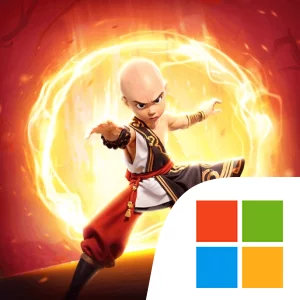
Play Kung Fu Saga: Martial Path on Windows PC
Download the official Kung Fu Saga: Martial Path Windows PC client and learn how to install and play the game on PC, with controls, system requirements, and practical tips.

Download Kung Fu Saga: Martial Path Official Windows PC Client
Official Windows PC client provided by LDPlayer.
About the Official Kung Fu Saga: Martial Path PC Client
Developer: Watt Games
The central loop combines character development, collection, exploration, and group combat. As you move through the varied environments, you can discover loyal mounts and pets wandering across the land, then collect and tame them. These companions are a major part of the game’s identity, with the possibility of traveling alongside a large, cute panda serving as one of its clearest examples. Mounts and pets add a collection goal to the broader adventure: exploration is not only about seeing forests, banyan, or glaciers, but also about finding the creatures that inhabit them and expanding the companions available to you. The social side becomes especially important when larger threats appear. You can meet players from different regions, join guilds, take up your weapons, and gather with buddies to slay bosses together. This makes teamwork a defining part of the combat structure, with guild participation and coordinated group action providing a reason to connect with other players instead of treating the world as a solitary journey. On PC, the larger display gives you more room to read the game’s colorful environments, keep track of your character and companions, and compare the rewards available from the game’s draws without crowding the screen. Keyboard-and-mouse input is also well suited to repeated actions such as moving through the vast land, selecting mounts or pets, navigating guild-related menus, and responding when it is time to join a boss fight. A larger screen can make it easier to follow the action when several buddies gather in one encounter, while mouse control helps with precise menu selection as you manage your five-occupation journey, collection choices, and starting rewards. The result is an RPG adventure built around choosing a martial path, traveling through a changing fantasy world, taming distinctive companions, and relying on guild teamwork to face bosses together.
Screenshots
How to Download and Install the Official Kung Fu Saga: Martial Path PC Client
- Download and install the official Windows client distributed by LDPlayer.
- Open the app and sign in with your Google Play account.
- Search for Kung Fu Saga: Martial Path in the app store.
- Install the game and finish the first-launch download.
- Use the same game login if account sync is available.
Why Play Kung Fu Saga: Martial Path on PC?
Menus, maps, resources, and combat details are easier to read on a desktop display.
Keyboard and mouse input makes repeated actions and long sessions more comfortable.
Desktop play avoids phone battery drain during longer farming sessions.
Keep guides, codes, and notes open alongside the game on PC.
Controls and Performance
These three settings solve most common issues when playing on PC.
Map navigation, skill use, and repeated resource actions first.
Lower resolution or graphics quality if crowded scenes lose frames.
Link your account before switching devices so progress can be restored safely.
Kung Fu Saga: Martial Path Official PC Client FAQ
Can I play Kung Fu Saga: Martial Path on PC?
Yes. Download the official Windows PC client distributed by LDPlayer and play with a larger screen, keyboard, and mouse controls.
Is Kung Fu Saga: Martial Path better on PC than mobile?
Playing on PC can make longer sessions, detailed menus, and resource management more comfortable, while mobile is still convenient for quick check-ins.
Will my Kung Fu Saga: Martial Path progress sync on PC?
Progress depends on the sign-in options supported by the game. Use the same linked Google, Facebook, Apple, or game account on both devices.
Why does Kung Fu Saga: Martial Path lag on PC?
Lag can be caused by limited RAM, demanding graphics settings, outdated client files, or background apps. Lower the graphics settings and keep the PC client up to date.
DOWNLOAD STARTED
Your download is starting
Check your browser Downloads if it does not appear.
Official PC client for Windows, distributed by LDPlayer.
Download again