

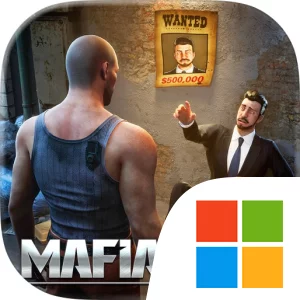
Play Mafia City: War of Underworld on Windows PC
Download the official Mafia City: War of Underworld Windows PC client and learn how to install and play the game on PC, with controls, system requirements, and practical tips.

Download Mafia City: War of Underworld Official Windows PC Client
Official Windows PC client provided by LDPlayer.
About the Official Mafia City: War of Underworld PC Client
Developer: Phantix Games
A major part of that progression is developing the crew that carries out your plans. The technology trees are central to advancement, requiring careful management if you want access to the strongest Crew Members and the equipment associated with them, including guns, armored vehicles, bikers, knives, and fighters who rely on their bare fists. Recruitment is divided among four distinct types: Bulkers act as durable human weapons who protect other men and overwhelm enemies; Shooters provide long-range firepower; Bikers specialize in fast movement and ruthless robberies; and Modified Vehicles terrorize alleyways while transporting stolen goods. That division gives your organization a practical strategic structure, whether you are preparing for a fight, planning a heist, or trying to defend the men and resources you have already gathered. You can also customize your Crew Leader to shape the identity of your boss, date Cute Babes who cheer you on daily, and rely on loyal heroic Crew Members as your operation grows. Alliances with other players are particularly important because taking over the City is presented as a shared, competitive effort as much as an individual climb.
The game also broadens its criminal sandbox with banks to steal from, police cars to evade during street races, and Luxury Cars to collect and display to enemies and friends. These systems connect collection and status to the larger strategy game: cars are not merely trophies, since racing them through the streets is part of taking down police during a heist, while your Turf, crew composition, technology, and alliances all contribute to your ability to survive the next confrontation. Exploring every day matters because the maps and their special buildings are updated weekly, making regular reconnaissance part of the route to becoming Godfather. On PC, the larger display is especially useful when zooming in to manage your Mafia Turf, examining a broad map, and keeping track of enemies, buildings, and activity across the City. Keyboard-and-mouse input also suits the game’s repeated management tasks: selecting areas, checking available Crew Members, comparing the four crew types, moving between technology-tree decisions, and handling resource or time-management actions can be more deliberate than on a small touch screen. When a skirmish, robbery, alliance decision, or weekly event demands a quick response, a spacious interface makes it easier to read the surrounding information and choose the next move without losing sight of your wider plan.
Screenshots
How to Download and Install the Official Mafia City: War of Underworld PC Client
- Download and install the official Windows client distributed by LDPlayer.
- Open the app and sign in with your Google Play account.
- Search for Mafia City: War of Underworld in the app store.
- Install the game and finish the first-launch download.
- Use the same game login if account sync is available.
Why Play Mafia City: War of Underworld on PC?
Menus, maps, resources, and combat details are easier to read on a desktop display.
Keyboard and mouse input makes repeated actions and long sessions more comfortable.
Desktop play avoids phone battery drain during longer farming sessions.
Keep guides, codes, and notes open alongside the game on PC.
Controls and Performance
These three settings solve most common issues when playing on PC.
Map navigation, skill use, and repeated resource actions first.
Lower resolution or graphics quality if crowded scenes lose frames.
Link your account before switching devices so progress can be restored safely.
Mafia City: War of Underworld Official PC Client FAQ
Can I play Mafia City: War of Underworld on PC?
Yes. Download the official Windows PC client distributed by LDPlayer and play with a larger screen, keyboard, and mouse controls.
Is Mafia City: War of Underworld better on PC than mobile?
Playing on PC can make longer sessions, detailed menus, and resource management more comfortable, while mobile is still convenient for quick check-ins.
Will my Mafia City: War of Underworld progress sync on PC?
Progress depends on the sign-in options supported by the game. Use the same linked Google, Facebook, Apple, or game account on both devices.
Why does Mafia City: War of Underworld lag on PC?
Lag can be caused by limited RAM, demanding graphics settings, outdated client files, or background apps. Lower the graphics settings and keep the PC client up to date.
DOWNLOAD STARTED
Your download is starting
Check your browser Downloads if it does not appear.
Official PC client for Windows, distributed by LDPlayer.
Download again