
Play Magicmon: World on Windows PC
Download the official Magicmon: World Windows PC client and learn how to install and play the game on PC, with controls, system requirements, and practical tips.

Download Magicmon: World Official Windows PC Client
Official Windows PC client provided by LDPlayer.
About the Official Magicmon: World PC Client
Developer: MAGIC NETWORK LIMITED
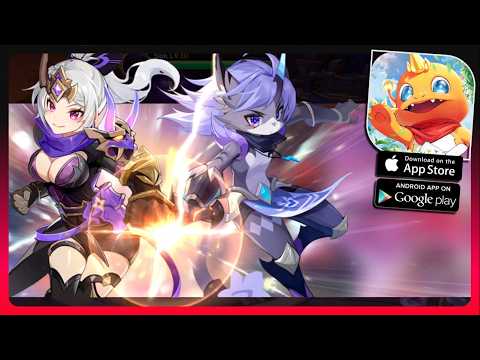
The main gameplay loop combines free exploration with battles against powerful monsters and mighty dragons. As you travel through the world, you can seek out new Magicmons, improve the pets already in your collection, and advance them through multiple evolution stages. That progression provides a steady reason to revisit the adventure: catching a pet is only the beginning, while training and evolving it helps shape a stronger group for more demanding encounters. Your own choice of one of six classes also affects how you approach combat, since each class offers a distinct style and set of strategies. Rather than treating every battle the same way, you can select the class that best fits the kind of adventurer you want to play while relying on your evolving pets to help face monsters and dragons.
Magicmon: World also adds a social and personalization layer to its role-playing structure. You can team up with friends, join guilds, and share adventures in a lively online world instead of treating the journey as an entirely solitary collection campaign. The wardrobe system lets you customize your appearance with countless outfits, giving your character a visible identity as you explore, fight, and meet other players. These social and cosmetic systems sit alongside the pet-focused progression, so your time is divided between strengthening companions, choosing how to approach combat, exploring varied environments, and presenting your preferred style to the wider community. The global launch rewards—including 2026 free gacha draws, an exclusive Alice in Wonderland outfit, a Rainbow Words chat frame, and 1,000,000 Blue Diamonds—are also part of the game's current starting context, offering new players a substantial introduction to its collection and customization features.
Playing Magicmon: World on PC gives these systems more room to manage during longer sessions. A larger display makes it easier to read the surrounding world while navigating between enchanted forests, icy peaks, and mysterious ruins, particularly when you are deciding where to explore next or keeping track of activity during an online adventure. Keyboard-and-mouse controls can also make repeated actions such as moving through the world, entering battles, checking your pets, and changing outfits feel more direct. The added screen space is useful when comparing the Magicmons in your collection, reviewing their evolution progress, and thinking through which class and companions suit your next challenge. Whether your priority is discovering more pets, growing a favorite Magicmon through its evolution stages, challenging dragons, or joining friends and guilds, the PC version presents the game's collection, adventure, combat, and social systems in a format suited to extended play.
Screenshots
How to Download and Install the Official Magicmon: World PC Client
- Download and install the official Windows client distributed by LDPlayer.
- Open the app and sign in with your Google Play account.
- Search for Magicmon: World in the app store.
- Install the game and finish the first-launch download.
- Use the same game login if account sync is available.
Why Play Magicmon: World on PC?
Menus, maps, resources, and combat details are easier to read on a desktop display.
Keyboard and mouse input makes repeated actions and long sessions more comfortable.
Desktop play avoids phone battery drain during longer farming sessions.
Keep guides, codes, and notes open alongside the game on PC.
Controls and Performance
These three settings solve most common issues when playing on PC.
Map navigation, skill use, and repeated resource actions first.
Lower resolution or graphics quality if crowded scenes lose frames.
Link your account before switching devices so progress can be restored safely.
Magicmon: World Official PC Client FAQ
Can I play Magicmon: World on PC?
Yes. Download the official Windows PC client distributed by LDPlayer and play with a larger screen, keyboard, and mouse controls.
Is Magicmon: World better on PC than mobile?
Playing on PC can make longer sessions, detailed menus, and resource management more comfortable, while mobile is still convenient for quick check-ins.
Will my Magicmon: World progress sync on PC?
Progress depends on the sign-in options supported by the game. Use the same linked Google, Facebook, Apple, or game account on both devices.
Why does Magicmon: World lag on PC?
Lag can be caused by limited RAM, demanding graphics settings, outdated client files, or background apps. Lower the graphics settings and keep the PC client up to date.
DOWNLOAD STARTED
Your download is starting
Check your browser Downloads if it does not appear.
Official PC client for Windows, distributed by LDPlayer.
Download again