

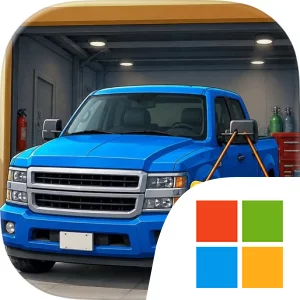
Play Car Dealer Empire on Windows PC
Download the official Car Dealer Empire Windows PC client and learn how to install and play the game on PC, with controls, system requirements, and practical tips.

Download Car Dealer Empire Official Windows PC Client
Official Windows PC client provided by LDPlayer.
About the Official Car Dealer Empire PC Client
Developer: Game Foundry
Progression comes through expanding your showroom, unlocking new vehicle models, hiring staff, and attracting more customers. A larger showroom gives your motor market room to grow, while new models can broaden the range of cars available for purchase and sale. Hiring staff adds another important management consideration, since your expanding operation will need support as customer activity increases. The goal is not only to move cars through the lot, but to create a sustainable business that can keep developing as you make smarter decisions. Managing finances is therefore a central part of the loop: money has to support car purchases, repairs, customization, showroom growth, and staffing, while successful sales provide the resources needed to continue expanding. The repair and customization systems also give each vehicle a place in your broader strategy, allowing you to prepare cars for the market rather than treating every purchase as a finished product. On PC, the larger display is especially useful when reviewing your showroom, keeping track of the cars currently available, and comparing the effects of your business decisions across multiple management areas. Keyboard-and-mouse input is likewise well suited to repeated actions such as selecting vehicles, moving through business menus, adjusting your plans, and handling the ongoing cycle of buying, preparing, and selling inventory. Those advantages matter as the lot grows and there are more choices to make in a single session. Car Dealer Empire is at its most engaging when you are thinking several steps ahead: deciding which vehicle models to unlock, determining when to invest in expansion, choosing how to use repairs and customization, and judging how staff and customer growth affect your finances. The result is a focused tycoon experience built around practical dealership decisions, steady progression, and the challenge of transforming a small car lot into the dominant motor market.
Screenshots
How to Download and Install the Official Car Dealer Empire PC Client
- Download and install the official Windows client distributed by LDPlayer.
- Open the app and sign in with your Google Play account.
- Search for Car Dealer Empire in the app store.
- Install the game and finish the first-launch download.
- Use the same game login if account sync is available.
Why Play Car Dealer Empire on PC?
Menus, maps, resources, and combat details are easier to read on a desktop display.
Keyboard and mouse input makes repeated actions and long sessions more comfortable.
Desktop play avoids phone battery drain during longer farming sessions.
Keep guides, codes, and notes open alongside the game on PC.
Controls and Performance
These three settings solve most common issues when playing on PC.
Map navigation, skill use, and repeated resource actions first.
Lower resolution or graphics quality if crowded scenes lose frames.
Link your account before switching devices so progress can be restored safely.
Car Dealer Empire Official PC Client FAQ
Can I play Car Dealer Empire on PC?
Yes. Download the official Windows PC client distributed by LDPlayer and play with a larger screen, keyboard, and mouse controls.
Is Car Dealer Empire better on PC than mobile?
Playing on PC can make longer sessions, detailed menus, and resource management more comfortable, while mobile is still convenient for quick check-ins.
Will my Car Dealer Empire progress sync on PC?
Progress depends on the sign-in options supported by the game. Use the same linked Google, Facebook, Apple, or game account on both devices.
Why does Car Dealer Empire lag on PC?
Lag can be caused by limited RAM, demanding graphics settings, outdated client files, or background apps. Lower the graphics settings and keep the PC client up to date.
DOWNLOAD STARTED
Your download is starting
Check your browser Downloads if it does not appear.
Official PC client for Windows, distributed by LDPlayer.
Download again