

Play My Shift At Market Midnight 3D on Windows PC
Download the official My Shift At Market Midnight 3D Windows PC client and learn how to install and play the game on PC, with controls, system requirements, and practical tips.

Download My Shift At Market Midnight 3D Official Windows PC Client
Official Windows PC client provided by LDPlayer.
About the Official My Shift At Market Midnight 3D PC Client
Developer: FIRE BOX PRIVATE LIMITED
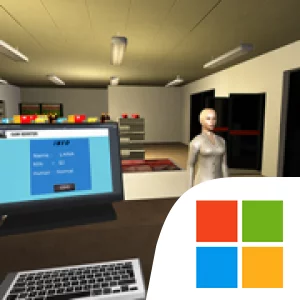
The central loop puts routine and danger side by side. You need to attend to the market’s condition while staying alert to who is inside, find the abnormal intruders, stop them, and make the store safe again. The description frames cleaning, product organization, and shelf repairs as ongoing responsibilities rather than a one-time setup, so the challenge is not simply to confront threats: you must also keep the shop in order as the night unfolds. That creates a clear tension between practical tasks and responding to an unpredictable presence. The manager has entrusted you with the store, and success means seeing the whole shift through—not abandoning the job when trouble starts.
The market itself is the focus of the experience. Its shelves and products give your ordinary work concrete objectives, while the strange visitors turn the same workplace into a space you have to monitor and secure. There is no elaborate inventory of weapons, upgrade tree, or cast of characters described here, so the appeal is in juggling the duties the game does specify: cleaning, organizing, repairing, locating intruders, and stopping them. That compact premise gives each part of the night a practical purpose. Tidying the store supports your responsibility as a worker; tracking down dangerous people serves the larger objective of keeping the market safe until morning.
On PC, a larger display can make it easier to scan the market while moving between shelves, spot unusual people in the store, and keep the surrounding space in view as you carry out routine tasks. Keyboard-and-mouse controls also suit the repeated movement and interaction involved in working through the shop, letting you navigate between cleaning, organizing products, and fixing shelves while responding when an intruder appears. Those advantages matter because the game asks you to pay attention to two things at once: the state of the market and the threat posed by its visitors. If you enjoy a focused overnight scenario built around ordinary work turning dangerous, My Shift At Market Midnight 3D makes completing a simple market shift—and staying alive to finish it—the whole point.
Screenshots
How to Download and Install the Official My Shift At Market Midnight 3D PC Client
- Download and install the official Windows client distributed by LDPlayer.
- Open the app and sign in with your Google Play account.
- Search for My Shift At Market Midnight 3D in the app store.
- Install the game and finish the first-launch download.
- Use the same game login if account sync is available.
Why Play My Shift At Market Midnight 3D on PC?
Menus, maps, resources, and combat details are easier to read on a desktop display.
Keyboard and mouse input makes repeated actions and long sessions more comfortable.
Desktop play avoids phone battery drain during longer farming sessions.
Keep guides, codes, and notes open alongside the game on PC.
Controls and Performance
These three settings solve most common issues when playing on PC.
Map navigation, skill use, and repeated resource actions first.
Lower resolution or graphics quality if crowded scenes lose frames.
Link your account before switching devices so progress can be restored safely.
My Shift At Market Midnight 3D Official PC Client FAQ
Can I play My Shift At Market Midnight 3D on PC?
Yes. Download the official Windows PC client distributed by LDPlayer and play with a larger screen, keyboard, and mouse controls.
Is My Shift At Market Midnight 3D better on PC than mobile?
Playing on PC can make longer sessions, detailed menus, and resource management more comfortable, while mobile is still convenient for quick check-ins.
Will my My Shift At Market Midnight 3D progress sync on PC?
Progress depends on the sign-in options supported by the game. Use the same linked Google, Facebook, Apple, or game account on both devices.
Why does My Shift At Market Midnight 3D lag on PC?
Lag can be caused by limited RAM, demanding graphics settings, outdated client files, or background apps. Lower the graphics settings and keep the PC client up to date.
DOWNLOAD STARTED
Your download is starting
Check your browser Downloads if it does not appear.
Official PC client for Windows, distributed by LDPlayer.
Download again