

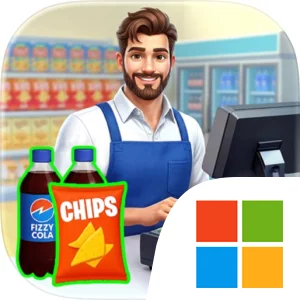
Play My Supermarket Simulator 3D® on Windows PC
Download the official My Supermarket Simulator 3D® Windows PC client and learn how to install and play the game on PC, with controls, system requirements, and practical tips.

Download My Supermarket Simulator 3D® Official Windows PC Client
Official Windows PC client provided by LDPlayer.
About the Official My Supermarket Simulator 3D® PC Client
Developer: Game District LLC
The central gameplay loop moves between purchasing inventory, placing it on shelves, serving shoppers, and reinvesting the results into the business. The storage room gives you a dedicated place to manage stock, helping you prepare for demand and avoid missing a sale because a rack is empty. As the supermarket develops, you can unlock new sections and increase its capacity, creating more room for products and a broader operation to manage. Staffing is another major part of progression. You can hire cashiers, stockers, and cleaners, then level them up by improving their speed and skills. These employees help automate parts of the shop, allowing your supermarket to operate more efficiently as it expands. The decisions are practical rather than abstract: you are building a team for specific roles and improving that team to support the store’s increasing workload.
There is also a customization layer that lets you change your shop name, redesign the interior and exterior, and place unique decor items. This gives expansion a visual purpose as well as a management purpose, since the supermarket becomes a store you shape rather than a fixed business layout. The Manager Pass adds free cash, energy, and exclusive decor items, while limited-time seasonal events provide additional rewards and a reason to return to the store’s progression systems. On PC, the larger display is useful when you are comparing product prices, checking which shelves need attention, organizing inventory between the storage room and sales floor, or judging how new sections and decor fit into the overall supermarket. Keyboard-and-mouse input is also a natural advantage for repeated management actions, such as moving through ordering and stocking tasks, selecting staff upgrades, and handling checkout interactions without losing track of the wider store. With its combination of inventory control, pricing, employee development, customer service, store expansion, and decoration, My Supermarket Simulator 3D® on PC is centered on steadily turning a modest grocery shop into a more capable and personalized retail operation.
Screenshots
How to Download and Install the Official My Supermarket Simulator 3D® PC Client
- Download and install the official Windows client distributed by LDPlayer.
- Open the app and sign in with your Google Play account.
- Search for My Supermarket Simulator 3D® in the app store.
- Install the game and finish the first-launch download.
- Use the same game login if account sync is available.
Why Play My Supermarket Simulator 3D® on PC?
Menus, maps, resources, and combat details are easier to read on a desktop display.
Keyboard and mouse input makes repeated actions and long sessions more comfortable.
Desktop play avoids phone battery drain during longer farming sessions.
Keep guides, codes, and notes open alongside the game on PC.
Controls and Performance
These three settings solve most common issues when playing on PC.
Map navigation, skill use, and repeated resource actions first.
Lower resolution or graphics quality if crowded scenes lose frames.
Link your account before switching devices so progress can be restored safely.
My Supermarket Simulator 3D® Official PC Client FAQ
Can I play My Supermarket Simulator 3D® on PC?
Yes. Download the official Windows PC client distributed by LDPlayer and play with a larger screen, keyboard, and mouse controls.
Is My Supermarket Simulator 3D® better on PC than mobile?
Playing on PC can make longer sessions, detailed menus, and resource management more comfortable, while mobile is still convenient for quick check-ins.
Will my My Supermarket Simulator 3D® progress sync on PC?
Progress depends on the sign-in options supported by the game. Use the same linked Google, Facebook, Apple, or game account on both devices.
Why does My Supermarket Simulator 3D® lag on PC?
Lag can be caused by limited RAM, demanding graphics settings, outdated client files, or background apps. Lower the graphics settings and keep the PC client up to date.
DOWNLOAD STARTED
Your download is starting
Check your browser Downloads if it does not appear.
Official PC client for Windows, distributed by LDPlayer.
Download again