

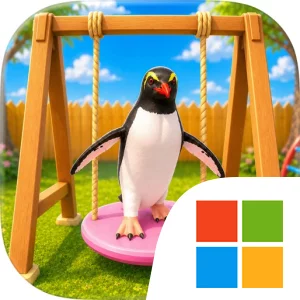
Play My Uncle's Penguin Haven on Windows PC
Download the official My Uncle's Penguin Haven Windows PC client and learn how to install and play the game on PC, with controls, system requirements, and practical tips.

Download My Uncle's Penguin Haven Official Windows PC Client
Official Windows PC client provided by LDPlayer.
About the Official My Uncle's Penguin Haven PC Client
Developer: Salman Tahir
The core gameplay loop is straightforward and intentionally low-pressure. You feed the penguins, entertain them, play with them, and interact with them as you complete cozy daily activities. Each task offers another way to provide care or companionship, so progress comes from consistently looking after the group rather than from fighting enemies, pursuing complex objectives, or managing harsh penalties. The long-term goal is to slowly bring warmth back to your uncle’s penguin haven, with the story and the repeated care activities giving that goal a gentle sense of direction. The store description does not present combat, competitive modes, or an elaborate collection system; its appeal comes from spending time with the penguins and seeing the haven become a more comforting place through your attention. On PC, the larger display is especially useful when you are moving around the home and trying to keep track of which penguin you want to approach, feed, entertain, or interact with. A wider view can also make it easier to notice the surrounding haven and stay oriented while moving between one cozy activity and the next. Keyboard-and-mouse input suits the repeated, hands-on nature of the experience: keyboard controls can make movement through the home feel direct, while the mouse can help you select a penguin or interaction accurately when several inviting activities are available. That combination is also helpful when you want to move from feeding into play without losing the calm pace of the routine. My Uncle’s Penguin Haven is therefore best understood as a casual, story-led care experience for players who want a peaceful destination rather than a demanding challenge. Its progression is measured in attention, interaction, and the gradual restoration of a warm atmosphere, making it a natural fit for short relaxing sessions or longer stretches spent simply caring for the haven’s penguin residents.
Screenshots
How to Download and Install the Official My Uncle's Penguin Haven PC Client
- Download and install the official Windows client distributed by LDPlayer.
- Open the app and sign in with your Google Play account.
- Search for My Uncle's Penguin Haven in the app store.
- Install the game and finish the first-launch download.
- Use the same game login if account sync is available.
Why Play My Uncle's Penguin Haven on PC?
Menus, maps, resources, and combat details are easier to read on a desktop display.
Keyboard and mouse input makes repeated actions and long sessions more comfortable.
Desktop play avoids phone battery drain during longer farming sessions.
Keep guides, codes, and notes open alongside the game on PC.
Controls and Performance
These three settings solve most common issues when playing on PC.
Map navigation, skill use, and repeated resource actions first.
Lower resolution or graphics quality if crowded scenes lose frames.
Link your account before switching devices so progress can be restored safely.
My Uncle's Penguin Haven Official PC Client FAQ
Can I play My Uncle's Penguin Haven on PC?
Yes. Download the official Windows PC client distributed by LDPlayer and play with a larger screen, keyboard, and mouse controls.
Is My Uncle's Penguin Haven better on PC than mobile?
Playing on PC can make longer sessions, detailed menus, and resource management more comfortable, while mobile is still convenient for quick check-ins.
Will my My Uncle's Penguin Haven progress sync on PC?
Progress depends on the sign-in options supported by the game. Use the same linked Google, Facebook, Apple, or game account on both devices.
Why does My Uncle's Penguin Haven lag on PC?
Lag can be caused by limited RAM, demanding graphics settings, outdated client files, or background apps. Lower the graphics settings and keep the PC client up to date.
DOWNLOAD STARTED
Your download is starting
Check your browser Downloads if it does not appear.
Official PC client for Windows, distributed by LDPlayer.
Download again