

Play Need Office Chair Racing Game on Windows PC
Download the official Need Office Chair Racing Game Windows PC client and learn how to install and play the game on PC, with controls, system requirements, and practical tips.

Download Need Office Chair Racing Game Official Windows PC Client
Official Windows PC client provided by LDPlayer.
About the Official Need Office Chair Racing Game PC Client
Developer: Amima .
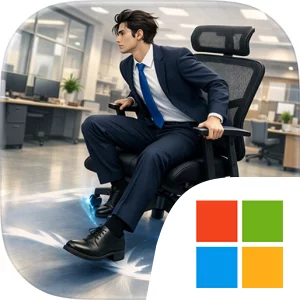
The core gameplay loop combines straightforward racing with momentum-based control. You push your office chair forward, steer through busy office environments, dodge obstacles, and look for the safest way through each challenging path. Corners are especially important because the game emphasizes exaggerated drifting: rather than simply turning cleanly, you need to manage ridiculous chair slides and keep enough speed to avoid falling behind. The same momentum that can carry you quickly through a section can also send you wobbling out of position or into a funny crash, so races are defined by the constant struggle between speed and control. Competitive employee races give that loop a direct objective, while the “easy to play, hard to master” design suggests that the basic actions are accessible even as precise movement takes practice. There is no need to learn a complicated vehicle roster or a dense set of racing systems; the appeal is in mastering the behavior of the chair itself, improving your handling of office corners, and becoming the ultimate Office Chair Racing Champion through better runs.
Playing Need Office Chair Racing Game on PC gives the office tracks more room to read at a glance. A larger display can make it easier to spot upcoming obstacles, judge the shape of a challenging path, and recognize when a corner is approaching before your chair’s momentum carries you too far. That extra visual space is useful when you are trying to decide whether to preserve speed, begin a drift, or correct a wobble. Keyboard-and-mouse input also suits the game’s repeated, timing-sensitive actions: keyboard controls can provide quick, consistent inputs for pushing forward and steering, while the mouse can make selecting a race or returning to the action simple between attempts. More importantly, the precision of a physical keyboard setup can help when you are repeatedly adjusting your direction through a busy office section rather than relying on broad, imprecise movements. The result is a focused PC presentation for a game whose entertainment comes from readable courses, unstable momentum, and the unpredictable spectacle of coworkers sliding office chairs into one another’s path. Each race is a compact contest of speed, drifting, obstacle avoidance, and recovery, with funny crashes and unexpected slides turning mistakes into part of the experience rather than merely interrupting it.
Screenshots
How to Download and Install the Official Need Office Chair Racing Game PC Client
- Download and install the official Windows client distributed by LDPlayer.
- Open the app and sign in with your Google Play account.
- Search for Need Office Chair Racing Game in the app store.
- Install the game and finish the first-launch download.
- Use the same game login if account sync is available.
Why Play Need Office Chair Racing Game on PC?
Menus, maps, resources, and combat details are easier to read on a desktop display.
Keyboard and mouse input makes repeated actions and long sessions more comfortable.
Desktop play avoids phone battery drain during longer farming sessions.
Keep guides, codes, and notes open alongside the game on PC.
Controls and Performance
These three settings solve most common issues when playing on PC.
Map navigation, skill use, and repeated resource actions first.
Lower resolution or graphics quality if crowded scenes lose frames.
Link your account before switching devices so progress can be restored safely.
Need Office Chair Racing Game Official PC Client FAQ
Can I play Need Office Chair Racing Game on PC?
Yes. Download the official Windows PC client distributed by LDPlayer and play with a larger screen, keyboard, and mouse controls.
Is Need Office Chair Racing Game better on PC than mobile?
Playing on PC can make longer sessions, detailed menus, and resource management more comfortable, while mobile is still convenient for quick check-ins.
Will my Need Office Chair Racing Game progress sync on PC?
Progress depends on the sign-in options supported by the game. Use the same linked Google, Facebook, Apple, or game account on both devices.
Why does Need Office Chair Racing Game lag on PC?
Lag can be caused by limited RAM, demanding graphics settings, outdated client files, or background apps. Lower the graphics settings and keep the PC client up to date.
DOWNLOAD STARTED
Your download is starting
Check your browser Downloads if it does not appear.
Official PC client for Windows, distributed by LDPlayer.
Download again