
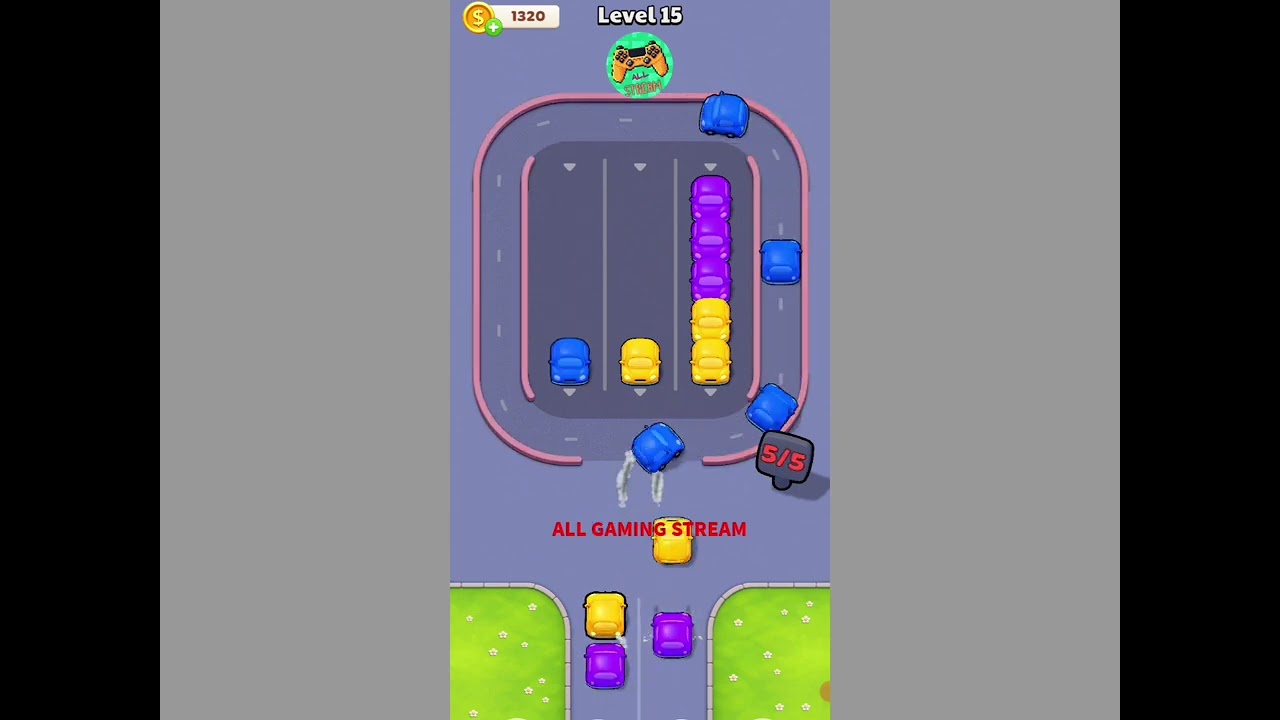
To clear Level 15 in Parking Loop without collisions, release vehicles from the outside inward. Outer cars with open exits must enter the main track first. Clearing the perimeter creates the clearance needed for trapped inner vehicles to turn and merge into the continuous circular roadway without crashing.
Level 15 Vehicle Dispatch Phases
Vehicles parked along the edges block the exit clearance of interior vehicles. Tapping an inner vehicle before its exit path is clear triggers a bumper bounce or an immediate collision. Work through the grid across three sequential phases:
| Phase | Target Vehicles | Exit Requirement | Collision Risk |
|---|---|---|---|
| Phase 1: Outer Perimeter | Boundary sedans | Tap cars facing directly into unobstructed exit lanes. | Low; paths are open if taps are staggered. |
| Phase 2: Secondary Layer | Perpendicular buffer cars | Release cars unlocked by Phase 1 departures. | Medium; moving loop traffic can clip turning rear bumpers. |
| Phase 3: Central Core | Inward-facing cars and trucks | Clear remaining center bays once turning space is fully open. | High; slow vehicle takeoff requires wide gaps. |
Step-by-Step Exit Sequence
Follow this order to prevent gridlock and maintain steady traffic flow onto the loop track:
- Evacuate outer wing cars: Identify vehicles on the outer boundary that point toward the loop without crossing any other vehicle's stall. Tap them one at a time. Allow the first car to begin its turn onto the loop before releasing the next vehicle behind it.
- Clear the secondary blocking row: Once the perimeter stalls are empty, tap the cars positioned at 90-degree angles to those vacant spots. Wait until earlier cars clear the merge junction completely before sending this row; cutting in early will clip the front bumper against a passing car's rear bumper.
- Dispatch the central core: Release the deepest vehicles in the center only after all adjacent bays are empty. Because central cars have the widest turning radius, any vehicle lingering in a neighboring stall will cause a collision. When the loop track opens, release the remaining core vehicles in steady sequence.
Timing Merges onto the Main Loop
Clearing cars in the correct order only works if you time their entry into the active track. Vehicles continue driving along the perimeter loop until reaching their terminal exit, meaning entering cars must merge into active traffic.
Use a two-beat timing check before tapping a car:
- Beat 1 (Visual Check): Watch the circulating vehicle on the main loop. Wait until its rear wheels pass the painted merge line of the bay you want to empty.
- Beat 2 (Dispatch Action): Tap the parked car immediately after the circulating vehicle clears the merge point. The brief delay between tapping and full acceleration will place the merging vehicle safely behind the circulating car.
Account for vehicle size when timing this action. Compact sedans accelerate immediately, but larger vans and long-wheelbase trucks accelerate slowly. Give larger vehicles an additional half-second of clearance so active loop traffic does not clip their tails.
Common Mistakes and When to Restart
Most Level 15 failures stem from three specific input errors:
- Tapping the center prematurely: Tapping an obstructed vehicle causes it to jolt forward, wedging it against adjacent cars and locking its lane angle.
- Double-tapping parallel lanes: Releasing two parallel cars at the exact same moment forces both front bumpers to hit the loop merge junction simultaneously. Stagger parallel releases by at least one full second.
- Ignoring directional lane arrows: Vehicles follow fixed directional markers into the loop. Verify the direction arrow on the vehicle to confirm it merges with traffic flow rather than cutting across an oncoming lane.
If a vehicle halts mid-turn across an intersection or triggers a collision warning, hit the instant restart button immediately. Level 15 does not allow vehicles to squeeze through partially blocked lanes. Resetting early allows you to re-establish the outside-in dispatch sequence from the beginning.
Free Parking Loop Codes
Current active codes and how to redeem them.

Emily Johnson
Emily writes practical mobile strategy guides with a focus on resource planning, base progression, and the early decisions that shape a long-term account.
COMMUNITY
Player Comments
62 players commented on this guide.
The explanation is clear, especially for beginners.
This guide answered the exact question I had.
This helped me understand updates much better.
The tips are practical and easy to follow.