

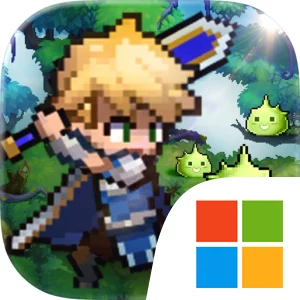
Play Pixel Heroes: Tales of Emond on Windows PC
Download the official Pixel Heroes: Tales of Emond Windows PC client and learn how to install and play the game on PC, with controls, system requirements, and practical tips.

Download Pixel Heroes: Tales of Emond Official Windows PC Client
Official Windows PC client provided by LDPlayer.
About the Official Pixel Heroes: Tales of Emond PC Client
Developer: HaoPlay Limited
The central loop combines automated combat with character collection and long-term development. You draw to obtain heroes, let idle play accumulate experience materials and equipment while you are offline, then return to upgrade, advance, and enhance your roster before pushing through more levels. Equipment and additional resources come from dungeons, while the main progression is built around clearing successive layers of content and increasing your combat power. Battles use a semi-turn-based, semi-real-time action bar system, but the actual combat process is handled automatically by the game. That makes Pixel Heroes: Tales of Emond accessible if you do not want to manage every skill cast manually, while the team you assemble and the way you develop its members still provide room for strategy. On PC, a larger display is particularly useful when comparing heroes, equipment, upgrade requirements, and accumulated idle rewards across several management screens. Mouse control also makes it easier to move between the roster, summons, dungeons, and enhancement menus when handling repeated collection and development tasks. During battles, the extra screen space helps keep the action bar, combat information, and progression results visible, which is useful when judging how a lineup performs even though the fights are automated.
Beyond the primary level-clearing path, the game expands into several distinct activities. The River of Forgetfulness, Eternal Throne, and Endless Sea provide additional gameplay systems and mini-games for players who want more than a short daily idle session. Boss battles, competitive dungeons, cross-server battles, and honor rankings create goals for players interested in testing their progress against others. You can also form a guild and make friends from around the world, giving the game a social layer alongside its individual collection and cultivation systems. A larger PC interface helps when reviewing these different modes and deciding where to spend resources, especially when switching between routine rewards, dungeon runs, guild activity, and competitive objectives. The retro pixel scenes are paired with delicate 2D character illustrations, creating a visual contrast that is easier to appreciate on a full-size monitor. With offline resource collection, generous daily rewards including hero summons, a broad character-development loop, and optional deeper activities, Pixel Heroes: Tales of Emond is structured to support both brief check-ins and more involved planning around a growing roster and the unfolding crisis on the floating continent.
Screenshots
How to Download and Install the Official Pixel Heroes: Tales of Emond PC Client
- Download and install the official Windows client distributed by LDPlayer.
- Open the app and sign in with your Google Play account.
- Search for Pixel Heroes: Tales of Emond in the app store.
- Install the game and finish the first-launch download.
- Use the same game login if account sync is available.
Why Play Pixel Heroes: Tales of Emond on PC?
Menus, maps, resources, and combat details are easier to read on a desktop display.
Keyboard and mouse input makes repeated actions and long sessions more comfortable.
Desktop play avoids phone battery drain during longer farming sessions.
Keep guides, codes, and notes open alongside the game on PC.
Controls and Performance
These three settings solve most common issues when playing on PC.
Map navigation, skill use, and repeated resource actions first.
Lower resolution or graphics quality if crowded scenes lose frames.
Link your account before switching devices so progress can be restored safely.
Pixel Heroes: Tales of Emond Official PC Client FAQ
Can I play Pixel Heroes: Tales of Emond on PC?
Yes. Download the official Windows PC client distributed by LDPlayer and play with a larger screen, keyboard, and mouse controls.
Is Pixel Heroes: Tales of Emond better on PC than mobile?
Playing on PC can make longer sessions, detailed menus, and resource management more comfortable, while mobile is still convenient for quick check-ins.
Will my Pixel Heroes: Tales of Emond progress sync on PC?
Progress depends on the sign-in options supported by the game. Use the same linked Google, Facebook, Apple, or game account on both devices.
Why does Pixel Heroes: Tales of Emond lag on PC?
Lag can be caused by limited RAM, demanding graphics settings, outdated client files, or background apps. Lower the graphics settings and keep the PC client up to date.
DOWNLOAD STARTED
Your download is starting
Check your browser Downloads if it does not appear.
Official PC client for Windows, distributed by LDPlayer.
Download again