
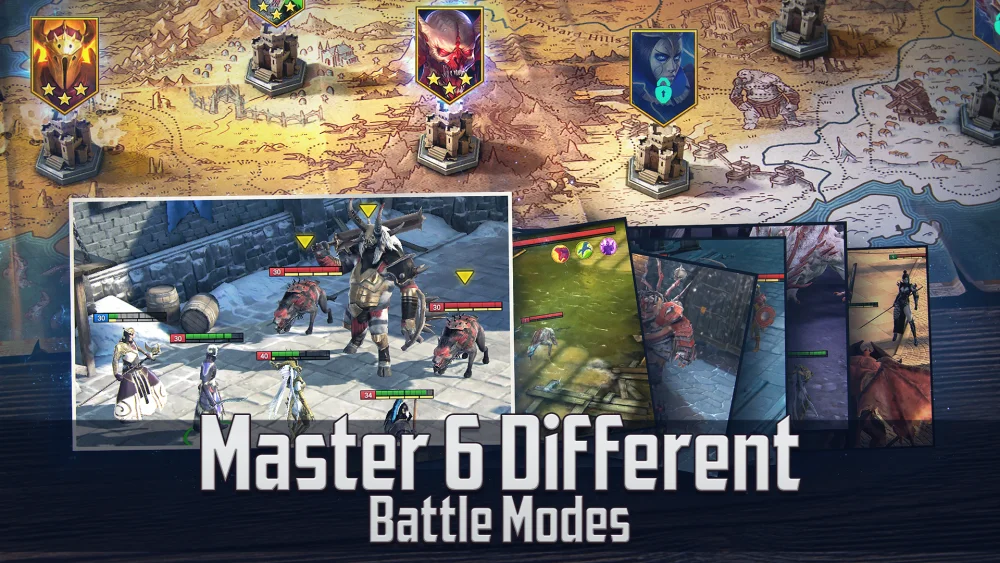
The 11.50.0 update for RAID: Shadow Legends introduces critical shifts in champion utility and interface clarity that directly impact your tactical efficiency. In a game where every turn and stat point counts, failing to adjust to these mechanical changes can lead to stalled progression in both PvE dungeons and high-level Arena play. This guide provides a deep dive into the 11.50.0 patch, helping you refine your rotations, manage your gear investments, and maintain a competitive edge.
Champion Balancing: Assessing the New Meta
The core of the 11.50.0 update is a series of mechanical adjustments to specific Champion kits. These changes are designed to balance performance across various game modes, but they often inadvertently shift a Champion's role from a primary "carry" to a niche specialist or vice versa.
How to Evaluate Your Roster
When a Champion receives a mechanical adjustment, you must re-examine their potential. Follow these expert steps to ensure your roster remains optimized:
- Multiplier Analysis: Check if the update notes mention changes to damage multipliers. A reduction in a damage coefficient might relegate a DPS unit to a pure support role.
- Debuff and Buff Duration: Even a one-turn decrease in a debuff can ruin a "Speed Tune" for Clan Boss. If your team relies on specific cooldown cycles, test your compositions in lower-energy stages before committing to high-level content.
- AI Logic Shifts: Sometimes, an update changes how a Champion prioritizes their skills in Auto-mode. Observe your Champions in the Battle Logs to ensure they are still opening with their optimal crowd-control or buff skills.
By testing these changes in controlled environments—like Stage 12-6 of the Campaign or lower levels of the Dragon’s Lair—you avoid wasting energy on failing runs in high-level dungeons.
Mastering Interface and Quality of Life (QoL) Enhancements
RAID: Shadow Legends is a game of repetition, and the 11.50.0 update introduces refined UI elements to streamline your daily routines. These changes are intended to reduce "menu friction," allowing you to spend more time on progression and less time navigating sub-menus.
Efficiency Gains from New UI Features
- Visual Clarity on Stats: The updated interface often highlights critical stats more effectively. Use this to quickly identify which artifacts are "dead weight" on your Champions. If a piece of gear doesn't complement the primary stat requirements of a Champion’s adjusted kit, swap it immediately.
- Streamlined Upgrading: Look for new progress bars or visual cues regarding ascension and leveling. These indicators prevent the common mistake of over-investing resources into a Champion who has hit their current "power ceiling" and requires specific ascension materials to progress further.
- Navigation Speed: In timed events, seconds matter. Spend time in the new menus during downtime to build muscle memory, ensuring that when a high-stakes tournament begins, you aren't fumbling through the interface.
Strategic Resource Management Post-Update
Major updates like 11.50.0 often create "resource traps." As the meta shifts, your urge to summon new Champions or rush a fusion may lead to inefficient spending.
Protecting Your Assets
To stay ahead of the curve without depleting your stockpile of Shards and Gems:
- Audit Your Shard Pulls: Before using Ancient or Sacred Shards, verify if the current event requirements have shifted. Check the in-game news for updated summon rates or bonus milestones associated with the 11.50.0 patch.
- Evaluate Fusion Efficiency: If a new Fusion event coincides with the update, assess whether the required Champions have received balance changes. Investing resources into a fusion that is no longer top-tier is a classic error.
- Monitor Energy Returns: Always analyze if new content modes (if introduced or modified) provide better Silver or XP-per-energy ratios than the standard Campaign 12-6 or Dungeon farming. If the returns are marginal, stick to your established, stable farming routes.
Adapting to Content Adjustments
If your previously "auto-farmable" teams are suddenly failing, the 11.50.0 update is likely the culprit. Rather than panicking or replacing your entire team, approach the issue systematically.
Troubleshooting Your Farming Teams
- Identify the Failure Point: Does your team die at the boss, or are they struggling with the waves? If it’s the waves, look for changes in enemy speed or shield-stripping requirements. If it’s the boss, check if the update modified your team’s ability to apply Decrease Defense or Weaken.
- Turn Order and Speed-Tuning: If you have speed-tuned your team (e.g., for the Clan Boss), ensure that the update didn't alter a speed-boosting skill on one of your supports. A minor change in a turn-meter boost can desync an entire composition.
- Gear Swapping: Often, a simple adjustment to your team’s defensive stats (HP/DEF) or accuracy is enough to compensate for the balancing changes. Don’t hesitate to strip gear from an underperforming Champion and move it to one that has become more viable due to the patch.
Conclusion: Staying Proactive
The 11.50.0 update is a reminder that RAID: Shadow Legends is a dynamic, living game. The most successful players are those who treat their roster like a living portfolio—constantly auditing, testing, and adjusting. By focusing on mechanical understanding rather than just raw power, you ensure your progress remains steady, regardless of how the meta evolves. Stay flexible, keep a log of your team performance, and always verify your assumptions before making large-scale resource investments.
Free RAID: Shadow Legends Codes
Current active codes and how to redeem them.

James Brown
James focuses on Android gaming on PC, emulator setup, controls, performance tuning, and practical troubleshooting for longer play sessions.
COMMUNITY
Player Comments
74 players commented on this guide.
This helped me understand resources much better.
The tips are practical and easy to follow.
Can you add more details about resources in a future update?
This guide answered the exact question I had.