
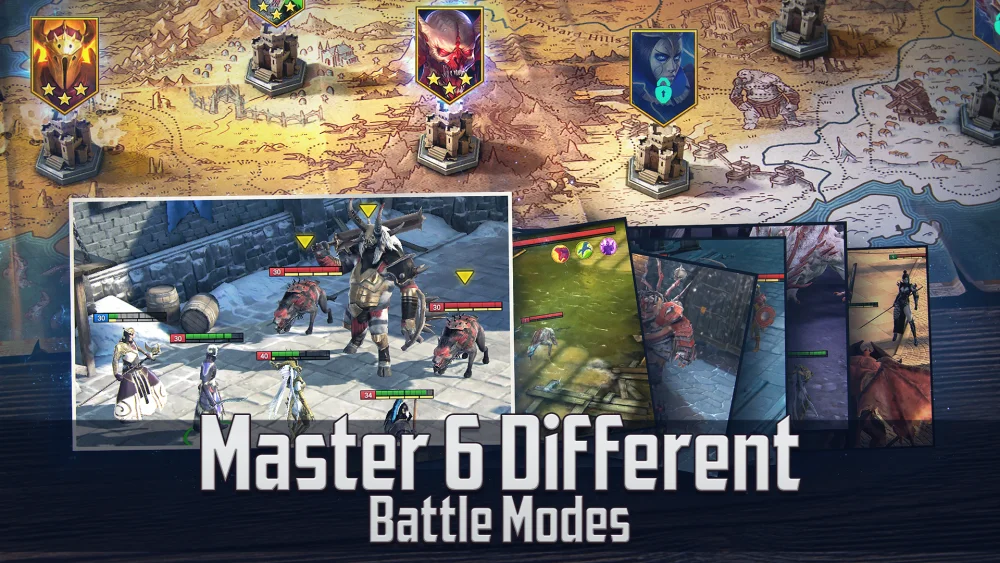
To play RAID: Shadow Legends on desktop with higher frame rates and improved stability, link your mobile game profile to a Plarium ID and install the official desktop version through the Plarium Play launcher. Running the game natively on Windows or macOS eliminates the CPU overhead, input lag, and unexpected crashes associated with third-party Android emulators.
How to Switch from Mobile to Desktop
Moving your progress between mobile devices and a computer requires binding your profile to a cloud account before installing the desktop software.
- Bind your mobile account: Open the game on your mobile device, enter the settings menu, and link your profile to a Plarium ID or supported social media account.
- Download Plarium Play: Visit the official Plarium portal on your computer and install the Plarium Play launcher.
- Sign in to sync progress: Open Plarium Play, log in using your Plarium ID credentials, and install RAID: Shadow Legends.
- Launch the game: Start the application directly from the launcher. Your entire account status—including Champions, shards, artifacts, and active event progress—will be synced.
Native Desktop Client vs. Mobile Emulators
Running the native desktop client provides several architectural advantages over third-party Android virtualization tools:
| Feature / Metric | Official Desktop Client | Mobile Emulator |
|---|---|---|
| System Architecture | Runs natively on Windows and macOS | Virtualizes an Android OS environment |
| Hardware Consumption | Lowers CPU and RAM usage | Consumes heavy CPU cycles and system memory |
| Input Responsiveness | Instant mouse click registration | Prone to input delay and misclicks |
| Auto-Farm Stability | Minimal crash risk during long runs | Higher chance of freezing or stuttering |
| Updates | Patches automatically via launcher | Often requires manual emulator setting tweaks |
Performance and Stability Benefits
The native desktop client improves efficiency across both automated farming and manual tactical play:
- Faster Loading Times: Direct execution on PC and Mac hardware reduces load screen transitions between the Bastion, Dungeons, and the Arena.
- Smoother Visuals: Frame pacing and resolution scaling run cleanly without needing an emulator graphics wrapper, which helps maintain higher visual clarity in dense combat scenes.
- Safer Long-Term Farming: Lower hardware stress keeps systems running cooler during extended auto-run sessions in resource-intensive areas like the Spider's Den or Clan Boss.
- Direct macOS Support: Mac users can play natively without relying on complex virtual machine workarounds.
Free RAID: Shadow Legends Codes
Current active codes and how to redeem them.

Michael Smith
Michael covers live-service games, events, reward systems, and efficient daily routines, turning frequent updates into clear actions for players.
COMMUNITY
Player Comments
121 players commented on this guide.
The tips are practical and easy to follow.
Can you add more details about strategy in a future update?
I wish I had read this before upgrading the wrong thing.
Good guide for RAID: Shadow Legends players. The strategy part was useful.