

Play Redneck Mayhem on Windows PC
Download the official Redneck Mayhem Windows PC client and learn how to install and play the game on PC, with controls, system requirements, and practical tips.

Download Redneck Mayhem Official Windows PC Client
Official Windows PC client provided by LDPlayer.
About the Official Redneck Mayhem PC Client
Developer: Gamesoul Studio
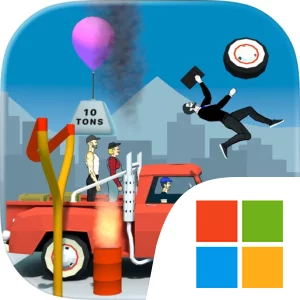
The central gameplay loop begins with the oversized slingshot. You survey the situation, load it with whatever scrap is available in the yard, pull back, set your trajectory, and unleash the shot. The ammunition is intentionally practical and ridiculous at the same time: hammers, explosive barrels, heavy wheels, and wooden boxes can each become tools for damaging or destabilizing the target area. Because the game is physics-based, the value of a shot comes from more than simply hitting an enemy. A well-placed piece of junk can strike a vulnerable point, knock into another object, or cause a larger structure to collapse through momentum and chain reactions. That makes each attempt a compact exercise in observation and timing. Hank’s ability to understand how structures come apart is reflected in the game’s focus on dismantling, while Earl and Tucker help define the broader personality of the crew as you move from controlled destruction toward increasingly reckless solutions. The sequence also has a clear escalation: when the available junk is gone and the situation becomes desperate, the ultimate weapon is no longer an object at all. You launch the rednecks themselves directly into enemy lines, turning the heroes into the final piece of ammunition.
The PC format is particularly well suited to this repeated aim, adjust, and fire structure. A larger display gives you more room to read the arrangement of a target, judge the distance to enemy lines, and identify how hammers, explosive barrels, heavy wheels, and wooden boxes are positioned before committing to a launch. That extra visual space is useful when a successful shot depends on hitting the right part of a structure rather than simply firing toward the nearest opponent. Keyboard-and-mouse input also fits the physical act of operating the slingshot: the mouse can provide precise control when pulling back and lining up a trajectory, while the keyboard keeps the surrounding launch-and-retry actions readily accessible during repeated attempts. On PC, it is easier to settle into the game’s rhythm of studying a setup, selecting a piece of scrap, testing a shot, and adapting when the physics produce an unexpected result. Redneck Mayhem is therefore less about conventional weapon loadouts or complex menus and more about creative impact. Its appeal comes from turning ordinary yard junk and three very different local heroes into a toolkit for dismantling modern irritants, with the final option of launching Hank, Earl, or Tucker themselves when ordinary mayhem is no longer enough.
Screenshots
How to Download and Install the Official Redneck Mayhem PC Client
- Download and install the official Windows client distributed by LDPlayer.
- Open the app and sign in with your Google Play account.
- Search for Redneck Mayhem in the app store.
- Install the game and finish the first-launch download.
- Use the same game login if account sync is available.
Why Play Redneck Mayhem on PC?
Menus, maps, resources, and combat details are easier to read on a desktop display.
Keyboard and mouse input makes repeated actions and long sessions more comfortable.
Desktop play avoids phone battery drain during longer farming sessions.
Keep guides, codes, and notes open alongside the game on PC.
Controls and Performance
These three settings solve most common issues when playing on PC.
Map navigation, skill use, and repeated resource actions first.
Lower resolution or graphics quality if crowded scenes lose frames.
Link your account before switching devices so progress can be restored safely.
Redneck Mayhem Official PC Client FAQ
Can I play Redneck Mayhem on PC?
Yes. Download the official Windows PC client distributed by LDPlayer and play with a larger screen, keyboard, and mouse controls.
Is Redneck Mayhem better on PC than mobile?
Playing on PC can make longer sessions, detailed menus, and resource management more comfortable, while mobile is still convenient for quick check-ins.
Will my Redneck Mayhem progress sync on PC?
Progress depends on the sign-in options supported by the game. Use the same linked Google, Facebook, Apple, or game account on both devices.
Why does Redneck Mayhem lag on PC?
Lag can be caused by limited RAM, demanding graphics settings, outdated client files, or background apps. Lower the graphics settings and keep the PC client up to date.
DOWNLOAD STARTED
Your download is starting
Check your browser Downloads if it does not appear.
Official PC client for Windows, distributed by LDPlayer.
Download again