

To customize your character's appearance in Saints Row: The Third, edit physical features during initial character creation or visit any Image as Designed shop located throughout Steelport during gameplay. Wardrobe options allow you to adjust clothing layers at any time to modify your silhouette and visual style.
Character Creator Sliders and Physical Features
The initial character editor provides detailed control over your protagonist's physical build and facial structure.
- Facial Structure: Sliders allow adjustments to eyes, nose, jawline, and overall head shape.
- Skin Texture and Color: Options include standard skin tones as well as bright or unconventional colors.
- Body Proportions: Sliders alter height, weight, and muscle distribution across extreme scales.
Setting sliders to maximum or minimum values creates exaggerated avatars. Story cutscenes reflect these customizations directly, displaying your avatar alongside other characters throughout the campaign.
Changing Appearance In-Game
You are not locked into your initial design. You can modify your character after starting the story by using resources available in Steelport.
- Visit Image as Designed Shops: Locate any Image as Designed store marked on the city map. Entering the shop reopens the character customization menu, allowing you to alter facial features, body proportions, and skin attributes for a fee.
- Access Wardrobe Options: Use clothing stores or home wardrobe menus to change outfits. Combining different clothing layers permits extensive style variation without altering base physical proportions.
Managing Extreme Designs and Clipping Issues
Exaggerated body proportions or bulky clothing items can affect how your character interacts with the environment.
- Visual Clipping: Extreme body shapes or heavy outfit layers may clip through clothing textures or nearby objects during gameplay and pre-rendered cutscenes.
- Navigation Adjustments: If an oversized silhouette blocks your view or hinders navigation in tight indoor spaces during combat, use the wardrobe menu to remove bulky layers or streamline your outfit.
- Maintaining Aesthetics: Changing clothing layers allows you to fix functional collision issues while preserving your chosen facial and body slider settings.
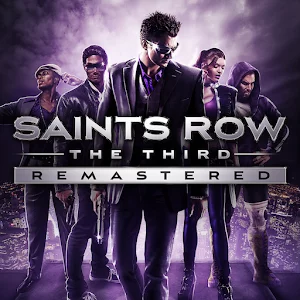
Free Saints Row: The Third Codes
Current active codes and how to redeem them.

James Brown
James focuses on Android gaming on PC, emulator setup, controls, performance tuning, and practical troubleshooting for longer play sessions.
COMMUNITY
Player Comments
79 players commented on this guide.
The tips are practical and easy to follow.
The explanation is clear, especially for beginners.
Can you add more details about heroes in a future update?
Good guide for Saints Row: The Third players. The heroes part was useful.