
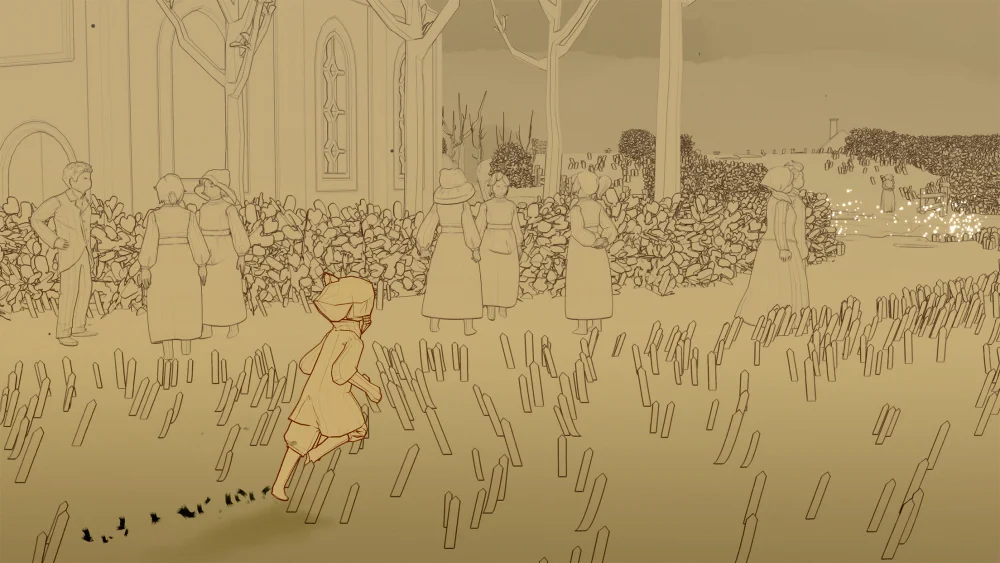
To maintain smooth cooperative play in Sky: Children of the Light, respect other players' boundaries and avoid disruptive habits during realm exploration. The community considers behaviors such as pursuing unlit strangers, spamming deep calls, triggering elevators prematurely, and obstructing interaction prompts with props to be disruptive "NG" (no good) actions. Adhering to cooperative etiquette prevents server splits, keeps puzzle progression efficient, and protects fellow players from unnecessary visual and auditory strain.
Respect Unlit Strangers and Personal Boundaries
Unacquainted players appear as gray silhouettes in each realm. While extending your red candle offers mutual lighting to reveal cosmetics and open friendship trees, participating is entirely optional.
If another player steps back, walks away, or offers a refusal emote, put your candle away immediately. Chasing gray players across a zone creates discomfort and interrupts their flow. Many solo players and veterans prefer anonymity to finish daily candle runs quickly or simply wish to enjoy the environment in peace.
Correct action: Tap your candle icon once to offer light. If the stranger does not engage or actively declines, bow politely and continue your run.
Limit Deep Calls and Avoid Chirp Spamming
Calling alerts others to your position, highlights objectives, and recharges nearby capes, but excessive calling disrupts your server instance. Holding down on your avatar triggers a deep call that releases a booming sound pulse and a blinding white flash. Rapidly repeating this causes visual fatigue, drowns out realm music, and ruins sheet music performances for nearby players using instruments.
Deep calls also cause mechanical issues in hazard zones like the Golden Wasteland. The shockwave flips dark crabs onto their backs, which can disrupt carry quests or unintentionally fling hostile creatures toward vulnerable players.
Correct action:
- Use a single standard chirp or a greeting emote to say hello.
- Reserve deep calls for recharging a companion whose cape energy is completely drained, or signaling for assistance at a multiplayer door.
- Never spam calls or set off fireworks around practicing musicians.
Wait for Everyone at Elevators, Cutscenes, and Group Doors
Activating zone transitions before everyone is assembled frequently causes server splits, stranding nearby players in empty instances.
In the Vault of Knowledge, ascending between floors requires standing on circular platform runes. Triggering the platform while other players are still gathering wax cakes or burning darkness on the current floor leaves them behind and often severs your server connection to them. Similar issues happen at cooperative puzzle gates, such as the two-player butterfly door in Daylight Prairie, where triggering animations can trap companions while they are collecting Winged Light.
Correct action:
- Check the immediate area before activating elevator runes to confirm that every player on the floor has stepped onto the platform.
- Emit a single normal chirp to signal that a group is ready at a cooperative door.
- Wait until nearby players finish clearing nearby hazards or gathering collectibles before triggering major cutscene transitions.
Stay Until Large Dark Plants Are Fully Burned
Large darkness trees—found in areas such as the Hidden Forest boneyards and the Golden Wasteland battlefield—require coordinated teamwork. Their branching stems regenerate rapidly if left unattended.
If you melt one side of a tree and fly away before the core is cleared, the plant regrows within seconds. This erases the progress of any partner holding the base and wastes their time.
Correct action:
- Coordinate roles naturally: one player stands directly on the burned stem with an open flame to prevent regrowth, while the second player melts the remaining branches.
- If clearing stems near dark water, maintain stable footing so you do not push your partner into the hazard.
- Remain at your post until the entire plant dissolves into light orbs.
Keep Interactive Prompts Clear of Props
Placing personal props directly over interactive map points creates hitbox collisions. Items like chat tables, campfires, cushions, and tents override the default activation prompt, forcing touch and controller players to cycle through unwanted sit menus instead of interacting with their objective.
Correct action: Keep personal items well outside the active radius of daily quest meditation shrines, spirit memory statues, and candle clusters.
| Interaction | Disruptive Behavior | Proper Etiquette |
|---|---|---|
| Candle Lighting | Chasing unlit strangers across the map | Offer flame once; respect refusal and move on |
| Calling | Spamming rapid deep calls | Chirp once for position; deep call only to recharge |
| Vault Elevators | Activating platform runes alone | Wait until all players on the floor step aboard |
| Dark Plants | Leaving a burnt branch before the core melts | Hold the burned stem until the entire tree dissolves |
| Prop Placement | Dropping furniture on quest shrines or wax | Place items in open areas away from interactable nodes |
| Musicians | Playing over performers or deep honking | Sit quietly, listen, or offer an applause emote |
Free Sky: Children of the Light Codes
Current active codes and how to redeem them.

James Brown
James focuses on Android gaming on PC, emulator setup, controls, performance tuning, and practical troubleshooting for longer play sessions.
COMMUNITY
Player Comments
101 players commented on this guide.
I tried this today and it worked better than my old setup.
Can you add more details about strategy in a future update?
This guide answered the exact question I had.
Good guide for Sky: Children of the Light players. The strategy part was useful.