

Play Steel vs Skin: The Rebound on Windows PC
Download the official Steel vs Skin: The Rebound Windows PC client and learn how to install and play the game on PC, with controls, system requirements, and practical tips.

Download Steel vs Skin: The Rebound Official Windows PC Client
Official Windows PC client provided by LDPlayer.
About the Official Steel vs Skin: The Rebound PC Client
Developer: Playtricks Studio LLC
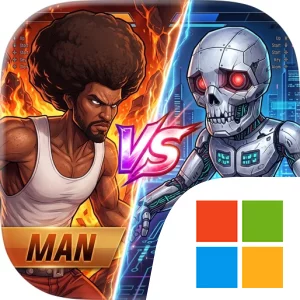
The central gameplay loop revolves around winning control of the ball and turning that possession into a scoring opportunity. Use the on-screen joystick to move your player around the court, then swipe to pass, shoot, or time a rebound with precision. A well-timed rebound can keep an attack alive or deny the robotic team a chance to build momentum, while a smart pass can create the opening your teammate needs for a clean finish. Blocks and steals add another layer to each exchange, making positioning just as important as speed. The retired legend is not fighting alone: the team’s coordinated movement and your decisions about when to share the ball are central to overcoming opponents designed around mechanical perfection. On PC, a larger display makes it easier to track the player, teammates, opponents, and developing possessions at the same time, which is especially useful when deciding whether to contest a shot, move into rebounding position, or set up a pass. Keyboard-and-mouse input can also make repeated movement and action choices feel more deliberate during hectic sequences, helping you guide your player around the court while keeping your attention on the timing of a rebound, block, or steal. The added screen space is valuable when a match demands that you compare several positioning options quickly rather than focus only on the ball. Whether you are trying to secure a game-winning rebound, create the perfect pass, or adapt to a challenger that has learned your habits, Steel vs Skin: The Rebound on PC presents each match as a test of teamwork, timing, and tactical adjustment. Its straightforward controls provide immediate access to jumping, passing, shooting, and defending, while the adaptive machines give those familiar actions a strategic edge: every possession asks you to prove that coordinated human play can outthink and outplay robotic precision.
Screenshots
How to Download and Install the Official Steel vs Skin: The Rebound PC Client
- Download and install the official Windows client distributed by LDPlayer.
- Open the app and sign in with your Google Play account.
- Search for Steel vs Skin: The Rebound in the app store.
- Install the game and finish the first-launch download.
- Use the same game login if account sync is available.
Why Play Steel vs Skin: The Rebound on PC?
Menus, maps, resources, and combat details are easier to read on a desktop display.
Keyboard and mouse input makes repeated actions and long sessions more comfortable.
Desktop play avoids phone battery drain during longer farming sessions.
Keep guides, codes, and notes open alongside the game on PC.
Controls and Performance
These three settings solve most common issues when playing on PC.
Map navigation, skill use, and repeated resource actions first.
Lower resolution or graphics quality if crowded scenes lose frames.
Link your account before switching devices so progress can be restored safely.
Steel vs Skin: The Rebound Official PC Client FAQ
Can I play Steel vs Skin: The Rebound on PC?
Yes. Download the official Windows PC client distributed by LDPlayer and play with a larger screen, keyboard, and mouse controls.
Is Steel vs Skin: The Rebound better on PC than mobile?
Playing on PC can make longer sessions, detailed menus, and resource management more comfortable, while mobile is still convenient for quick check-ins.
Will my Steel vs Skin: The Rebound progress sync on PC?
Progress depends on the sign-in options supported by the game. Use the same linked Google, Facebook, Apple, or game account on both devices.
Why does Steel vs Skin: The Rebound lag on PC?
Lag can be caused by limited RAM, demanding graphics settings, outdated client files, or background apps. Lower the graphics settings and keep the PC client up to date.
DOWNLOAD STARTED
Your download is starting
Check your browser Downloads if it does not appear.
Official PC client for Windows, distributed by LDPlayer.
Download again