

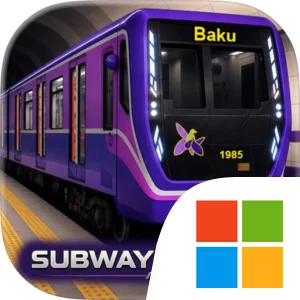
Play Subway Driver: Baku on Windows PC
Download the official Subway Driver: Baku Windows PC client and learn how to install and play the game on PC, with controls, system requirements, and practical tips.

Download Subway Driver: Baku Official Windows PC Client
Official Windows PC client provided by LDPlayer.
About the Official Subway Driver: Baku PC Client
Developer: Sarkhan Abbaszadeh
The central gameplay loop is about precision and consistency. You control acceleration and braking, manage the train’s doors, approach stations carefully, and aim for accurate stops without compromising safe driving or timing. Performance evaluation makes these details important: perfect station stops, signal control, speed management, and dependable scheduling can improve your score and salary, so simply reaching the next station is not the only measure of success. As your career develops, route unlocking expands the subway lines and stations available to you, while the Train Selection & Depot System gives you more to manage between shifts. You can unlock different metro trains, choose the one suited to your next assignment, repair it, upgrade it, and prepare for another run. Mission Mode provides structured objectives, while Passenger Mode offers another way to experience the metro operation, and the progression system ties these activities to better routes, trains, and rewards. On a larger PC display, the clean HUD, railway signals, speed limits, station information, and other driving feedback are easier to read while you concentrate on braking and door control in the approach to a station. Keyboard-and-mouse input also suits the game’s repeated operational actions: keyboard controls can make acceleration, braking, and door commands more deliberate during a busy shift, while the mouse provides precise menu control when selecting a route, choosing a train, or handling depot repairs and upgrades. That combination is particularly useful when you are trying to reproduce a strong performance across several rides rather than treating each trip as a one-off. With underground tunnels, local-style metro design, immersive sounds, and realistic train movement supporting the simulation, Subway Driver: Baku stays focused on the process of becoming dependable behind the controls. The objective is not just to drive from one station to the next, but to learn the railway routine, protect your performance rating, unlock the next stage of your career, and build a subway legacy through careful work.
Screenshots
How to Download and Install the Official Subway Driver: Baku PC Client
- Download and install the official Windows client distributed by LDPlayer.
- Open the app and sign in with your Google Play account.
- Search for Subway Driver: Baku in the app store.
- Install the game and finish the first-launch download.
- Use the same game login if account sync is available.
Why Play Subway Driver: Baku on PC?
Menus, maps, resources, and combat details are easier to read on a desktop display.
Keyboard and mouse input makes repeated actions and long sessions more comfortable.
Desktop play avoids phone battery drain during longer farming sessions.
Keep guides, codes, and notes open alongside the game on PC.
Controls and Performance
These three settings solve most common issues when playing on PC.
Map navigation, skill use, and repeated resource actions first.
Lower resolution or graphics quality if crowded scenes lose frames.
Link your account before switching devices so progress can be restored safely.
Subway Driver: Baku Official PC Client FAQ
Can I play Subway Driver: Baku on PC?
Yes. Download the official Windows PC client distributed by LDPlayer and play with a larger screen, keyboard, and mouse controls.
Is Subway Driver: Baku better on PC than mobile?
Playing on PC can make longer sessions, detailed menus, and resource management more comfortable, while mobile is still convenient for quick check-ins.
Will my Subway Driver: Baku progress sync on PC?
Progress depends on the sign-in options supported by the game. Use the same linked Google, Facebook, Apple, or game account on both devices.
Why does Subway Driver: Baku lag on PC?
Lag can be caused by limited RAM, demanding graphics settings, outdated client files, or background apps. Lower the graphics settings and keep the PC client up to date.
DOWNLOAD STARTED
Your download is starting
Check your browser Downloads if it does not appear.
Official PC client for Windows, distributed by LDPlayer.
Download again