

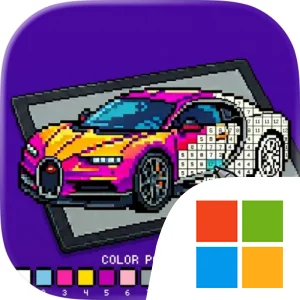
Play Supercars Pixel Coloring Art on Windows PC
Download the official Supercars Pixel Coloring Art Windows PC client and learn how to install and play the game on PC, with controls, system requirements, and practical tips.

Download Supercars Pixel Coloring Art Official Windows PC Client
Official Windows PC client provided by LDPlayer.
About the Official Supercars Pixel Coloring Art PC Client
Developer: Usama Latif
The amount of detail depends on the selected challenge. Easy 16x16 pixel cars offer a manageable introduction, while the more intricate 128x128 grids are designed for players who want a longer, more demanding coloring session and a sharper final image. Easy, Medium, and Hard difficulty levels let you decide whether to finish a piece quickly or commit to the most complex premium designs. Smooth zoom and pan are essential when working through dense sections: you can zoom in to identify individual numbered pixels and then zoom back out to judge the car as a whole. On PC, a larger display makes both stages more comfortable, especially when comparing small areas of a 128x128 grid with the overall silhouette, bodywork, and color distribution of the finished car. Mouse control also suits the repeated actions at the heart of the game, allowing precise selection of a palette number and accurate filling of small cells without obscuring the artwork with a finger. Keyboard-and-mouse input can further reduce the friction of routine navigation and repeated coloring, keeping common commands and movement close at hand while the mouse handles detailed cell selection. The result is a format that works well for short breaks or longer completion sessions, with no reaction-time pressure and no requirement to create colors manually.
Progression in Supercars Pixel Coloring Art comes from working through the available car collection, choosing increasingly detailed grids, and returning to unfinished pieces whenever you want. The automatic save system records progress after every tap, so you can leave a difficult artwork and resume days later without losing completed pixels. That feature is especially useful for Hard designs, where filling every numbered section can become a sustained project rather than a single sitting. A hint system can help when you are unsure where a particular number remains, while daily rewards provide an additional reason to open the game regularly. The entire experience works 100 percent offline, making the collection available on a plane, in a car, or anywhere without Wi-Fi. A dark neon racing theme supplies the presentation, but the gameplay remains centered on calm concentration: selecting a number, filling matching pixels, managing zoom and pan, and watching each supercar take shape. With its broad catalog, three difficulty levels, automatic saving, offline access, and distinct automotive categories, the game offers a structured coloring hobby for players who want to collect and complete pixel-art versions of exotic cars, racing legends, muscle exotics, and hypercars at their own pace.
Screenshots
How to Download and Install the Official Supercars Pixel Coloring Art PC Client
- Download and install the official Windows client distributed by LDPlayer.
- Open the app and sign in with your Google Play account.
- Search for Supercars Pixel Coloring Art in the app store.
- Install the game and finish the first-launch download.
- Use the same game login if account sync is available.
Why Play Supercars Pixel Coloring Art on PC?
Menus, maps, resources, and combat details are easier to read on a desktop display.
Keyboard and mouse input makes repeated actions and long sessions more comfortable.
Desktop play avoids phone battery drain during longer farming sessions.
Keep guides, codes, and notes open alongside the game on PC.
Controls and Performance
These three settings solve most common issues when playing on PC.
Map navigation, skill use, and repeated resource actions first.
Lower resolution or graphics quality if crowded scenes lose frames.
Link your account before switching devices so progress can be restored safely.
Supercars Pixel Coloring Art Official PC Client FAQ
Can I play Supercars Pixel Coloring Art on PC?
Yes. Download the official Windows PC client distributed by LDPlayer and play with a larger screen, keyboard, and mouse controls.
Is Supercars Pixel Coloring Art better on PC than mobile?
Playing on PC can make longer sessions, detailed menus, and resource management more comfortable, while mobile is still convenient for quick check-ins.
Will my Supercars Pixel Coloring Art progress sync on PC?
Progress depends on the sign-in options supported by the game. Use the same linked Google, Facebook, Apple, or game account on both devices.
Why does Supercars Pixel Coloring Art lag on PC?
Lag can be caused by limited RAM, demanding graphics settings, outdated client files, or background apps. Lower the graphics settings and keep the PC client up to date.
DOWNLOAD STARTED
Your download is starting
Check your browser Downloads if it does not appear.
Official PC client for Windows, distributed by LDPlayer.
Download again