

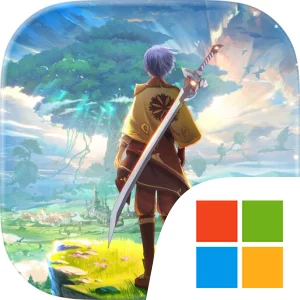
Play The Legend of Neverland on Windows PC
Download the official The Legend of Neverland Windows PC client and learn how to install and play the game on PC, with controls, system requirements, and practical tips.

Download The Legend of Neverland Official Windows PC Client
Official Windows PC client provided by LDPlayer.
About the Official The Legend of Neverland PC Client
Developer: SKYWORK AI PTE LTD
Combat and character development are built around choice. You can customize your adventurer’s face, hair, eyes, and fashion, then switch between classes such as swordsman, ranger, scholar, and craftsman whenever you want to approach an encounter with a different role and weapon. The Links system lets you recruit flower fairies, including Marigold, Balloon Flower, and Chestnut Rose, to assist in battle, adding another layer to how you prepare for threats. For group play, you can cooperate with teammates in PVE dungeons, work together to defeat powerful bosses, and test your abilities against other adventurers in PVP matches. Exploration also connects to collection and progression through the Fantasy Beast Forest, where you can form bonds with creatures such as Little Flame Dragon, Heavenly Fox, and Gem Bunny. These Fantasy Beasts can evolve through multiple stages, increasing their combat power as your adventure continues, while the time-limited Fantasy Beast Frontline event offers a focused challenge with rewards. On PC, a larger display makes it easier to read quest information, inspect combat details, compare equipment and class options, and keep track of the characters, fairies, and beasts involved in your preparation. Keyboard-and-mouse controls can also make repeated travel and activity management more comfortable, whether you are navigating Cabala, moving between combat and life-skill pursuits, organizing a party for a PVE dungeon, or responding quickly during a battle. With exploration, class switching, fairy recruitment, evolving Fantasy Beasts, cooperative dungeons, PVP matches, and a separate set of fishing, cooking, and collection activities, The Legend of Neverland offers several connected ways to shape an ongoing fantasy adventure.
Screenshots
How to Download and Install the Official The Legend of Neverland PC Client
- Download and install the official Windows client distributed by LDPlayer.
- Open the app and sign in with your Google Play account.
- Search for The Legend of Neverland in the app store.
- Install the game and finish the first-launch download.
- Use the same game login if account sync is available.
Why Play The Legend of Neverland on PC?
Menus, maps, resources, and combat details are easier to read on a desktop display.
Keyboard and mouse input makes repeated actions and long sessions more comfortable.
Desktop play avoids phone battery drain during longer farming sessions.
Keep guides, codes, and notes open alongside the game on PC.
Controls and Performance
These three settings solve most common issues when playing on PC.
Map navigation, skill use, and repeated resource actions first.
Lower resolution or graphics quality if crowded scenes lose frames.
Link your account before switching devices so progress can be restored safely.
The Legend of Neverland Official PC Client FAQ
Can I play The Legend of Neverland on PC?
Yes. Download the official Windows PC client distributed by LDPlayer and play with a larger screen, keyboard, and mouse controls.
Is The Legend of Neverland better on PC than mobile?
Playing on PC can make longer sessions, detailed menus, and resource management more comfortable, while mobile is still convenient for quick check-ins.
Will my The Legend of Neverland progress sync on PC?
Progress depends on the sign-in options supported by the game. Use the same linked Google, Facebook, Apple, or game account on both devices.
Why does The Legend of Neverland lag on PC?
Lag can be caused by limited RAM, demanding graphics settings, outdated client files, or background apps. Lower the graphics settings and keep the PC client up to date.
DOWNLOAD STARTED
Your download is starting
Check your browser Downloads if it does not appear.
Official PC client for Windows, distributed by LDPlayer.
Download again