

Play Thief Robber Sim :Police Games on Windows PC
Download the official Thief Robber Sim :Police Games Windows PC client and learn how to install and play the game on PC, with controls, system requirements, and practical tips.

Download Thief Robber Sim :Police Games Official Windows PC Client
Official Windows PC client provided by LDPlayer.
About the Official Thief Robber Sim :Police Games PC Client
Developer: Umama Umama
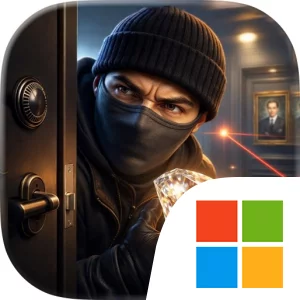
The central gameplay loop is clear: enter a location, overcome its defenses, steal a valuable object, and survive the escape. Guards can block your route, so stealth and timing are essential when moving through each setting. Security rooms introduce laser traps that can turn a straightforward theft into a careful navigation challenge, while other sections surround you with rising lava and demand a fast, controlled getaway. Ropes let you cross rooms filled with electrified water, adding a traversal problem to the heist, and complex wall puzzles require you to find the correct path before you can continue. These obstacles give each level a different emphasis, shifting between sneaking past danger, understanding a puzzle, and reacting during an intense escape.
The game’s missions are structured as a series of robberies with new challenges throughout, culminating in the major objective of stealing the legendary diamond. Along the way, the Queen’s gold serves as another important prize, giving the heists concrete targets beyond simply reaching the end of a level. This combination of objectives and hazards makes planning as important as execution: you need to think about how guards, laser traps, electrified floors or water, wall puzzles, and escape routes fit together before committing to the theft. The variety also supports the game’s blend of action, stealth, and strategy without requiring the missions to feel like identical break-ins.
The PC format is particularly useful for reading these environments and handling precise movement. A larger display makes it easier to distinguish guards from the surrounding setting, notice laser traps hidden in secure rooms, and study the layout of a wall puzzle before choosing a route. It can also help when an escape is surrounded by lava or electrified hazards, since seeing the available space clearly matters when every movement has consequences. Keyboard-and-mouse input suits the game’s mix of directional movement and quick reactions: keyboard controls can support deliberate repositioning around guards or hazards, while mouse input can make it easier to adjust your view and line up the next move through a room. Those advantages are most noticeable when crossing electrified water with a rope, slipping around a dangerous obstacle, or making a rapid getaway after taking the Queen’s gold or legendary diamond. For players looking for a compact heist adventure focused on stealth, traps, puzzles, and escape challenges, Thief Robber Sim :Police Games presents its robberies as a sequence of practical problems to solve under pressure.
Screenshots
How to Download and Install the Official Thief Robber Sim :Police Games PC Client
- Download and install the official Windows client distributed by LDPlayer.
- Open the app and sign in with your Google Play account.
- Search for Thief Robber Sim :Police Games in the app store.
- Install the game and finish the first-launch download.
- Use the same game login if account sync is available.
Why Play Thief Robber Sim :Police Games on PC?
Menus, maps, resources, and combat details are easier to read on a desktop display.
Keyboard and mouse input makes repeated actions and long sessions more comfortable.
Desktop play avoids phone battery drain during longer farming sessions.
Keep guides, codes, and notes open alongside the game on PC.
Controls and Performance
These three settings solve most common issues when playing on PC.
Map navigation, skill use, and repeated resource actions first.
Lower resolution or graphics quality if crowded scenes lose frames.
Link your account before switching devices so progress can be restored safely.
Thief Robber Sim :Police Games Official PC Client FAQ
Can I play Thief Robber Sim :Police Games on PC?
Yes. Download the official Windows PC client distributed by LDPlayer and play with a larger screen, keyboard, and mouse controls.
Is Thief Robber Sim :Police Games better on PC than mobile?
Playing on PC can make longer sessions, detailed menus, and resource management more comfortable, while mobile is still convenient for quick check-ins.
Will my Thief Robber Sim :Police Games progress sync on PC?
Progress depends on the sign-in options supported by the game. Use the same linked Google, Facebook, Apple, or game account on both devices.
Why does Thief Robber Sim :Police Games lag on PC?
Lag can be caused by limited RAM, demanding graphics settings, outdated client files, or background apps. Lower the graphics settings and keep the PC client up to date.
DOWNLOAD STARTED
Your download is starting
Check your browser Downloads if it does not appear.
Official PC client for Windows, distributed by LDPlayer.
Download again