

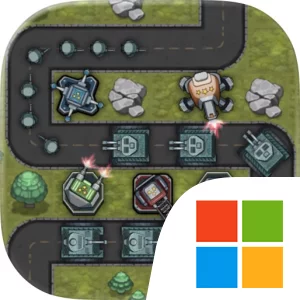
Play Turret Defense King on Windows PC
Download the official Turret Defense King Windows PC client and learn how to install and play the game on PC, with controls, system requirements, and practical tips.

Download Turret Defense King Official Windows PC Client
Official Windows PC client provided by LDPlayer.
About the Official Turret Defense King PC Client
Developer: MOBIRIX
The main gameplay loop combines placement, defense, resource gathering, and gradual improvement. During a stage, destroying objects allows you to acquire resources, giving successful play a direct effect on your ability to continue developing your defense. As you progress through the stages, the rewards upgrade, so advancing is not only about clearing the next objective but also about earning better returns from continued play. Various boost items add another layer to the decision-making. Rather than treating boosts as decoration, you can consider them alongside your defense towers when deciding how to handle a difficult battle or strengthen a position. The game also emphasizes unique battles built from the interaction between different towers, their abilities, the available boost items, and the layout of each map. That combination keeps the focus on tactical adjustment: place towers strategically, use the tools available for the current stage, destroy objects to secure resources, and improve your results as the reward structure advances.
Playing Turret Defense King on PC gives this compact strategy format more room to breathe. A larger display makes it easier to read the battlefield at a glance, distinguish available placement areas, and compare the positions of multiple towers before committing to a defensive layout. That is especially useful when a map presents several possible locations and you need to judge how your towers’ different abilities will work together. A mouse also offers precise control when selecting a tower, placing it in the intended spot, activating a boost item, or targeting an object to destroy for resources. Keyboard-and-mouse input can make repeated stage actions more comfortable as well, reducing the friction of checking the field, selecting defensive options, and responding to changes during a battle. The larger screen is equally helpful when reviewing the results of a cleared stage and tracking upgraded rewards, keeping the progression loop visible without crowding the action. For players who enjoy tower defense through careful placement and stage-by-stage problem solving, the PC version presents Turret Defense King as a focused strategy experience where map awareness, tower selection, resource collection, and timely use of boost items all contribute to victory.
Screenshots
How to Download and Install the Official Turret Defense King PC Client
- Download and install the official Windows client distributed by LDPlayer.
- Open the app and sign in with your Google Play account.
- Search for Turret Defense King in the app store.
- Install the game and finish the first-launch download.
- Use the same game login if account sync is available.
Why Play Turret Defense King on PC?
Menus, maps, resources, and combat details are easier to read on a desktop display.
Keyboard and mouse input makes repeated actions and long sessions more comfortable.
Desktop play avoids phone battery drain during longer farming sessions.
Keep guides, codes, and notes open alongside the game on PC.
Controls and Performance
These three settings solve most common issues when playing on PC.
Map navigation, skill use, and repeated resource actions first.
Lower resolution or graphics quality if crowded scenes lose frames.
Link your account before switching devices so progress can be restored safely.
Turret Defense King Official PC Client FAQ
Can I play Turret Defense King on PC?
Yes. Download the official Windows PC client distributed by LDPlayer and play with a larger screen, keyboard, and mouse controls.
Is Turret Defense King better on PC than mobile?
Playing on PC can make longer sessions, detailed menus, and resource management more comfortable, while mobile is still convenient for quick check-ins.
Will my Turret Defense King progress sync on PC?
Progress depends on the sign-in options supported by the game. Use the same linked Google, Facebook, Apple, or game account on both devices.
Why does Turret Defense King lag on PC?
Lag can be caused by limited RAM, demanding graphics settings, outdated client files, or background apps. Lower the graphics settings and keep the PC client up to date.
DOWNLOAD STARTED
Your download is starting
Check your browser Downloads if it does not appear.
Official PC client for Windows, distributed by LDPlayer.
Download again