

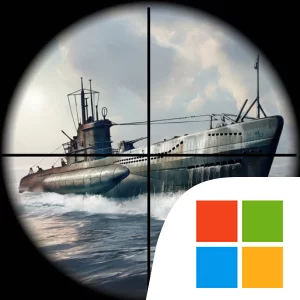
Play Uboat Attack on Windows PC
Download the official Uboat Attack Windows PC client and learn how to install and play the game on PC, with controls, system requirements, and practical tips.

Download Uboat Attack Official Windows PC Client
Official Windows PC client provided by LDPlayer.
About the Official Uboat Attack PC Client
Developer: Voodoo
The central gameplay loop moves between searching for targets, lining up an attack, launching torpedoes, and reacting to the damage caused by the exchange. Uboat Attack features dozens of real ships to track, giving each encounter a clear identification and targeting focus as you look for the best shot. Enemy vessels can suffer realistic damage, including fire events and propeller failure, so a successful attack is not limited to an immediate sinking. The damage that appears during an intense battle can influence how you approach the next launch and help you decide whether to press an advantage or change tactics. Survival is one of the named modes, where the goal is to sink enemy armadas and remain effective through continuing naval combat. The game also includes tactical missions, navy challenges, and marine events that provide resources, giving your battles a broader purpose beyond the result of a single encounter.
Progression is tied to becoming a stronger navy fighter and advancing through the ranks toward admiral of the U-boat forces. Resources earned through events, missions, and challenges support the pursuit of better tactical weapons suited to different kinds of marine warfare. That creates a straightforward preparation-and-engagement structure: take on naval combat, earn resources, improve your available tactical options, and return to the sea with a more capable approach. Exploration also has a practical role. You can operate in arctic wastelands, canyons, the abyss, and sunken temples, each offering a distinct underwater setting in which to seek a tactical advantage and prepare an ambush. These areas are not just backdrops; the store description presents them as locations to explore while planning how to engage enemy fighters.
A PC screen is particularly useful when you are trying to keep track of a warship while also judging the surrounding underwater space. The larger display can make it easier to read the combat scene, follow targets, and use the zoom controls to find a clearer composition for blasts before launching a torpedo. Keyboard-and-mouse input can also make repeated navigation and aiming actions more manageable than swipe controls, while mouse movement gives you a direct way to inspect the action and select the moment for an attack. That matters when a battle includes fire events, propeller failure, or several possible tactical responses, since you need to see the damage information and act without losing awareness of the target. The game allows graphic settings to be changed for improved visuals or performance, so the PC version can be adjusted around the demands of its detailed U-Boats, warships, and underwater locations. If you want a submarine game built around real-time naval combat, torpedo attacks, resource-driven preparation, and a climb through the navy ranks, Uboat Attack on PC offers a focused underwater warfare experience with both action and tactical decision-making.
Screenshots
How to Download and Install the Official Uboat Attack PC Client
- Download and install the official Windows client distributed by LDPlayer.
- Open the app and sign in with your Google Play account.
- Search for Uboat Attack in the app store.
- Install the game and finish the first-launch download.
- Use the same game login if account sync is available.
Why Play Uboat Attack on PC?
Menus, maps, resources, and combat details are easier to read on a desktop display.
Keyboard and mouse input makes repeated actions and long sessions more comfortable.
Desktop play avoids phone battery drain during longer farming sessions.
Keep guides, codes, and notes open alongside the game on PC.
Controls and Performance
These three settings solve most common issues when playing on PC.
Map navigation, skill use, and repeated resource actions first.
Lower resolution or graphics quality if crowded scenes lose frames.
Link your account before switching devices so progress can be restored safely.
Uboat Attack Official PC Client FAQ
Can I play Uboat Attack on PC?
Yes. Download the official Windows PC client distributed by LDPlayer and play with a larger screen, keyboard, and mouse controls.
Is Uboat Attack better on PC than mobile?
Playing on PC can make longer sessions, detailed menus, and resource management more comfortable, while mobile is still convenient for quick check-ins.
Will my Uboat Attack progress sync on PC?
Progress depends on the sign-in options supported by the game. Use the same linked Google, Facebook, Apple, or game account on both devices.
Why does Uboat Attack lag on PC?
Lag can be caused by limited RAM, demanding graphics settings, outdated client files, or background apps. Lower the graphics settings and keep the PC client up to date.
DOWNLOAD STARTED
Your download is starting
Check your browser Downloads if it does not appear.
Official PC client for Windows, distributed by LDPlayer.
Download again